Production BOM (PO BOM)
The Production BOM module is used to generate the material requirements for a specific Production Order.
It retrieves the configured Bill of Materials (BOM) and calculates the required quantities based on the production order quantity.
This helps ensure that the correct materials are allocated for production.
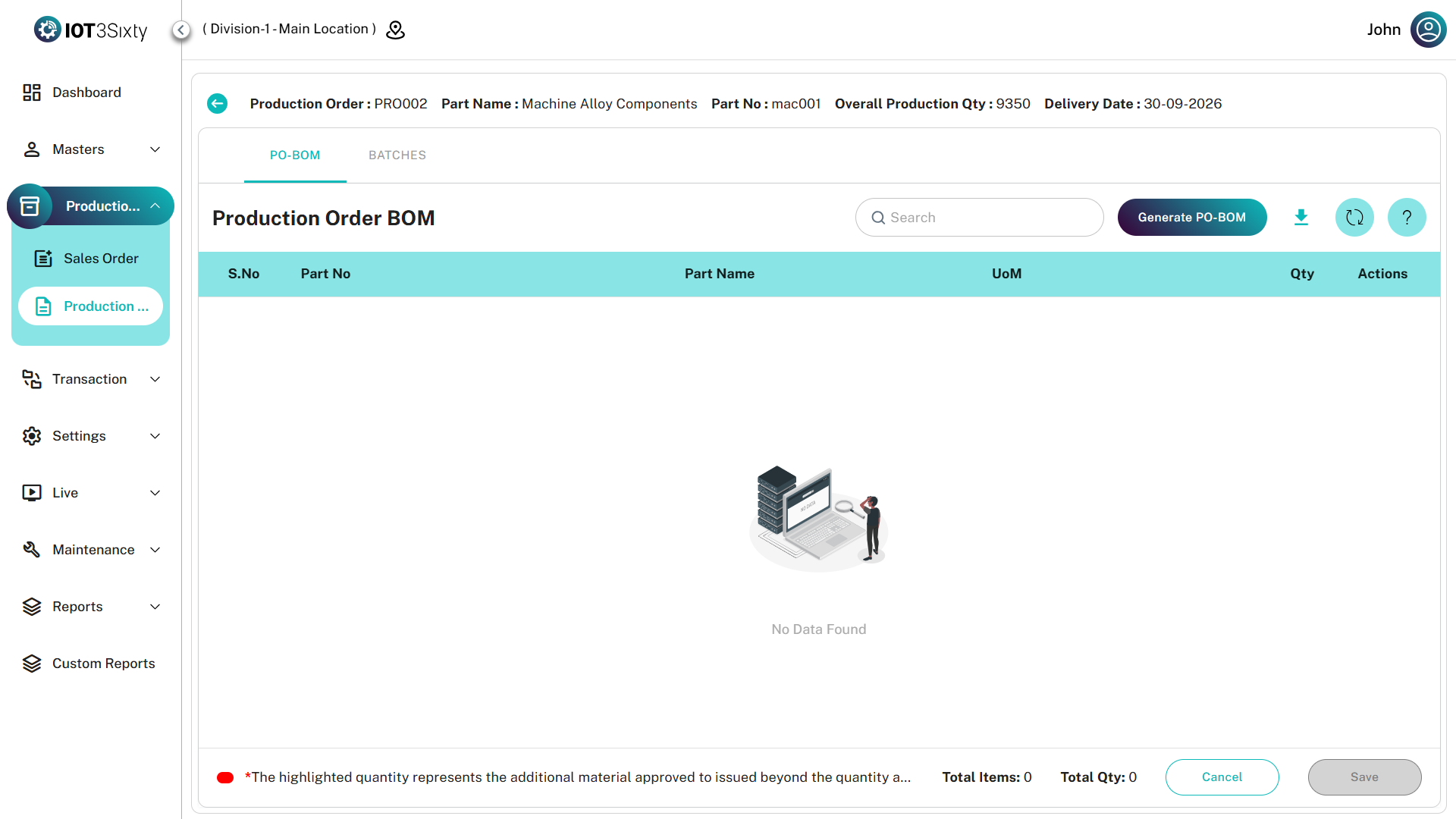
Generating Production BOM
To generate a Production BOM:
- Navigate to Production → Production Order.
- Select the required Production Order.
- Click the Generate PO BOM option.
- The Generate Production BOM screen will appear.
- Select the required BOM.
- The system will automatically calculate the material quantity based on the production order quantity.
- Click Save.
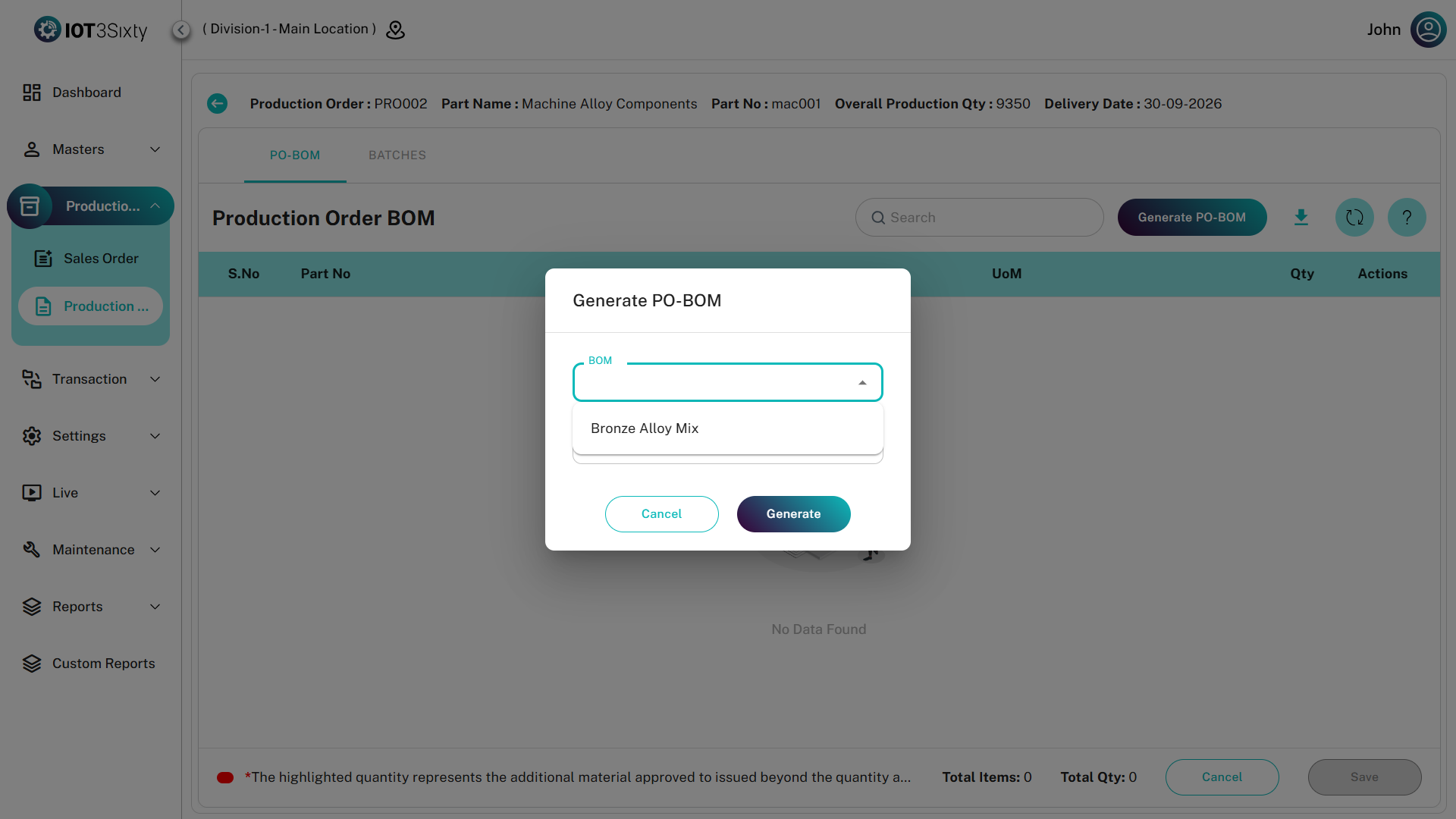
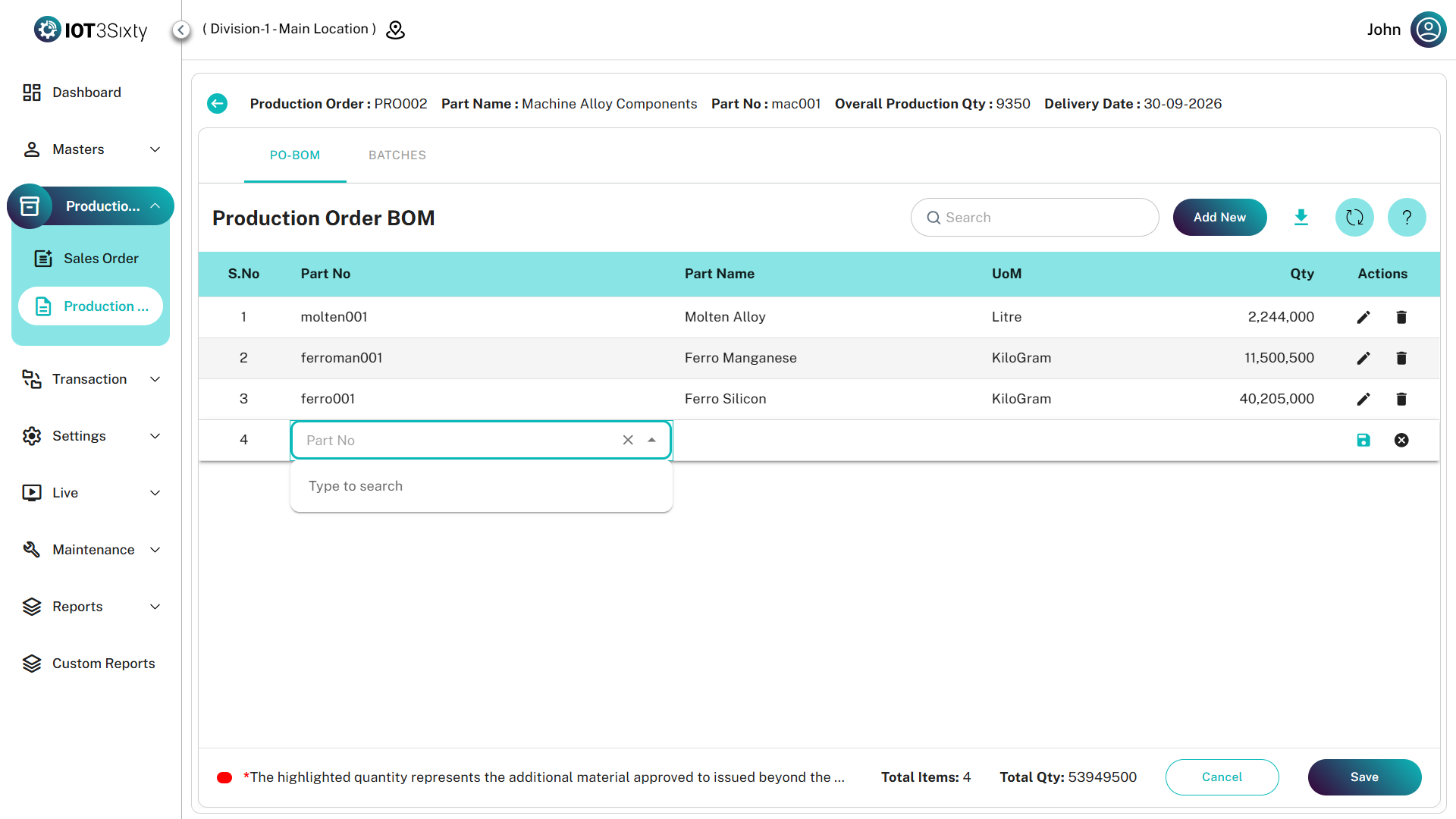
Once saved, the Production BOM will be generated and displayed in the PO BOM list.
Production BOM Details
The generated Production BOM contains the following information.
| Field | Description |
|---|---|
| Part Name | Raw material or semi-finished good required for production. |
| Item Type | Type of material (Raw Material or Semi Finished Goods). |
| Quantity | Quantity required based on the production order quantity. |
| UOM | Unit of measure used for the material. |
Editing Production BOM
After the Production BOM is generated, users can modify the material quantities if required.
Users can:
- Edit the existing material quantity
- Add additional quantity if required
This allows flexibility when production requires more materials than originally planned.
Extra Quantity Highlight
If additional quantity is entered beyond the calculated BOM quantity, the system will highlight the extra quantity in red color.
This visual indicator helps users easily identify additional material requests raised during production.
Saving the Production BOM
After verifying or modifying the quantities:
- Click Save.
- The Production BOM will be updated and stored in the system.
The Production BOM will then be used for material planning and batch creation.
Summary
The Production BOM module allows users to generate material requirements for a production order.
It enables users to:
- Generate BOM based on production order
- Automatically calculate required material quantities
- Modify quantities if required
- Add extra quantities when necessary
- Identify additional material requirements through highlighted indicators
This ensures accurate material planning and production execution within the MES system.