General Settings
General Settings
The General Settings module allows administrators to configure important system-level parameters that control how the MES application behaves.
These settings influence production workflows, automation processes, system refresh intervals, and material handling operations across the organization.
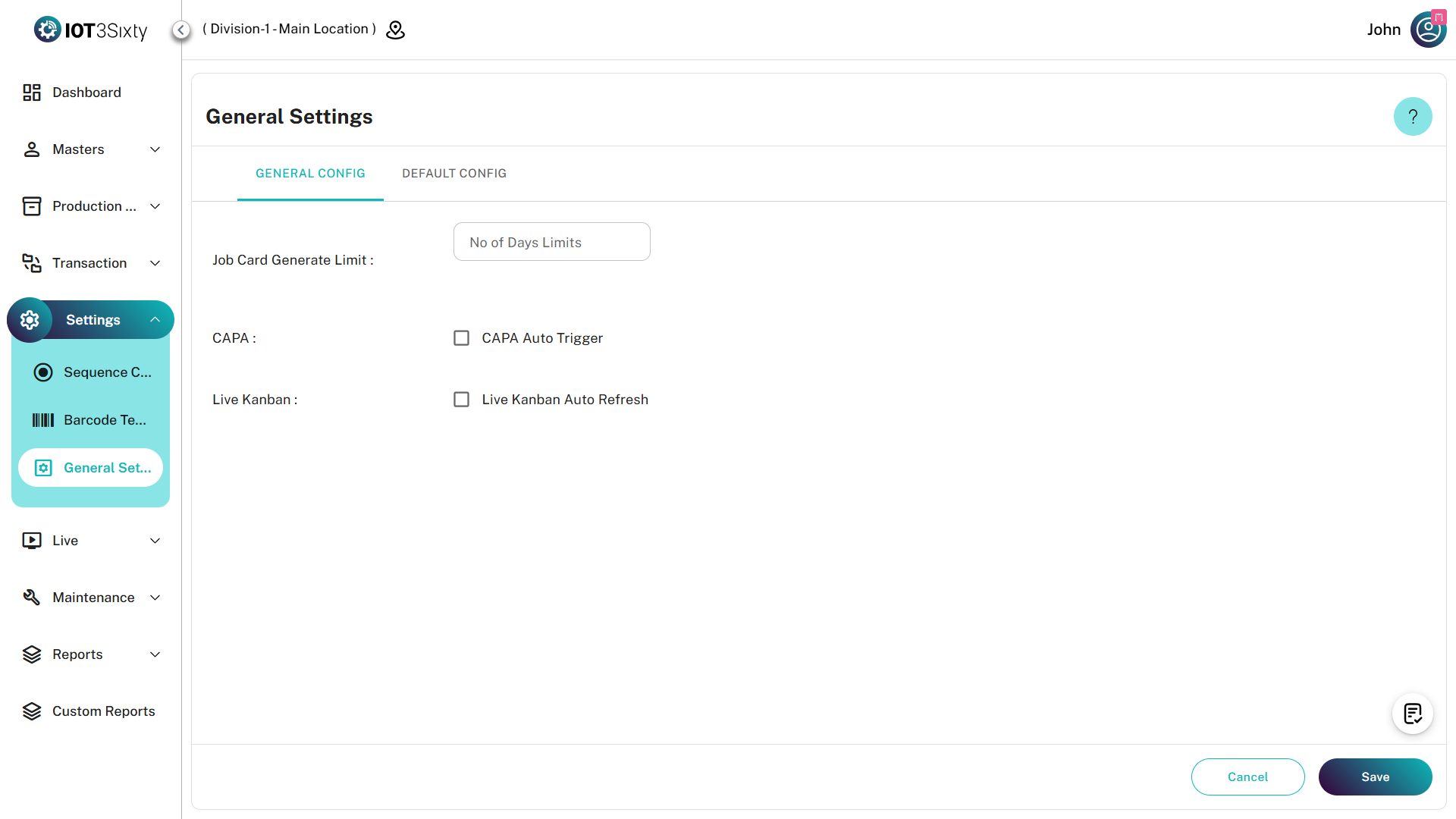
Module Overview
General Config
The General Config tab contains operational settings that directly affect production execution and system automation.
1. Job Card Generate Limit
The Job Card Generate Limit controls the maximum number of job cards that users can generate in a single operation.
Workflow
Benefits
- Prevents accidental mass generation
- Improves system stability
- Controls production scheduling volume
- Reduces unnecessary processing load
Example
If the configured limit is 50, users cannot generate more than 50 job cards in a single transaction.
2. CAPA Auto Trigger
CAPA (Corrective and Preventive Action) can be triggered automatically when predefined production issues remain unresolved.
Configuration
| Setting | Description |
|---|---|
| Enable CAPA Auto Trigger | Activates automatic CAPA creation |
| Trigger Duration | Waiting period before CAPA creation |
CAPA Workflow
Example
If the trigger duration is configured as 10 minutes:
- Issue detected at 10:00 AM
- Issue still active at 10:10 AM
- CAPA automatically created
Benefits
- Faster issue response
- Reduced manual monitoring
- Improved quality compliance
- Enhanced corrective action tracking
3. Live Kanban View Auto Refresh
The Live Kanban Board displays real-time production activities.
Auto Refresh ensures users always view the latest production information.
Refresh Workflow
Example
If refresh interval = 2 minutes
The Kanban board automatically updates every 2 minutes without user intervention.
Benefits
- Real-time monitoring
- Improved shop-floor visibility
- Reduced manual refresh actions
- Faster production tracking
Default Config
The Default Config tab manages default system behavior and material handling preferences.
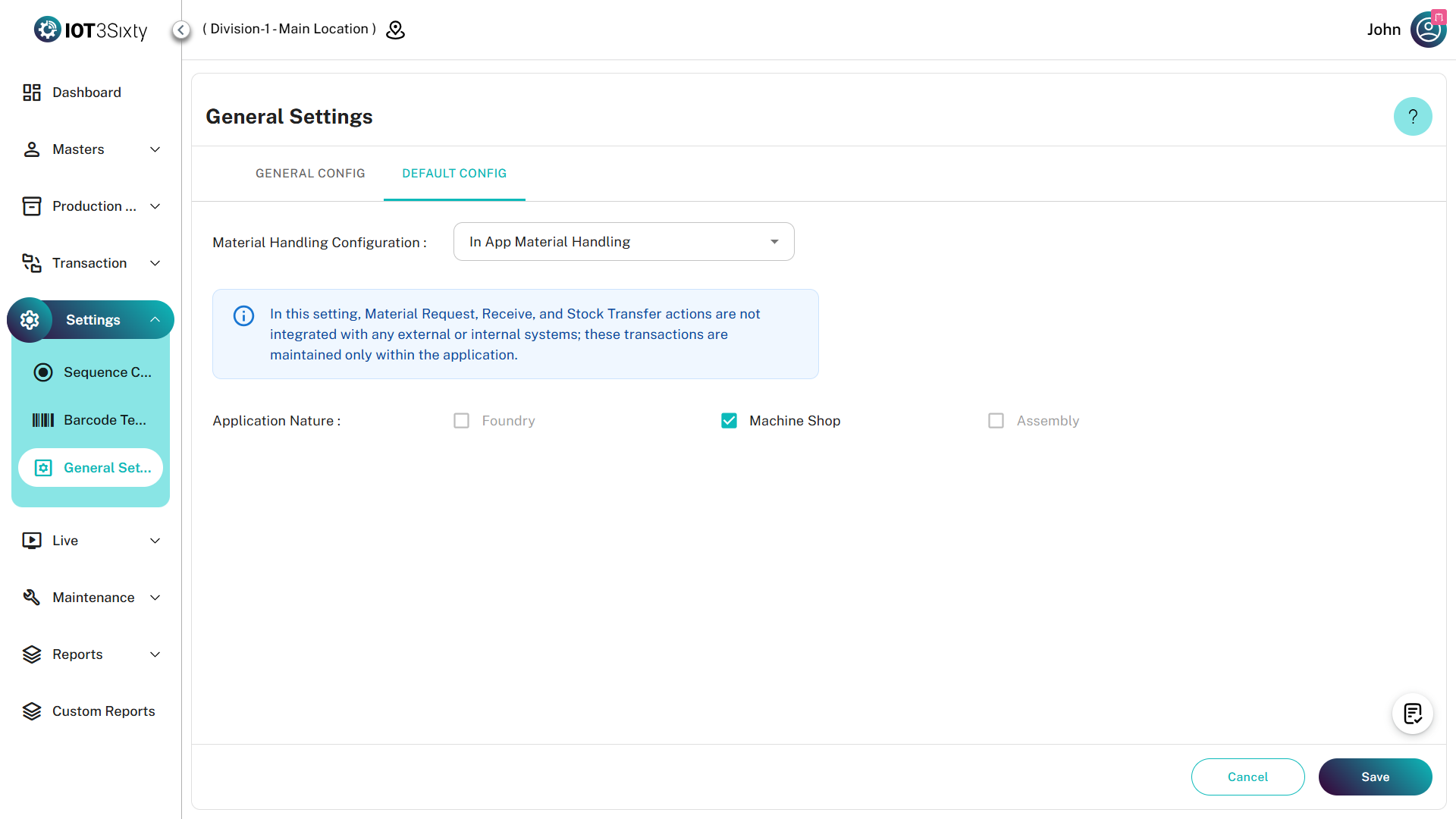
Structure
Application Configuration
Application Configuration defines standard MES behavior used across operational modules.
Purpose
- Default application behavior
- Standard processing rules
- System operational preferences
- Event handling configuration
Workflow
Material Handling Configuration
Material Handling Configuration controls how materials move through production and inventory processes.
Material Handling Flow
Controls
The configuration can influence:
| Area | Description |
|---|---|
| Material Allocation | Assign materials to production |
| Material Consumption | Track usage during execution |
| Inventory Integration | Sync production and inventory |
| Stock Validation | Prevent incorrect material usage |
Benefits
- Accurate inventory tracking
- Improved material visibility
- Reduced material discrepancies
- Better production planning