Shift Master
The Shift Master module is used to define and manage production shifts within the MES system.
It helps configure working hours, leave days, overnight shifts, and break timings for production operations.
Proper shift configuration ensures that production scheduling, manpower allocation, and machine operations run according to the defined shift timings.
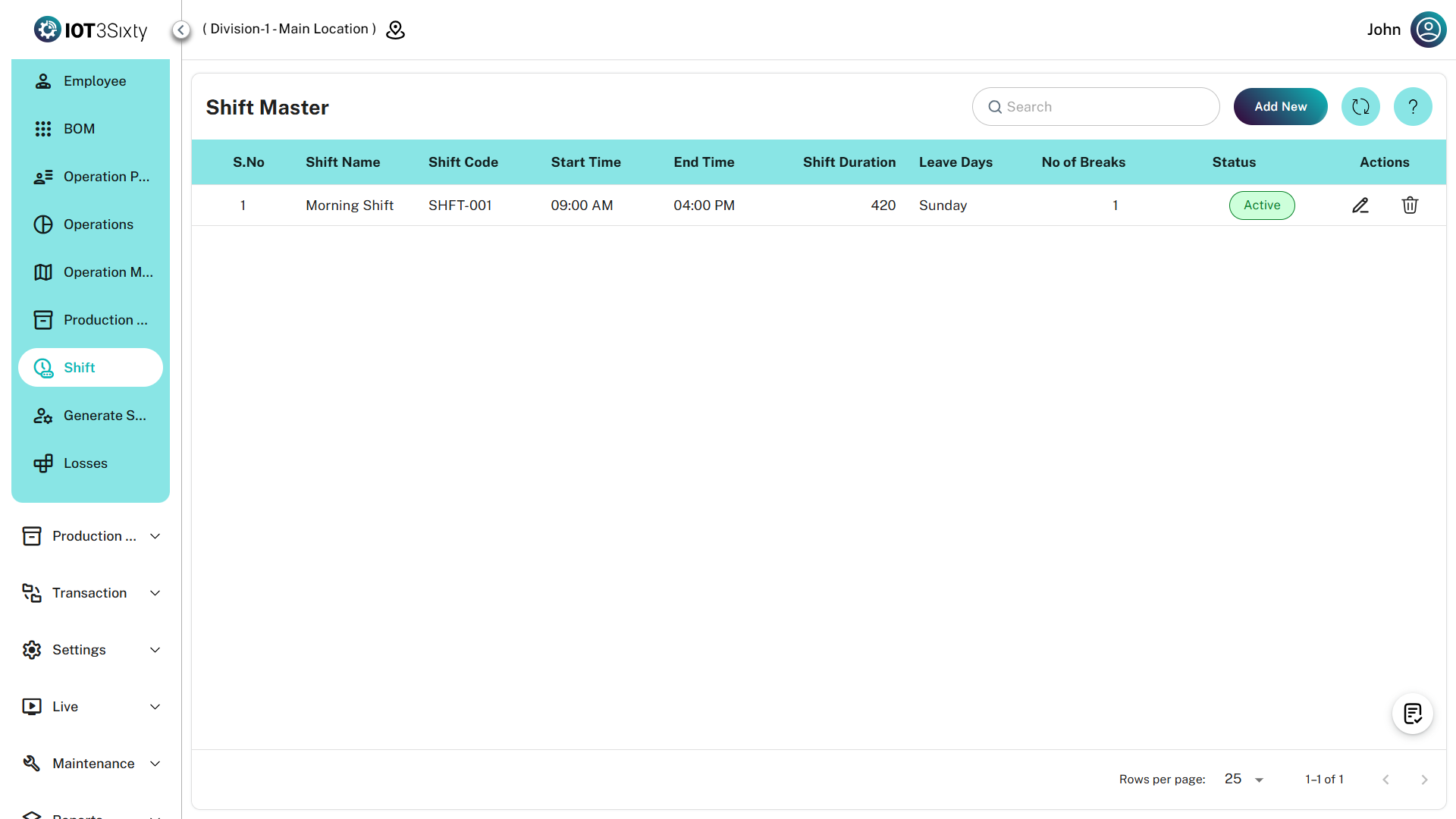
Creating a Shift
To create a shift:
- Navigate to Masters → Shift Master.
- Click the Add New button.
- The shift configuration form will open.
- Enter the required shift details.
- Add break timings if required.
- Click Save.
Shift Details
The shift information is entered in the following table fields.
| Field | Description |
|---|---|
| Shift Name | Name used to identify the shift in the system. |
| Shift Code | Unique code used to distinguish the shift. |
| Start Time | The time at which the shift begins. |
| End Time | The time at which the shift ends. |
| Leave Days | Used to configure weekly off days for the shift. |
| Overnight | Enable this option if the shift continues past midnight. |
Adding Breaks
Shifts may include one or more break periods.
To add breaks:
- Click the Add Break button.
- Enter the break details in the break table.
Break Details
Break information is entered in the following table.
| Field | Description |
|---|---|
| Break Name | Name of the break period. |
| Start Time | Time when the break begins. |
| End Time | Time when the break ends. |
| Duration | Automatically calculated based on start and end time. |
Saving the Shift
After entering the shift and break details:
- Verify all the information.
- Click the Save button.
The shift configuration will be saved and can be used for production scheduling and workforce management.
Summary
The Shift Master module helps organizations manage production working hours effectively.
It allows users to:
- Configure shift timings
- Define leave days
- Enable overnight shifts
- Configure break schedules
This ensures accurate shift planning and smooth production operations within the MES system.