Sequence Configuration
The Sequence Configuration module is used to create and manage automatic numbering sequences for different transactions in the MES system.
These sequences ensure that every transaction such as job cards, material requests, production orders, and other records receive a unique and structured identification number.
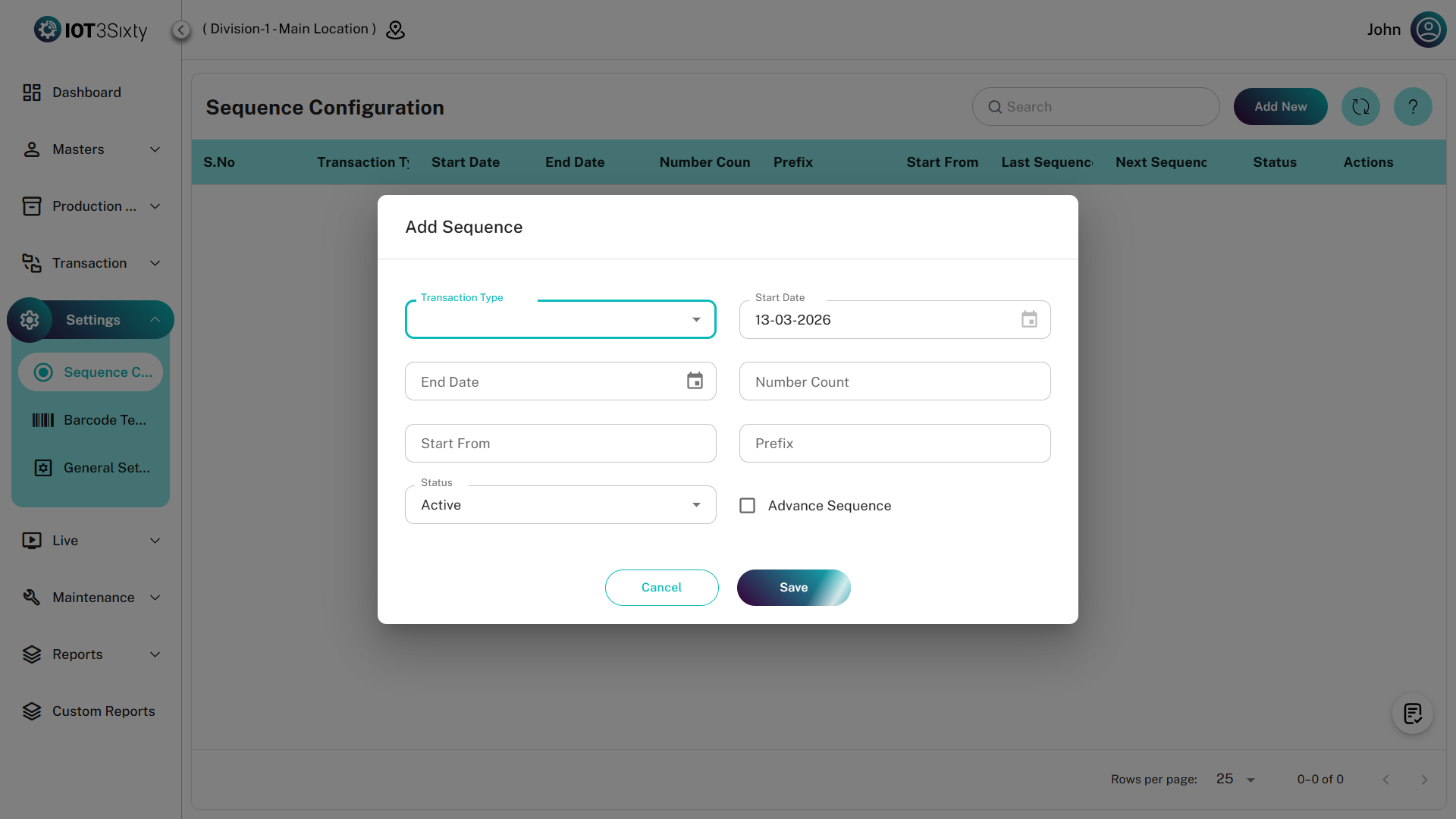
Creating a New Sequence
To create a new sequence:
- Navigate to Settings → Sequence Configuration.
- Click the Add New button.
- A Sequence Configuration dialog box will open.
- Fill in the required details in the form.
Sequence Configuration Form
The sequence configuration form contains two main sections:
- General Details
- Advanced Sequence Configuration
1. General Details
In this section, users must enter the basic information required to generate a sequence.
Typical fields include:
Transaction Name
Select the transaction type for which the sequence needs to be created.
Examples:
- Job Card
- Production Order
- Material Request
- Stock Transfer
Each transaction must have its own sequence.
Sequence Name
Provide a name for the sequence configuration.
Example:
Prefix
The prefix is added before the sequence number to identify the transaction type.
Example:
Prefix: JC
Generated sequence numbers:
Starting Number
This defines the first number in the sequence.
Example:
If the starting number is 1, the first generated number will be:
Number Length
This determines the total number of digits used in the sequence.
Example:
If the length is 4, the sequence will appear as:
Advanced Sequence Configuration
If more detailed numbering logic is required, enable Advanced Sequence.
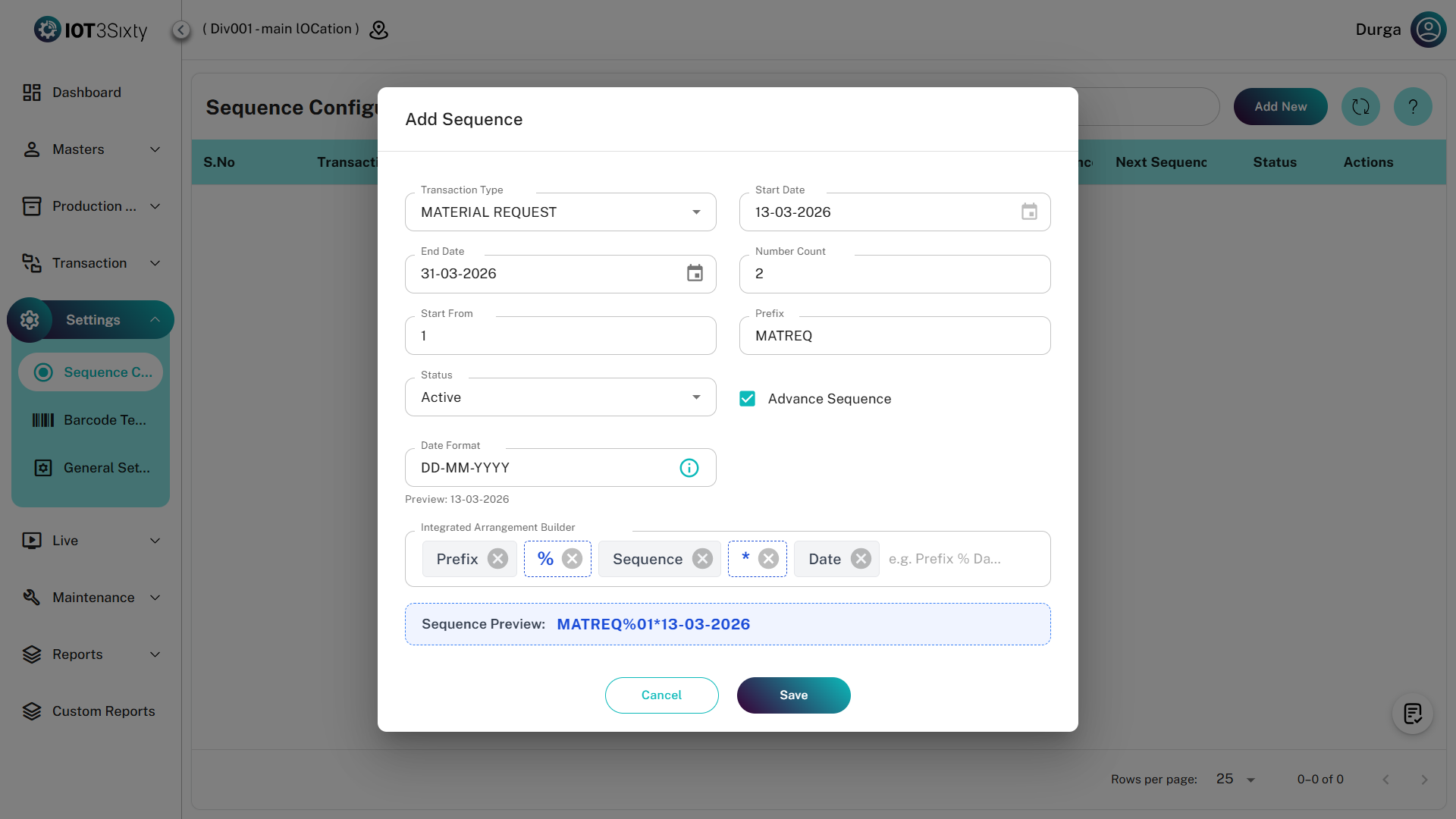
Advanced sequence allows you to build structured document numbers using multiple components.
Available fields include:
- Date Format
- Prefix Position
- Date Position
- Sequence Position
Date Format
The Date Format option allows the sequence to include the date in the generated number.
Example formats:
- YYYY
- YYMM
- YYYYMMDD
Example sequence: