Material Return Request
The Material Return Request module allows shop-floor personnel to return unused materials, excess components, or scrap from a production line back to the warehouse or central stock location.
This module helps maintain accurate inventory records and proper material traceability within the plant.
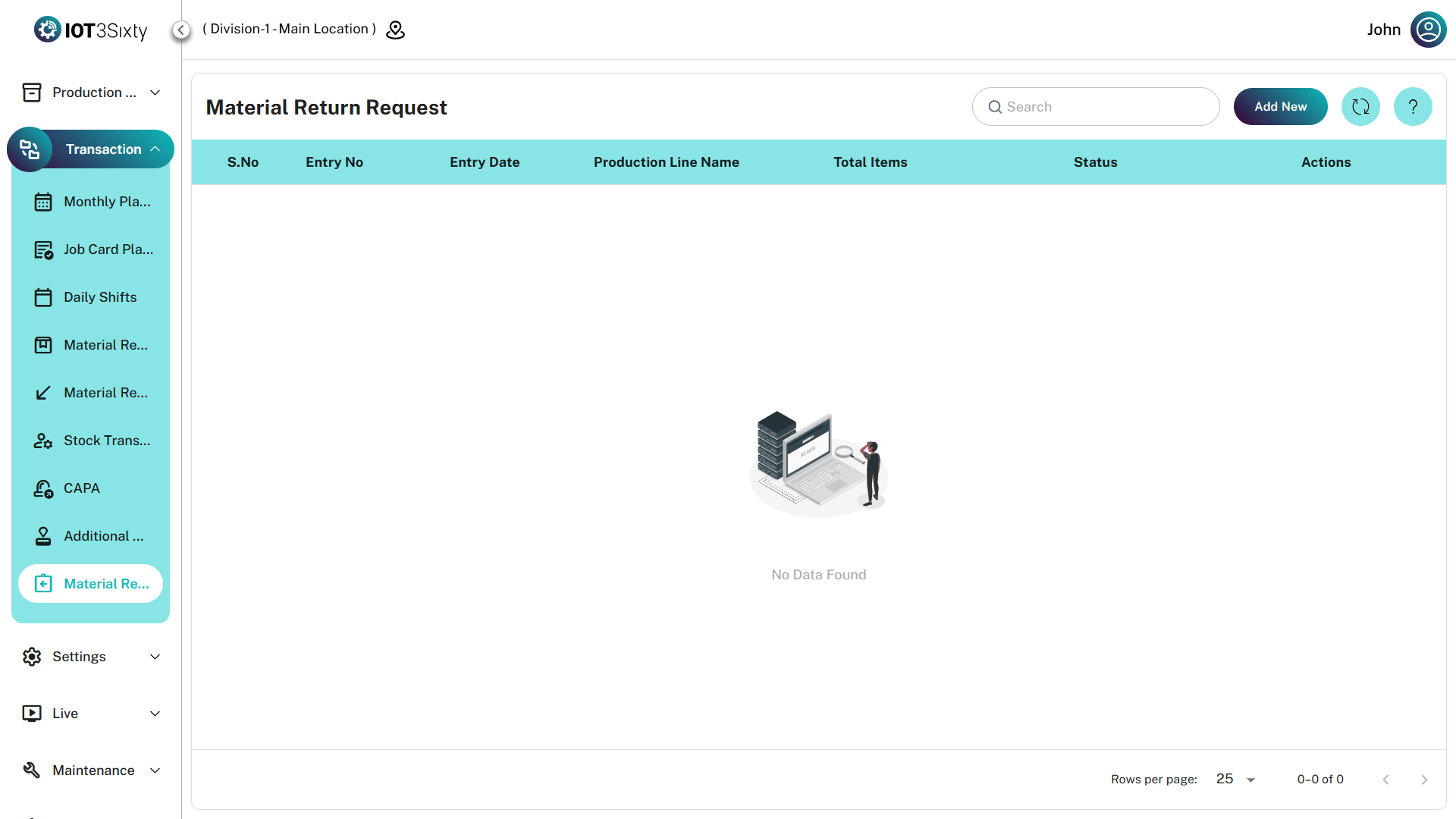
1. Monitoring Returns (Dashboard)
The Material Return dashboard provides a centralized view of all active and historical return requests.
Dashboard Fields
| Field | Description |
|---|---|
| Entry No | Unique identifier for the return request |
| Entry Date | Date when the return request was created |
| Production Line Name | Production line or work center returning the materials |
| Total Items | Number of different materials included in the request |
| Status | Current stage of the return request |
Status Types
| Status | Description |
|---|---|
| Draft (DRFT) | Request created but not yet submitted |
| Requested | Request submitted for manager approval |
| Approved | Manager approved the return |
| Rejected | Return denied with a rejection reason |
| Dispatched | Materials have been physically returned and logged |
Actions
| Action | Description |
|---|---|
| View | View the items and quantities included in the request |
| Approve | Managers review and approve return requests |
| Edit | Modify return details (allowed before dispatch) |
| Delete | Remove the request if it has not been finalized |
2. Initiating a Material Return
To return materials, create a new Material Return Request.
Step 1: Select Production Context
| Field | Description |
|---|---|
| Production Line | Select the line or work center returning the materials |
Selecting a Production Line automatically filters the item search to show only the materials currently allocated to that line.
Step 2: Add Items to Return
Use the items table to specify which materials will be returned.
| Field | Description |
|---|---|
| Part Name | Search and select the material |
| Part No | Auto-filled item code |
| A.Qty (Available Quantity) | Quantity currently available on the production line |
| Qty | Quantity to be returned to the warehouse |
Validation Rules
- Return quantity cannot exceed Available Quantity (A.Qty)
- Return quantity must be greater than zero
Step 3: Finalize the Return Request
Before submitting the return request, a valid reason must be provided.
| Field | Description |
|---|---|
| Return Reason | Mandatory explanation for returning the material |
Submission Options
| Option | Description |
|---|---|
| Save as Draft | Save the request for later editing |
| Dispatch | Submit the return request for approval and processing |
3. Manager Approval Workflow
Return requests must be reviewed by managers or authorized personnel to ensure inventory accuracy.
Approval
When a manager approves a return:
- Materials are linked back to the central warehouse stock
- Inventory levels are updated accordingly
Rejection
If a request is rejected:
- The manager must enter a Rejection Reason
- Status changes to REJECTED
- The initiator can review and correct the request
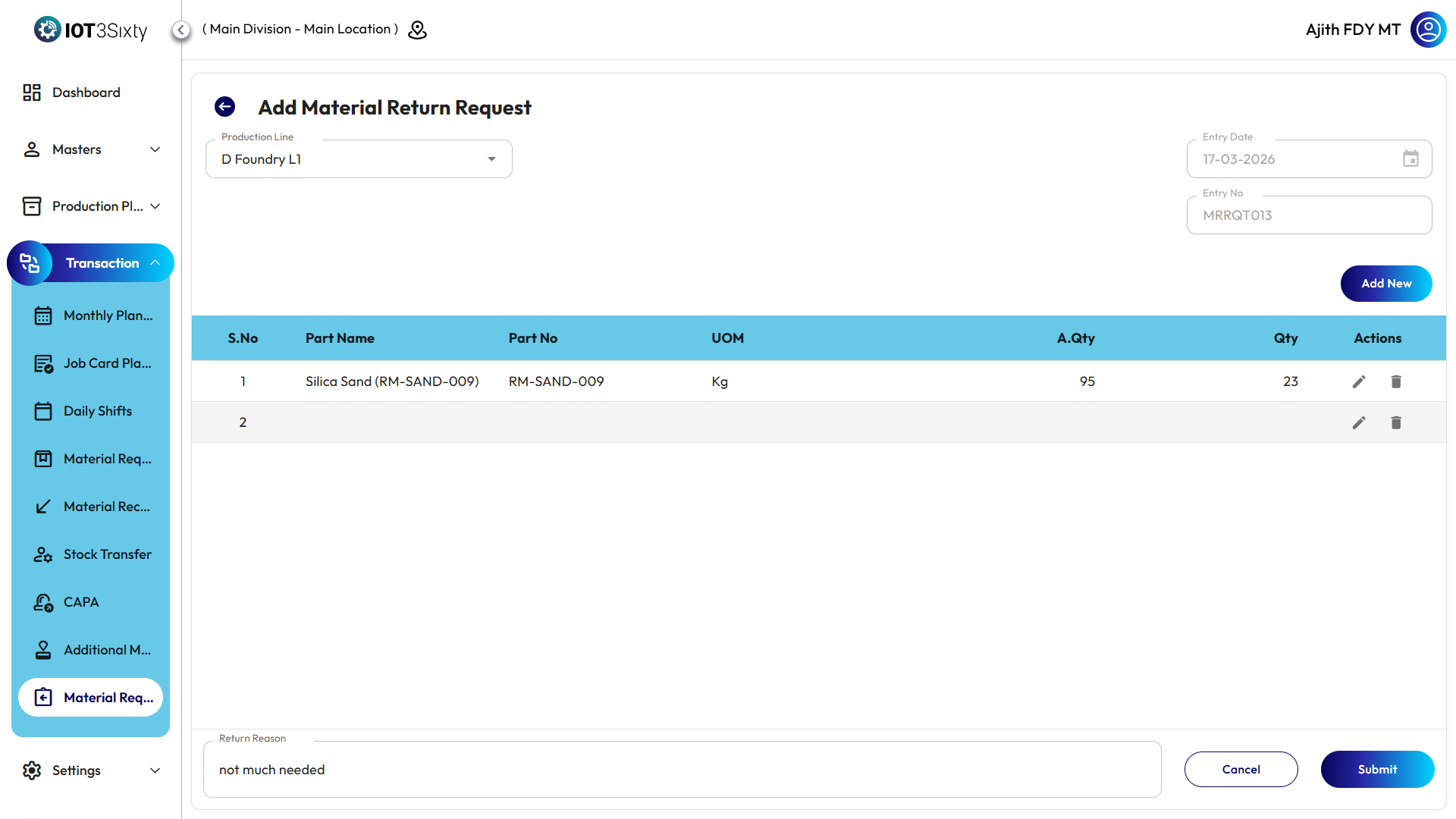
Always verify the Available Quantity (A.Qty) displayed in the system before returning materials physically.
If the system quantity differs from the physical stock, check for pending material requests, job card consumptions, or other return transactions for the same production line.