Material Request Report
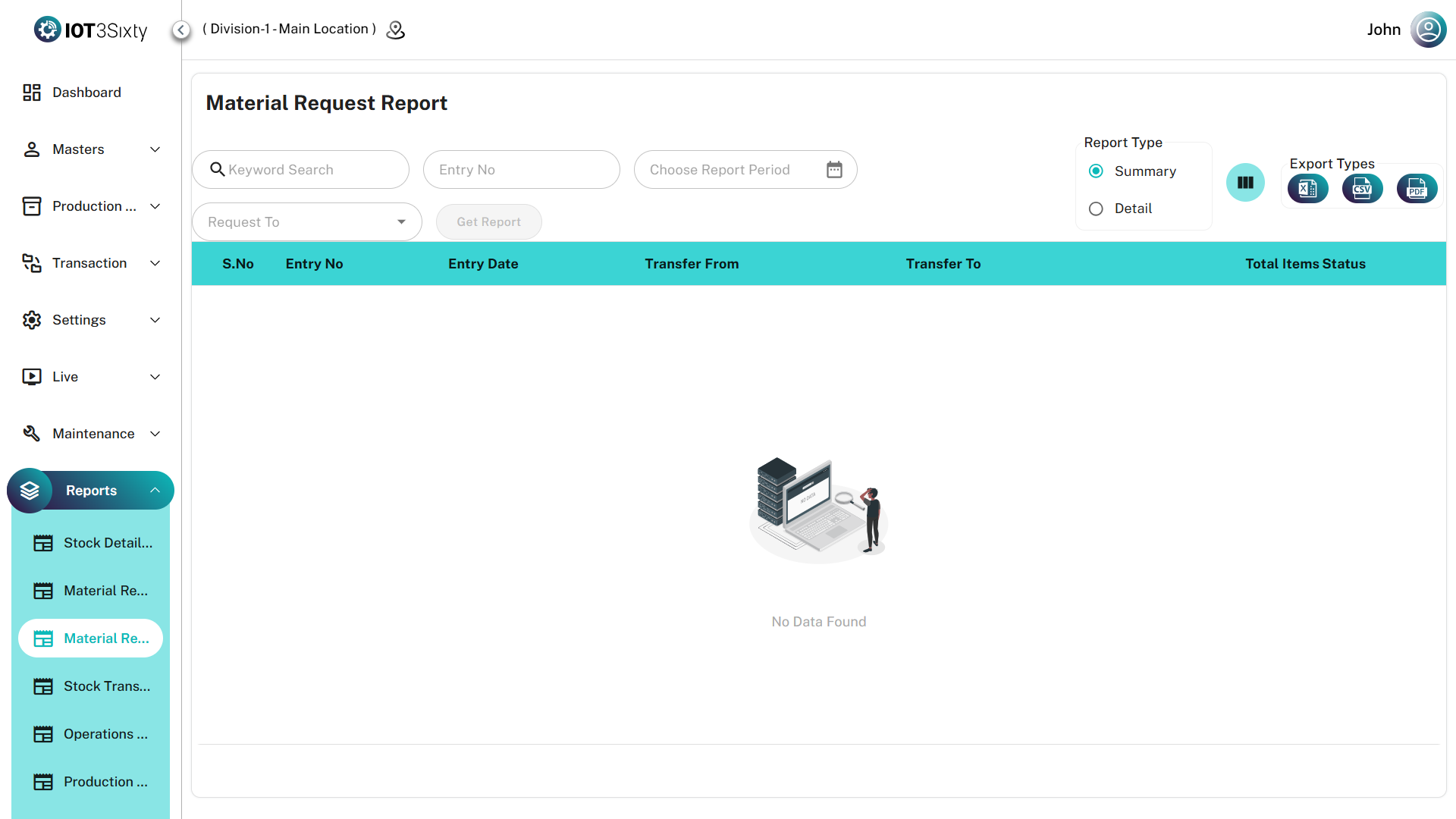
The Material Request Report provides a comprehensive history of all material requests raised within the system.
It tracks the movement of inventory between locations, allowing teams to monitor the request lifecycle from initial request creation to final fulfillment.
This report helps ensure accurate internal material flow tracking between warehouses, production lines, and other storage locations.
Key Features
| Feature | Description |
|---|---|
| Lifecycle Tracking | Monitor the real-time request status such as Pending, Issued, or Fulfilled |
| Routing Visibility | View detailed mapping between Transfer From and Transfer To locations |
| Audit Context | Track requests linked to Production Orders and Batch Codes |
| Dual Reporting Modes | Toggle between Summary View and Detail View for different reporting needs |
| Export Options | Download the report in Excel, CSV, or PDF formats |
Data Breakdown
1. Summary View
The Summary View provides high-level information for each material request entry.
| Field | Description |
|---|---|
| Entry No | Unique identifier for the material request |
| Entry Date | Date the request was created |
| Transfer From | Location from which the material will be issued |
| Transfer To | Destination location requesting the material |
| Production Order | Associated production order reference |
| Batch Code | Related batch identifier |
| Status | Current request stage (Pending, Issued, Fulfilled) |
This view is useful for tracking overall request activity and status across locations.
2. Detail View
The Detail View provides a line-by-line breakdown of requested materials.
| Category | Fields |
|---|---|
| Identification | Part Name, Part Number |
| Quantities | Requested Quantity and associated UOM |
| Mapping | Links each item to its Entry Number, Production Order, and Batch Code |
This view helps perform detailed audits of requested materials at the item level.
User Instructions
Follow the steps below to generate the report.
1. Apply Filters
Use any of the following filters:
- Entry Number
- Date Range
- Request To Location
2. Choose Report View
Select the desired report type:
- Summary View → For request-level overview
- Detail View → For part-level material tracking
3. Generate Report
Click Get Report to load the report data.
4. Export the Report
Use the export icons on the toolbar to download the report as:
- Excel
- CSV
Use this report to reconcile production material requirements with warehouse deliveries and quickly identify pending or incomplete internal transfers.