Employee
The Employee module is used to manage employee details required for production and operational activities within the MES system.
Employees can be assigned to different roles and departments depending on their responsibilities. This information is used in various modules such as operations, production line supervision, and manpower allocation.
Adding a New Employee
To create a new employee:
- Navigate to the Employee module.
- Click the Add New button.
- Enter the required employee details.
- Click the Save button.
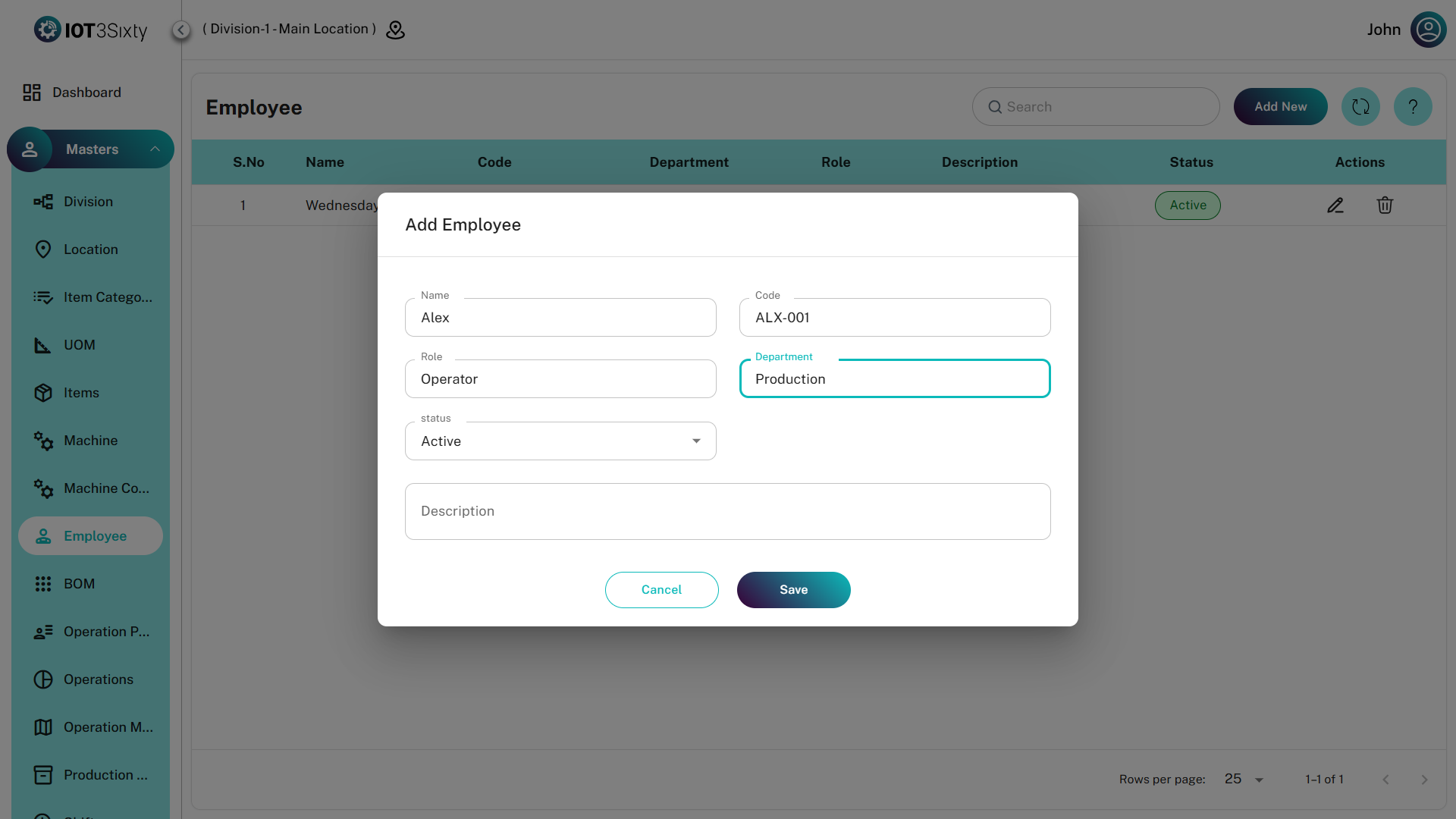
Employee Details
The following fields are required while creating an employee record.
| Field | Description |
|---|---|
| Name | Name of the employee |
| Code | Unique code assigned to the employee |
| Role | Role assigned to the employee based on responsibilities |
| Department | Department in which the employee works |
| Status | Indicates whether the employee is Active or Inactive |
| Description | Optional field used to provide additional information about the employee |
Status
The Status field determines whether the employee is currently active in the system.
- Active – Employee is available for assignment and operations.
- Inactive – Employee is not currently active in the system.