Machine Maintenance MES
The Machine Maintenance MES module helps track and manage machine maintenance schedules across the production facility.
It provides a centralized dashboard for maintenance teams to monitor upcoming maintenance activities, record completed maintenance tasks, and ensure machine reliability through proactive scheduling.
Key Features
| Feature | Description |
|---|---|
| Maintenance Dashboard | View all machine maintenance schedules in one place |
| Schedule Management | Add, edit, or remove maintenance plans easily |
| Real-time Updates | Displays the latest maintenance history and upcoming schedules |
| Search & Filtering | Quickly find machines or maintenance records using search |
Data Management
1. Viewing Maintenance Records
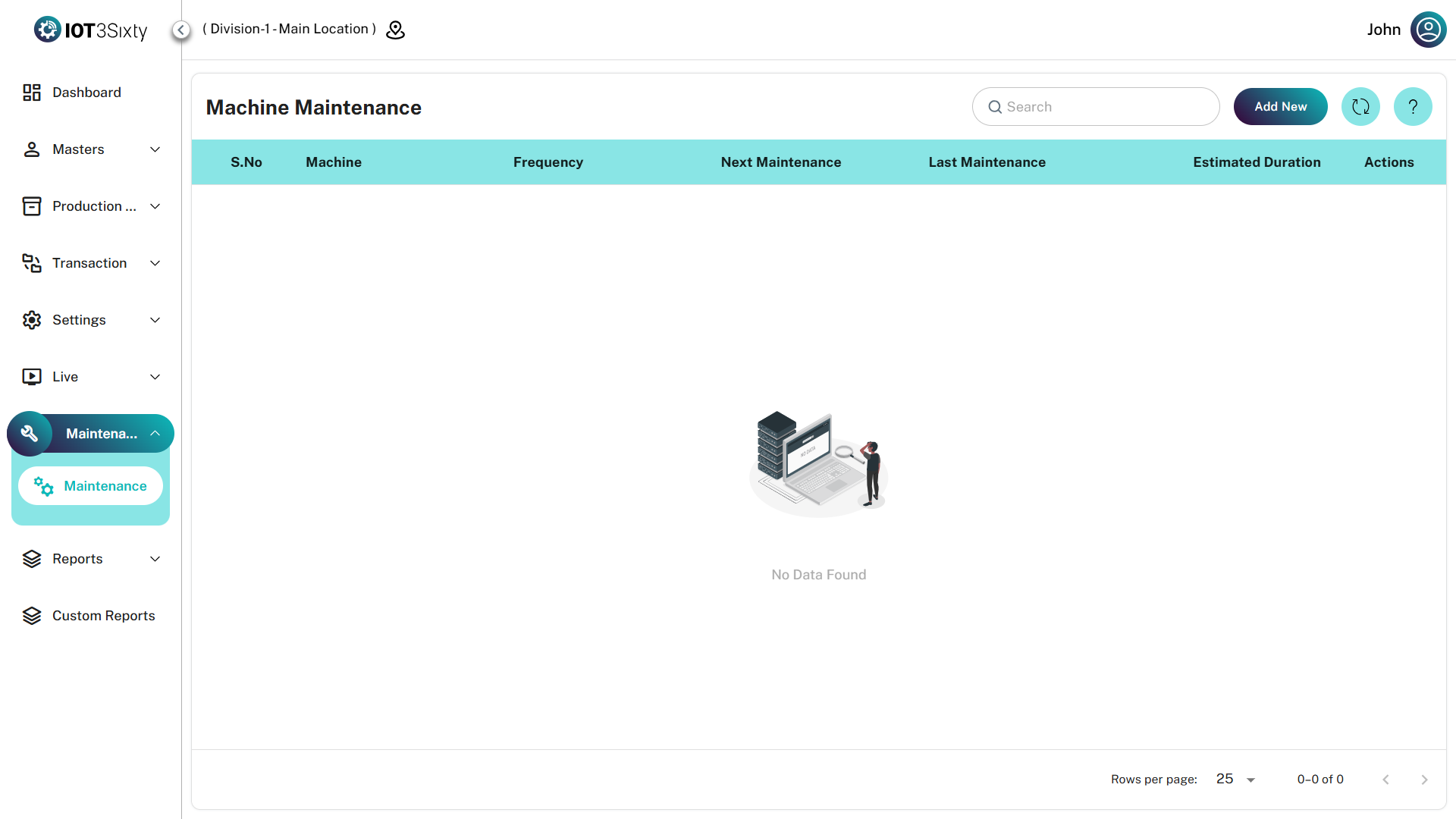
The main dashboard table displays maintenance details for each machine.
| Field | Description |
|---|---|
| Machine | Name or ID of the machine |
| Frequency | Maintenance interval (Weekly, Monthly, Quarterly, etc.) |
| Next Maintenance | Scheduled date for the next maintenance |
| Last Maintenance | Date when maintenance was last completed |
| Estimated Duration | Expected time required to complete the maintenance task |
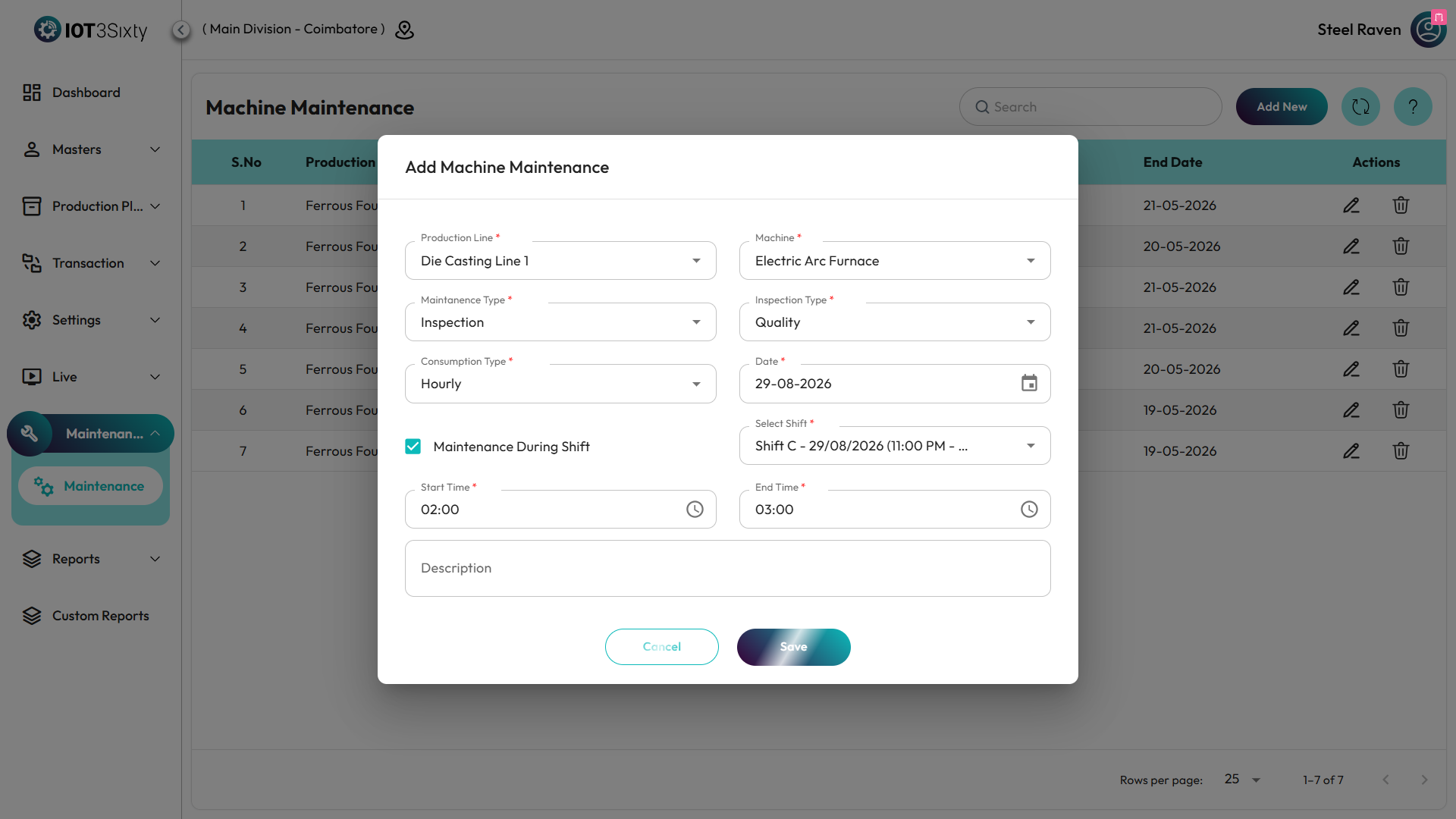
2. Adding a New Maintenance Schedule
To create a new maintenance schedule:
- Click Add New on the toolbar.
- Select the Machine from the dropdown list.
- Choose the maintenance Frequency.
- Set the Next Maintenance date.
- Enter the Last Maintenance date.
- Specify the Estimated Duration required for the task.
- Click Save to create the maintenance schedule.
3. Editing an Existing Record
To modify an existing maintenance schedule:
- Locate the record in the maintenance table.
- Click the Edit icon in the Actions column.
- Update the required fields.
- Click Save to apply the changes.
4. Deleting a Record
To remove a maintenance schedule:
- Click the Delete icon in the Actions column.
- Confirm the deletion in the dialog box.
- The record will be permanently removed from the system.
Tips for Efficient Maintenance Management
tip
Use the search filter to quickly locate machines during busy maintenance schedules.
| Tip | Description |
|---|---|
| Location Awareness | Ensure the correct location is selected to view relevant machines |
| Update Maintenance Dates | Always update the Last Maintenance date after completing maintenance |
| Monitor Next Maintenance | Regularly review upcoming maintenance to prevent unexpected machine downtime |
note
A location must be selected in the application session to interact with the Machine Maintenance module.