Losses
The Losses module is used to define and manage production losses that may occur during manufacturing.
Losses are categorized into Main Loss and Sub Loss.
Main Loss represents the primary loss category, and Sub Loss represents the detailed reason under the main loss.
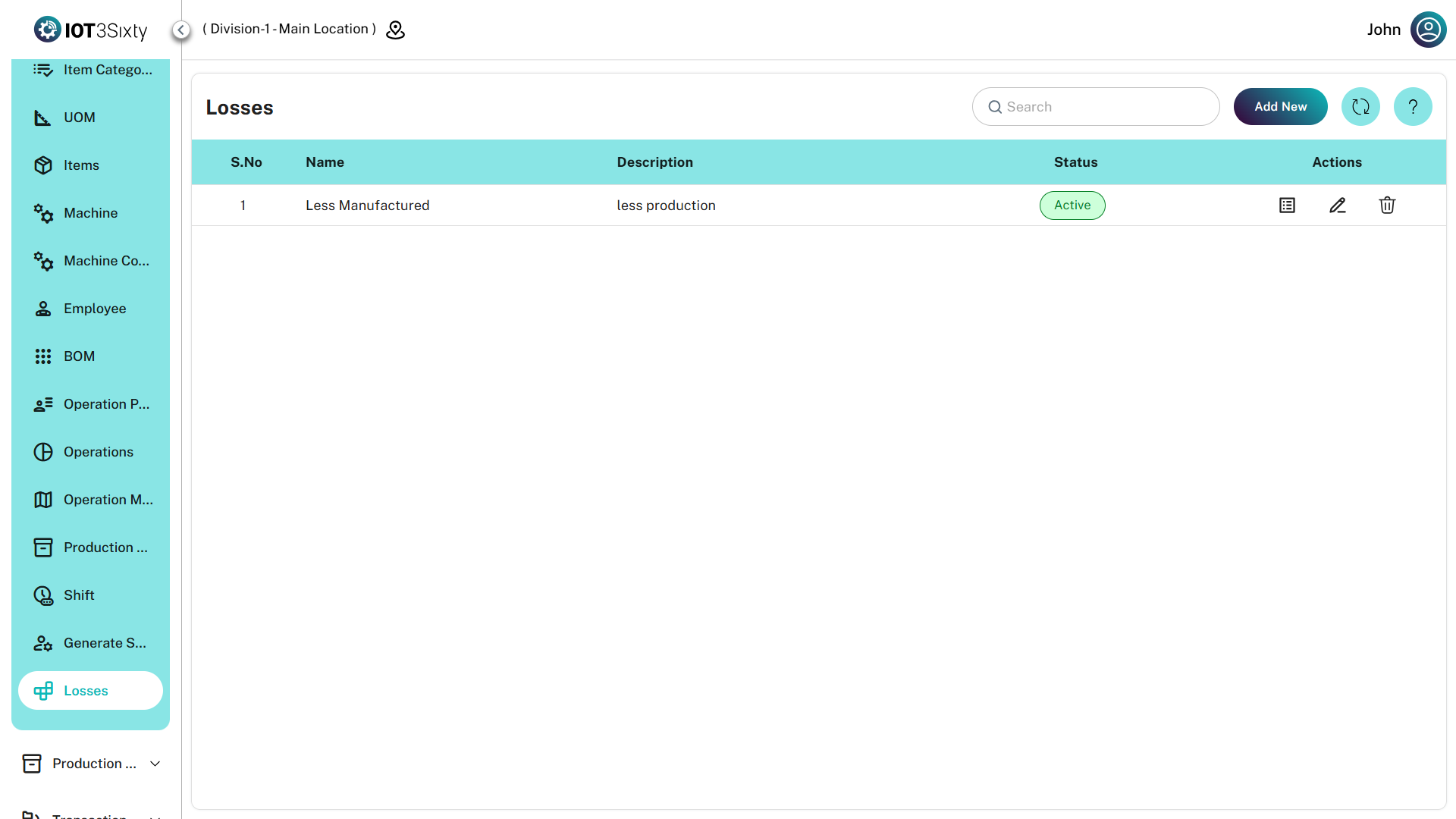
For example, if the Main Loss is related to production loss, a Sub Loss could be Absenteeism, which causes production delay or reduction.
Creating a Main Loss
To create a main loss:
- Navigate to the Losses module.
- Click the Add New button.
- Enter the required loss details.
- Click Save.
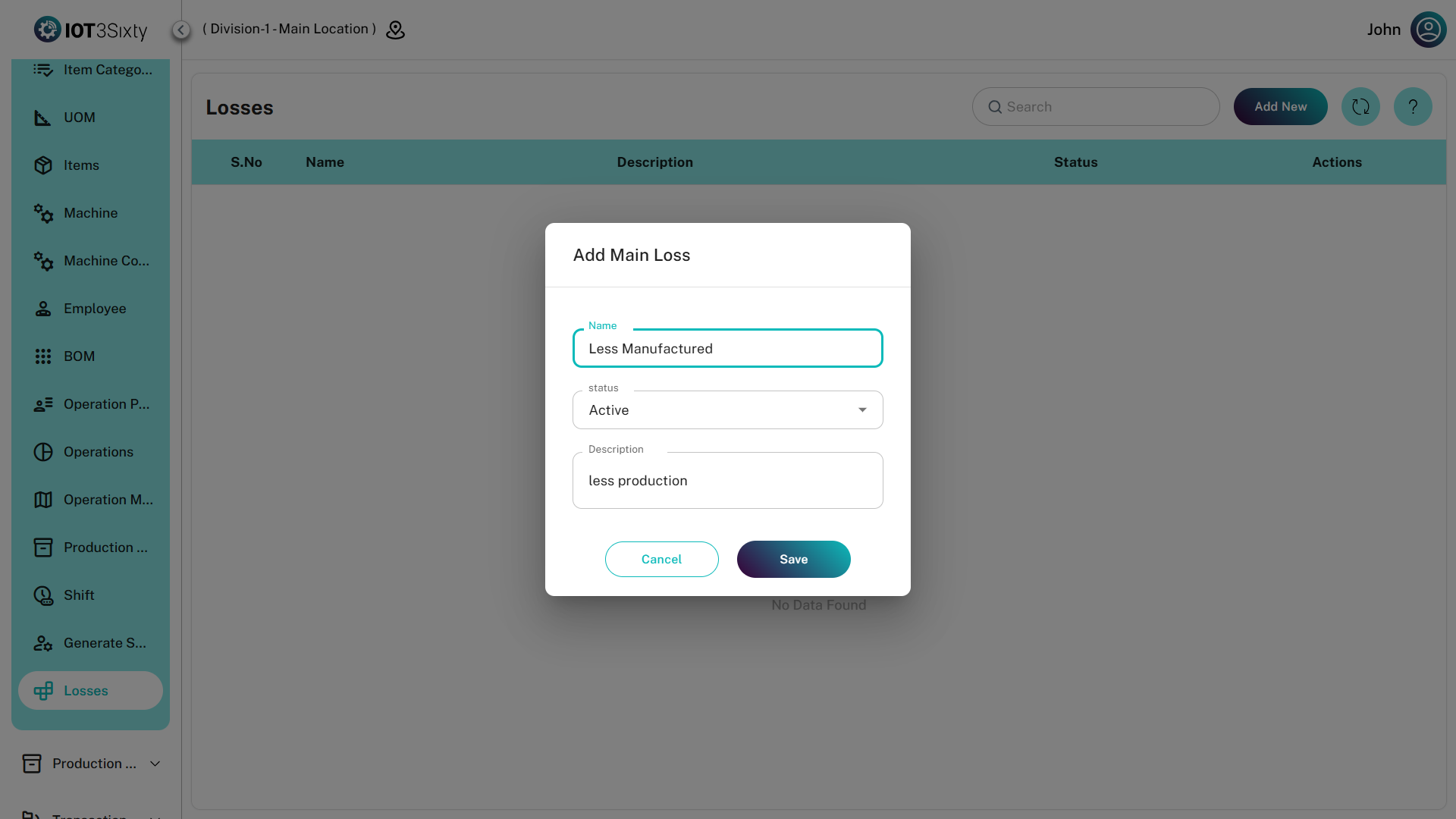
Main Loss Details
| Field | Description |
|---|---|
| Name | Name of the main loss category |
| Status | Indicates whether the loss is Active or Inactive |
| Description | Optional field to provide additional details about the loss |
The created loss will be considered as the Main Loss and will appear in the losses list.
Creating a Sub Loss
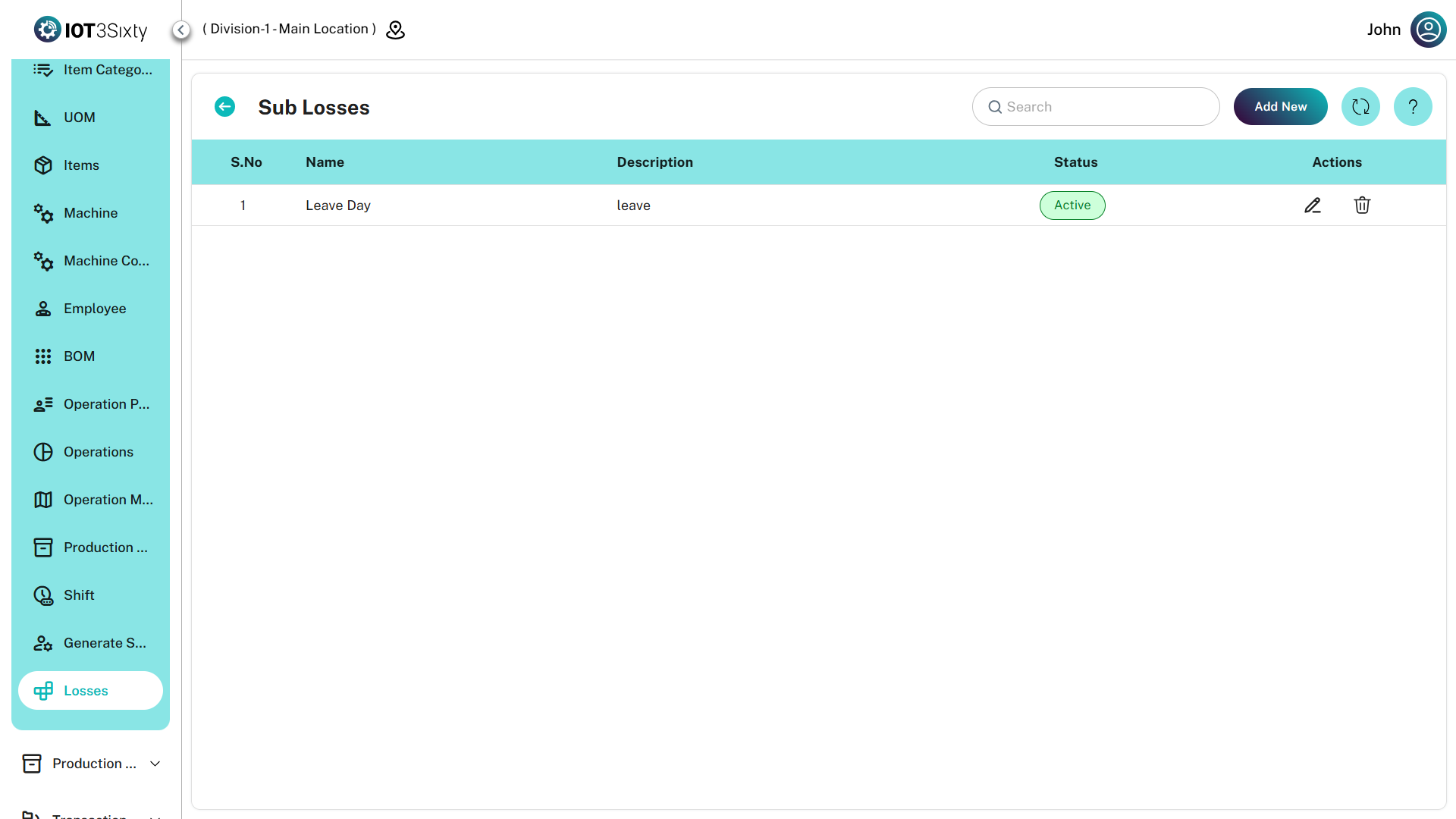
After creating a main loss, users can create sub losses under it.
Steps to create a sub loss:
- Go to the Losses list.
- Locate the required Main Loss.
- Click the Action option.
- Select Sub Loss.
- Enter the required sub loss details.
- Click Save.
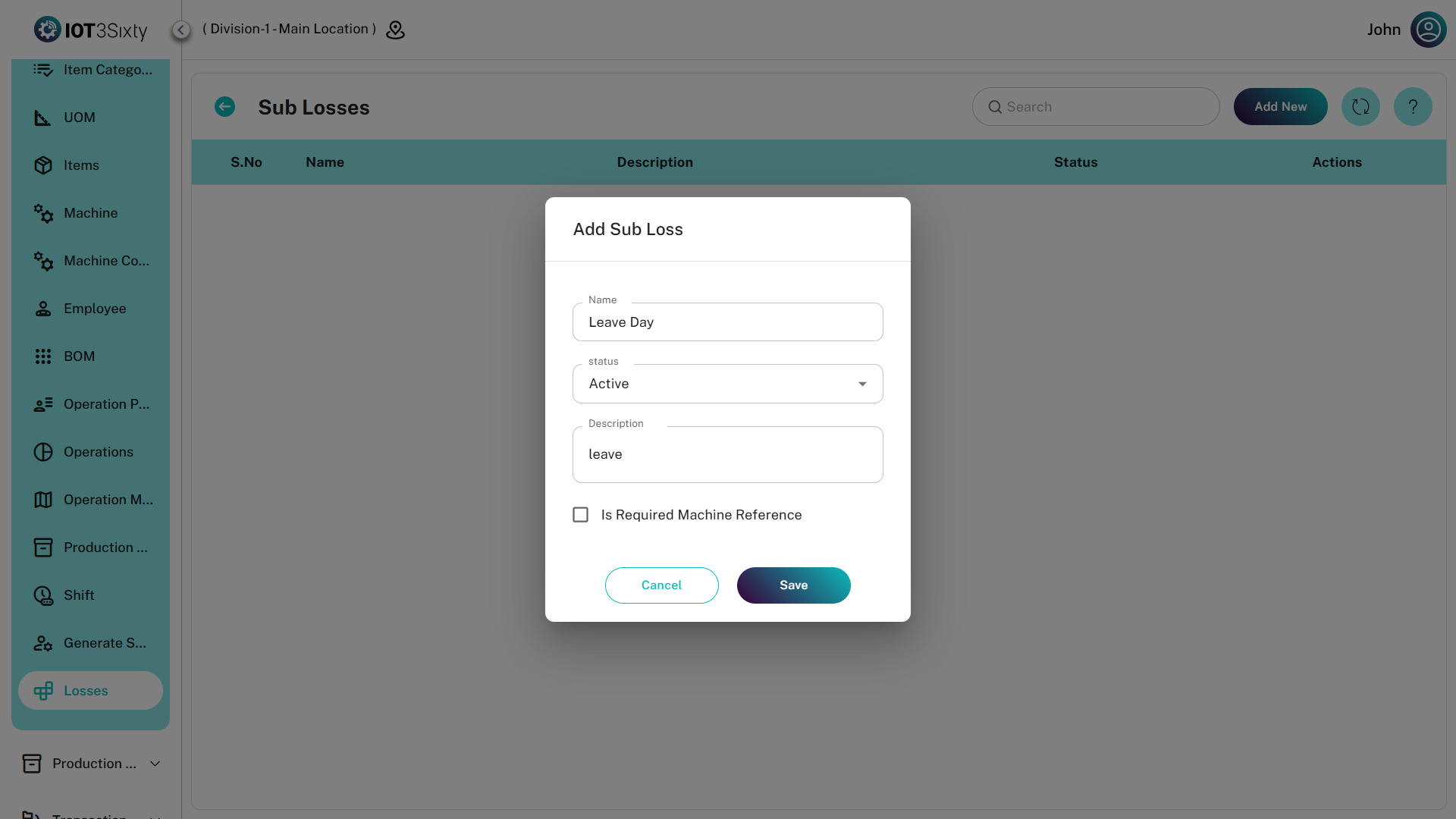
Sub Loss Details
| Field | Description |
|---|---|
| Sub Loss Name | Name of the sub loss |
| Status | Indicates whether the sub loss is Active or Inactive |
| Description | Optional field to provide additional details |
Sub losses help provide detailed classification of production losses for better tracking and analysis.
Example
| Main Loss | Sub Loss |
|---|---|
| Production Loss | Absenteeism |
| Machine Loss | Machine Breakdown |
| Material Loss | Material Shortage |
This classification helps identify the exact reason for production loss and improves operational analysis.