Job Execution Tabs
The Job Execution Interface dynamically displays tabs based on the configuration of the selected operation.
During execution, operators capture production information such as:
- Process Parameters
- Material Consumption
- Production Output
- Scrap Details
- Rework Information
- Quality Checks
- Downtime Events
- Rejections
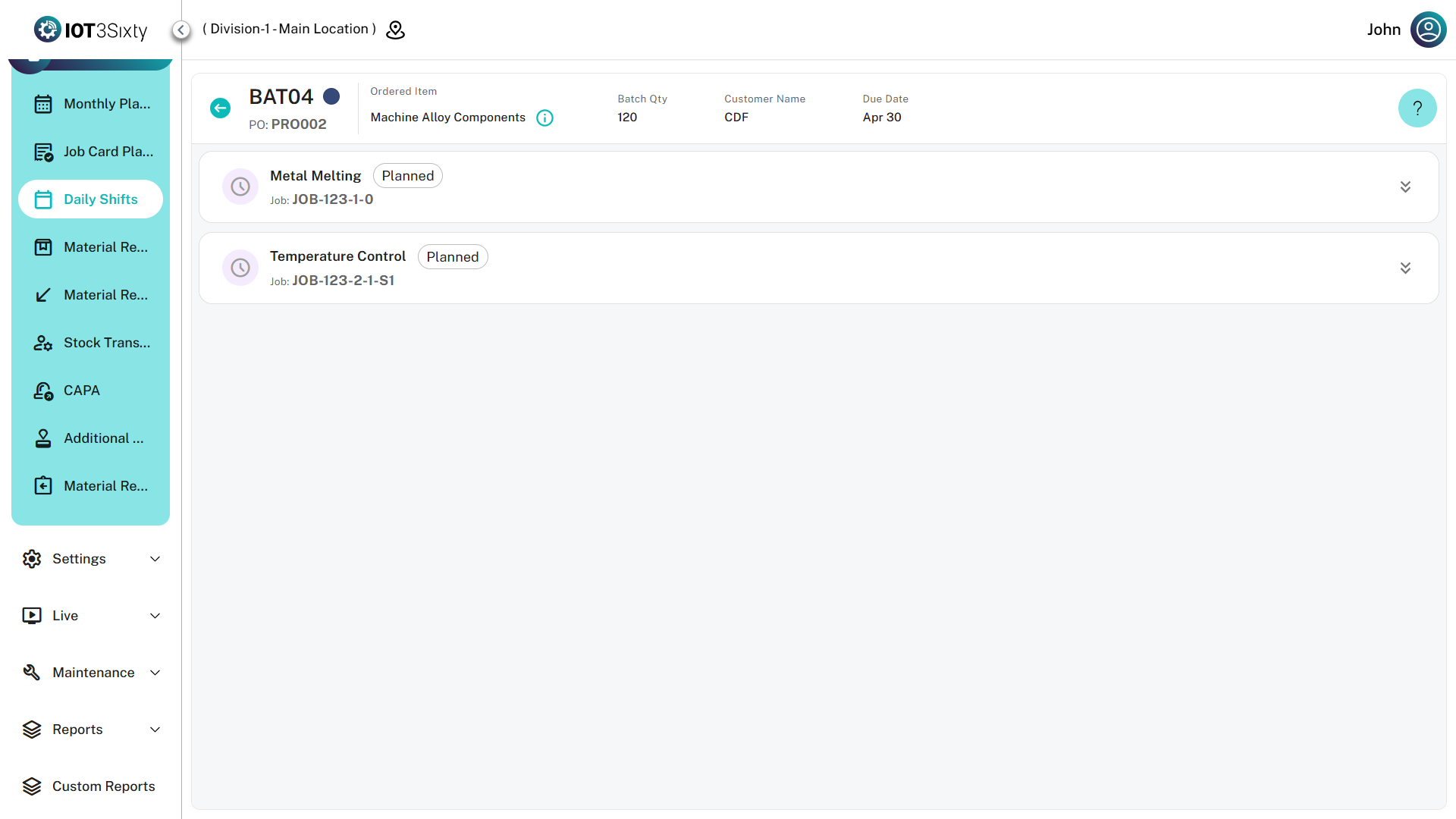
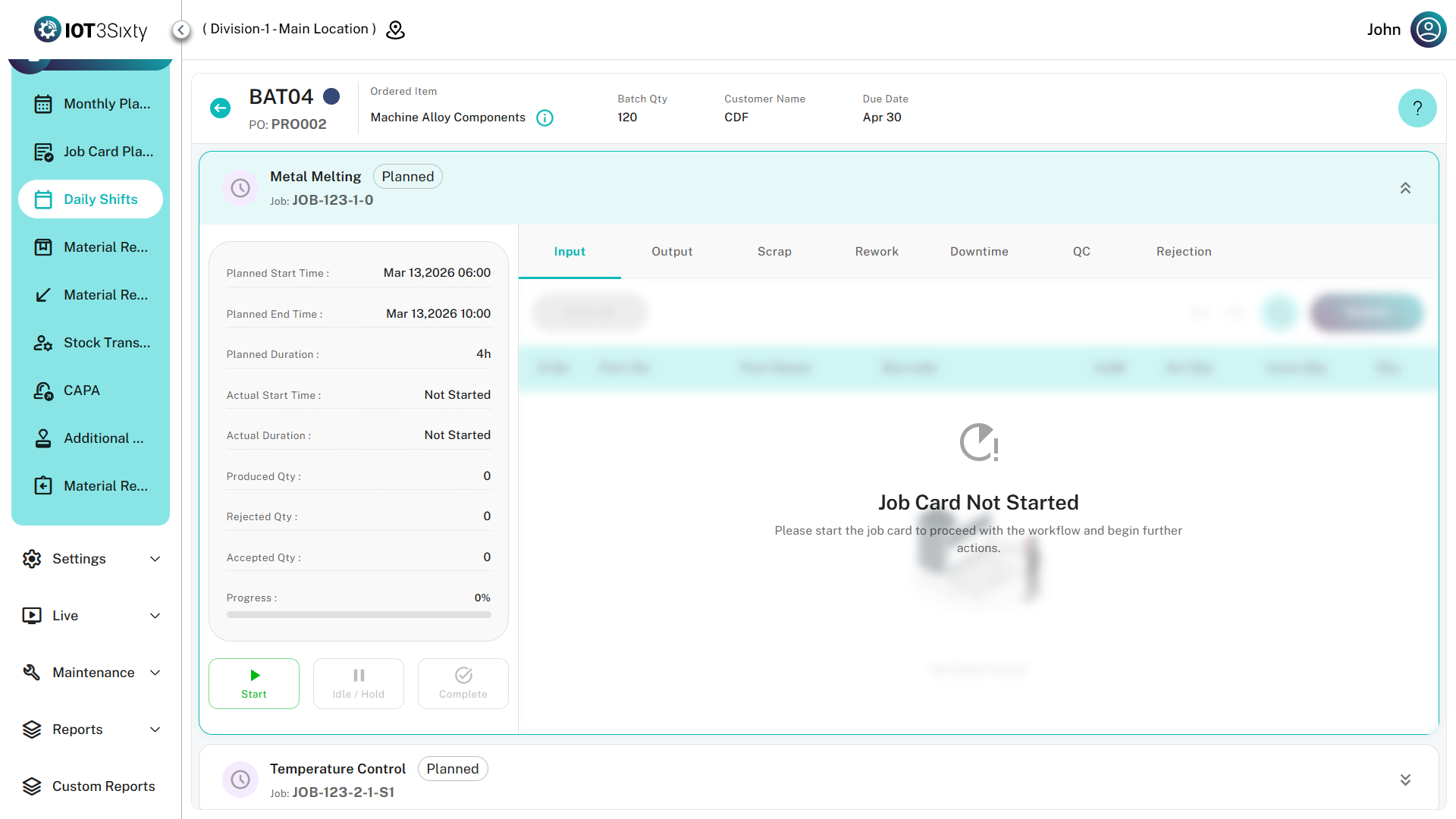
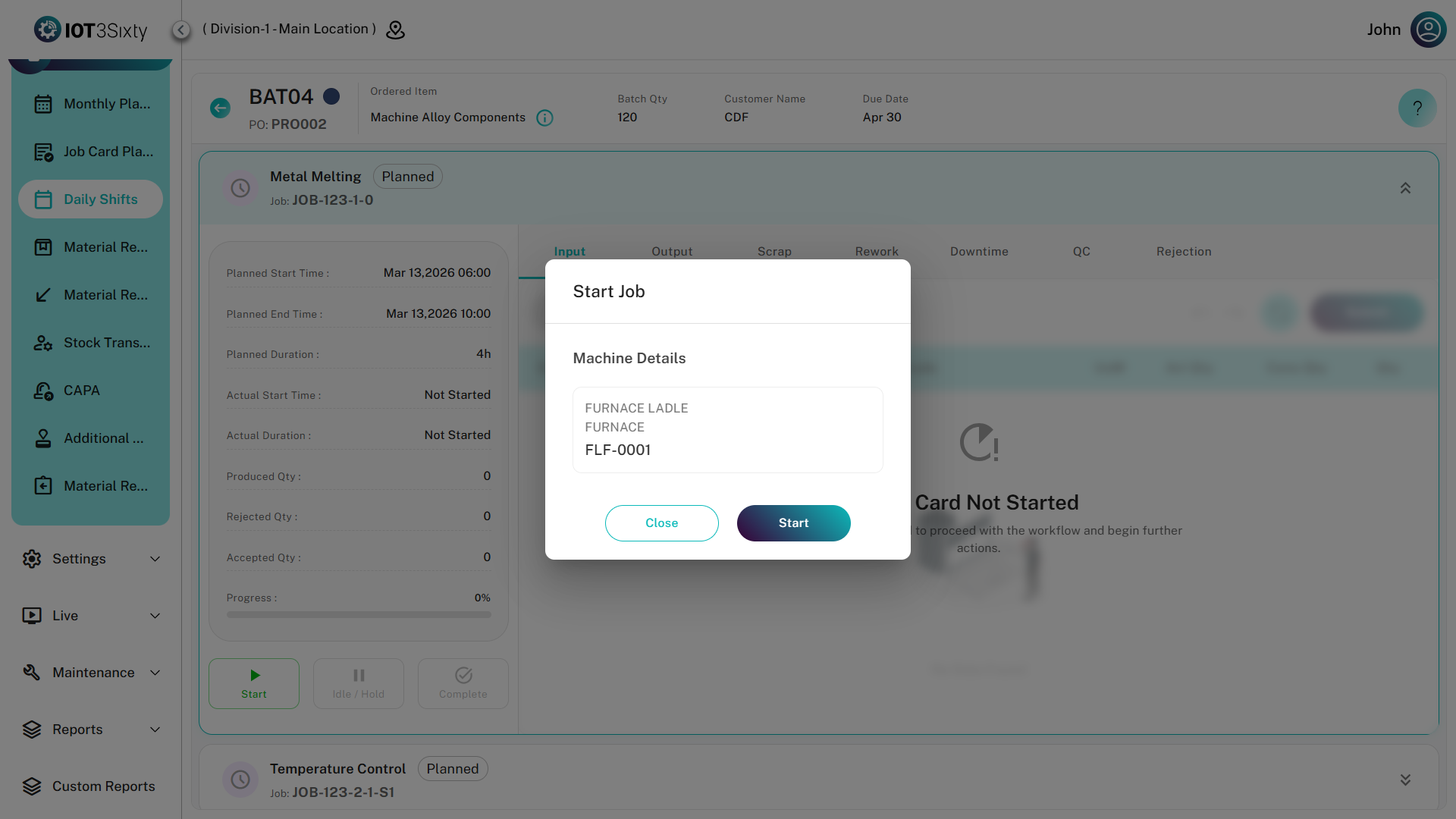
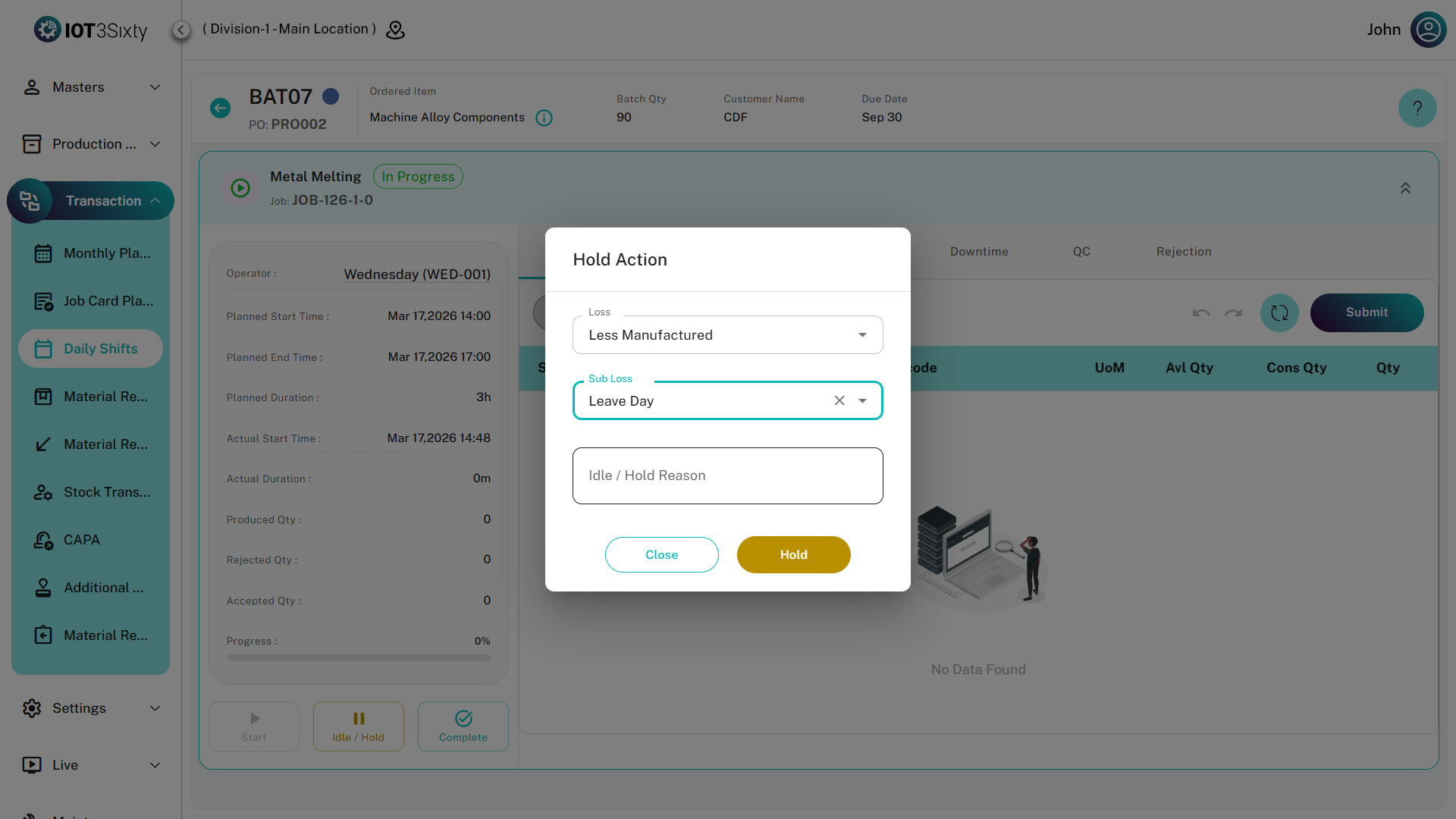
Job Execution Overview
Job Execution Tab Structure
1. Parameter Tab
Purpose
The Parameter Tab is used to record process parameters configured for the operation.
Examples:
- Temperature
- Pressure
- Humidity
- Visual Inspection Results
- Torque Values
Parameter Workflow
Features
| Feature | Description |
|---|---|
| Dynamic Fields | Generated automatically from operation configuration |
| Data Capture | Allows entry of parameter values |
| Traceability | Linked directly to job execution records |
| Validation | Supports required-field validation |
2. Input Materials Tab
Purpose
Used to record consumption of raw materials or semi-finished goods required for production.
Input Material Flow
Data Entry Fields
| Field | Description |
|---|---|
| Part No | Material Identifier |
| Batch No | Material Batch |
| Floor Qty | Available Quantity |
| Consumption Qty | Quantity Consumed |
3. Output Materials Tab
Purpose
Records production output generated during execution.
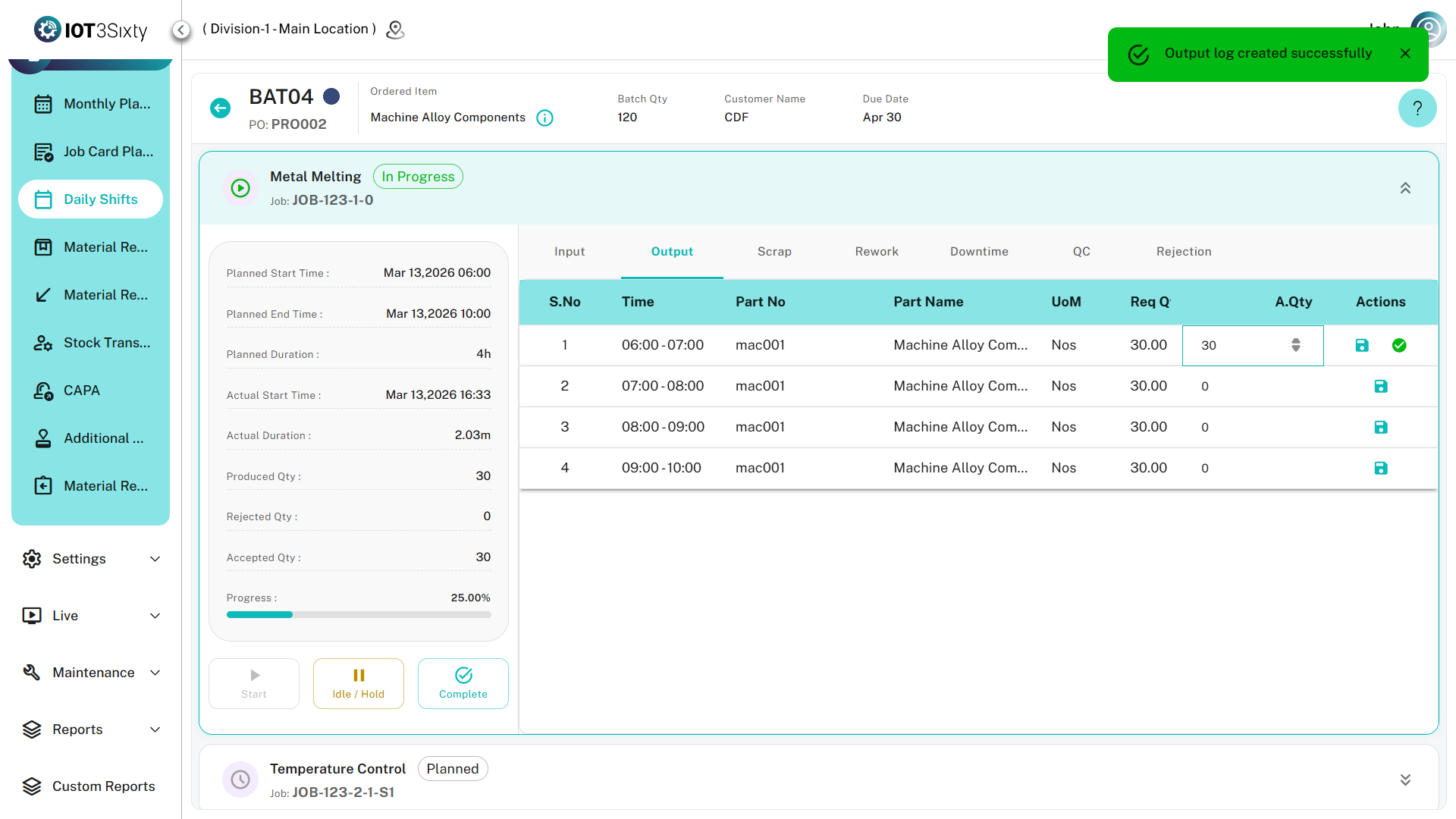
Output Recording Flow
Logging Types
| Type | Description |
|---|---|
| Standard | Total quantity entry |
| Hourly | Shift-based hourly production entry |
Fields
| Field | Description |
|---|---|
| Job Card | Current Job Reference |
| Batch | Production Batch |
| Quantity | Produced Quantity |
| Time Slot | Hourly Production Slot |
4. Scrap Recording Tab
Purpose
Used to record damaged materials generated during production.
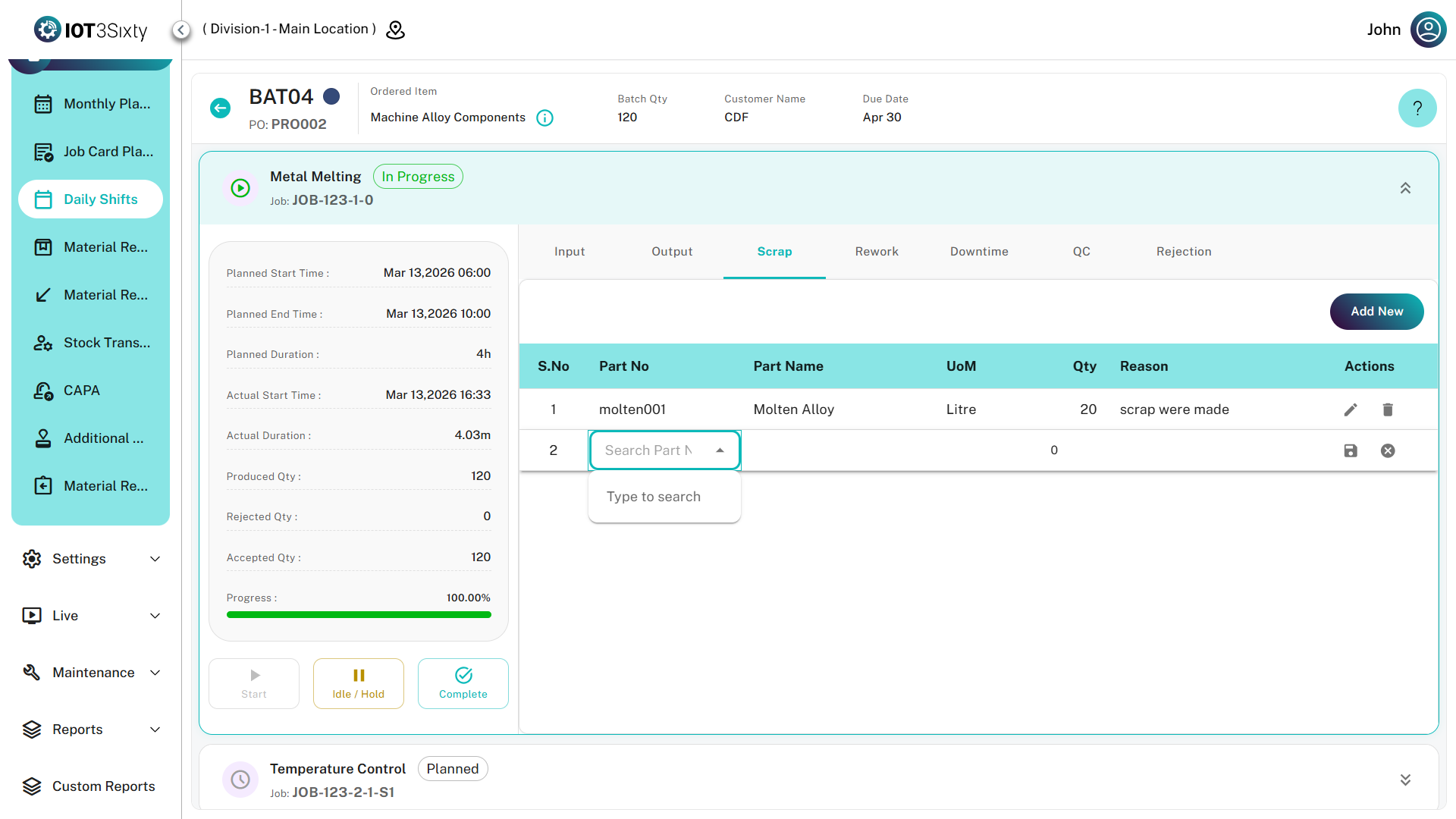
Scrap Workflow
Fields
| Field | Description |
|---|---|
| Scrap Reason | Cause of Scrap |
| Quantity | Scrap Quantity |
| UOM | Unit of Measure |
5. Rework Tab
Purpose
Records products that require reprocessing before acceptance.
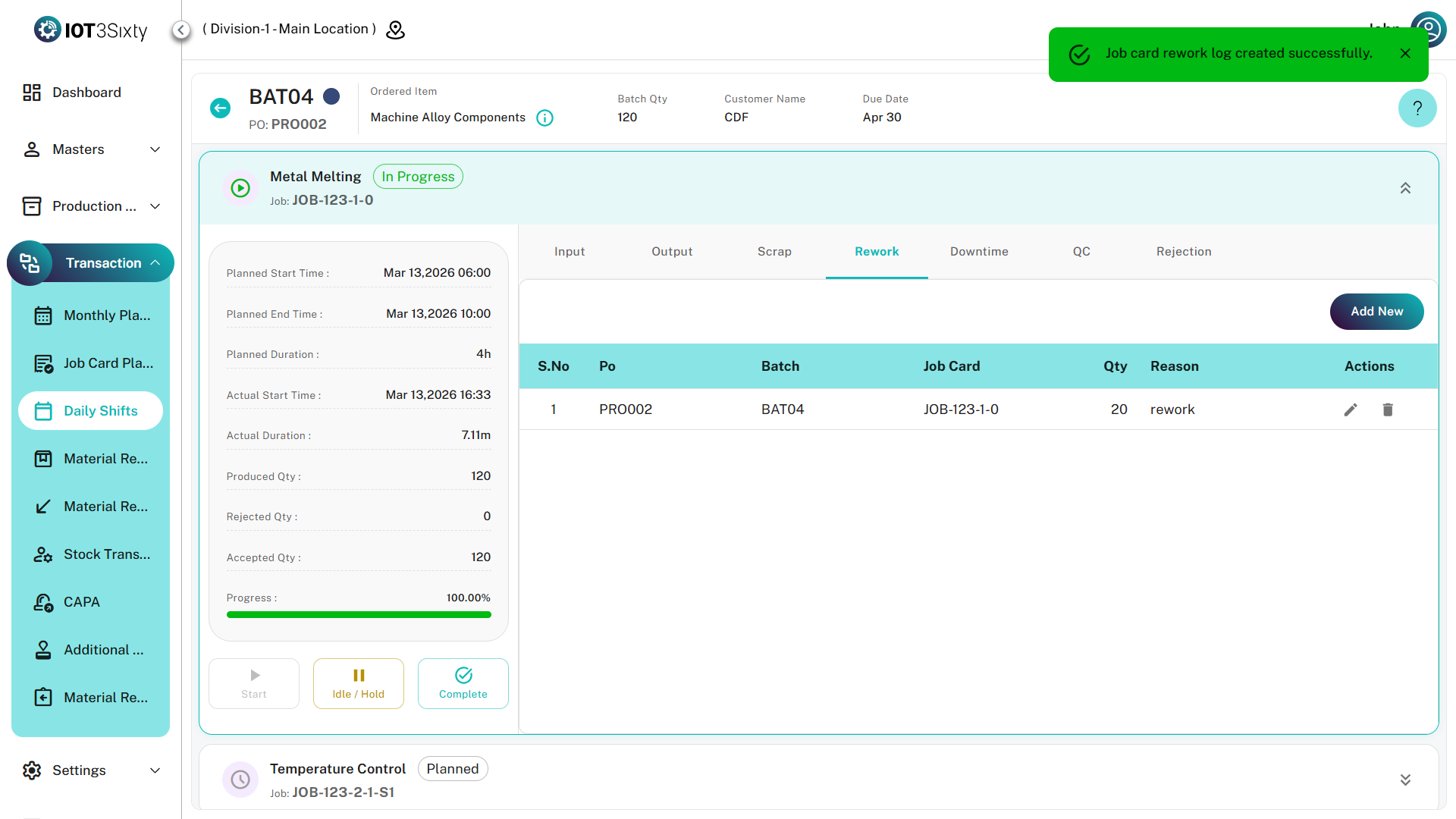
Rework Flow
Fields
| Field | Description |
|---|---|
| Rework Reason | Reason for Rework |
| Quantity | Quantity Sent |
| Item Details | Product Information |
6. QC (Quality Control) Tab
Purpose
Used for recording inspection results and quality verification.
QC Flow
QC Fields
| Field | Description |
|---|---|
| QC Status | Pass / Fail |
| Qty | Quantity Inspected |
| Remarks | Inspection Notes |
7. Downtime Tab
Purpose
Captures machine stoppages and production losses.
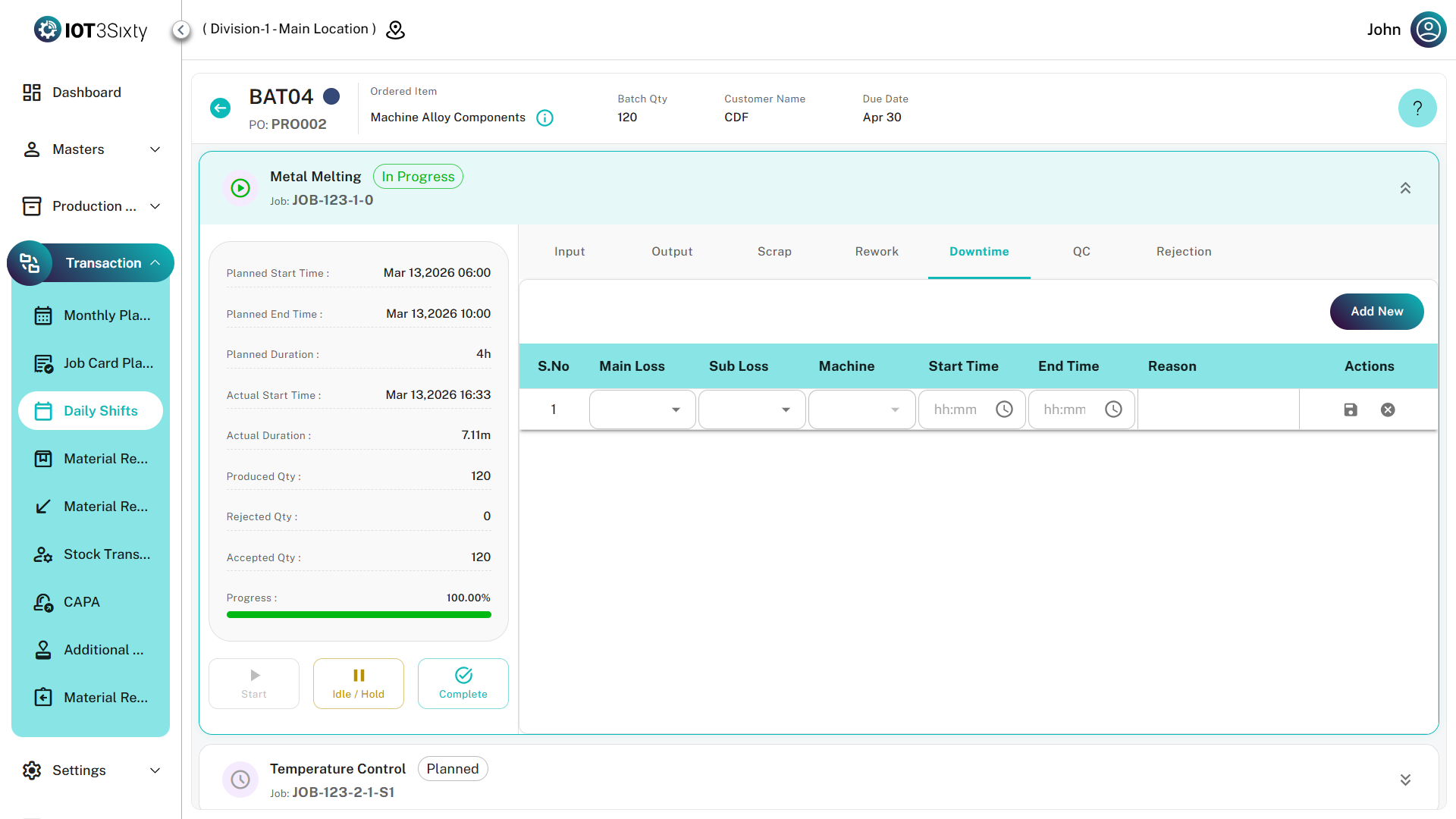
Downtime Recording Workflow
Fields
| Field | Description |
|---|---|
| Main Loss | Primary Downtime Category |
| Sub Loss | Detailed Reason |
| Machine | Affected Machine |
| Start Time | Downtime Start |
| End Time | Downtime End |
| Remarks | Explanation |
8. Rejection Tab
Purpose
Records items that cannot be reworked and must be rejected.
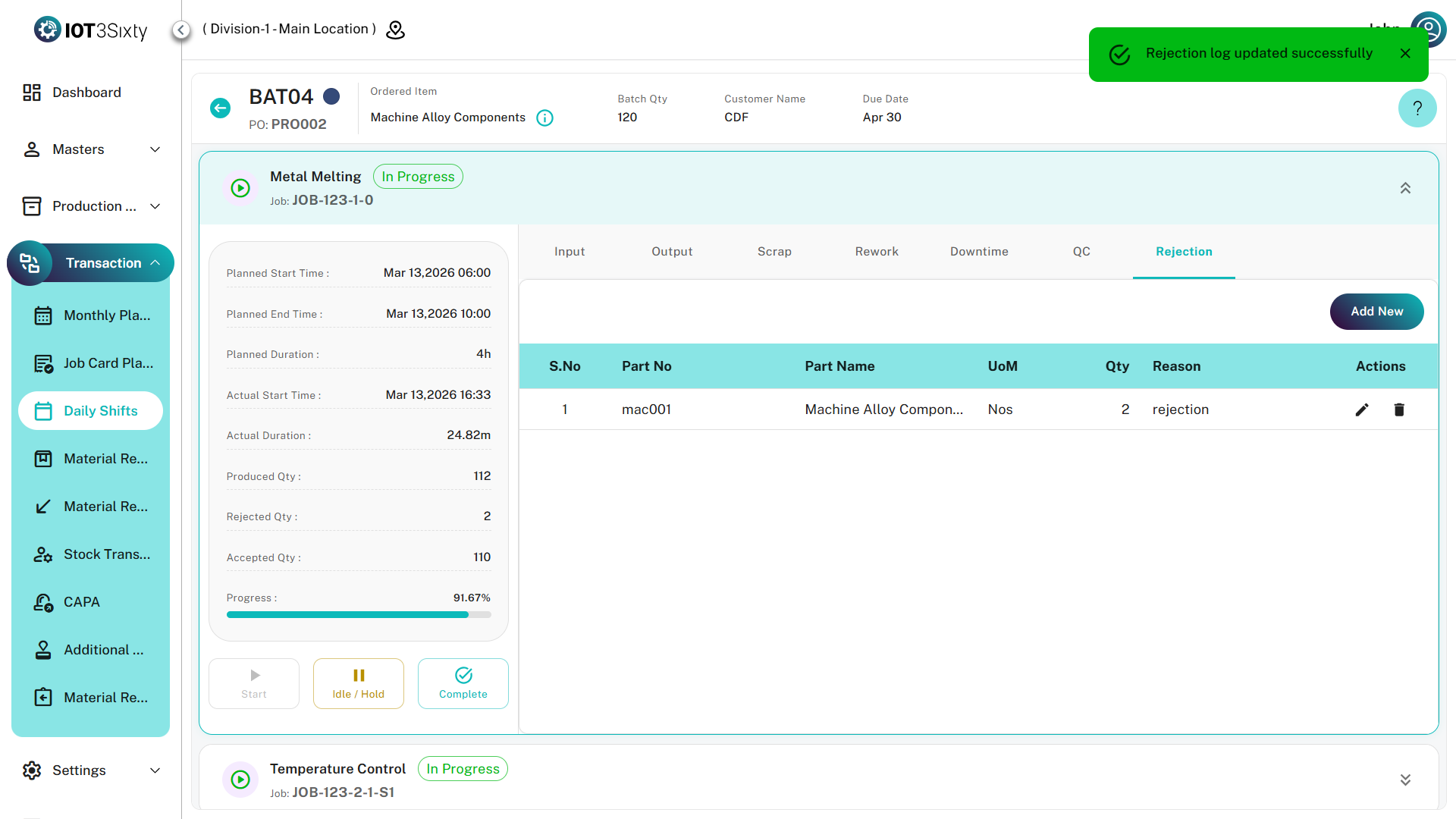
Rejection Workflow
Features
| Feature | Description |
|---|---|
| Hourly Rejection | Shift-wise rejection entry |
| Validation | Quantity check |
| Mandatory Reason | Required when quantity > 0 |
Common Actions
The following actions are available throughout Job Execution.
Action Definitions
| Action | Description |
|---|---|
| Add New | Create Record |
| Edit | Modify Existing Record |
| Save | Commit Changes |
| Delete | Remove Record |
| Cancel | Discard Changes |
Job Card Execution Lifecycle
Completion Flow
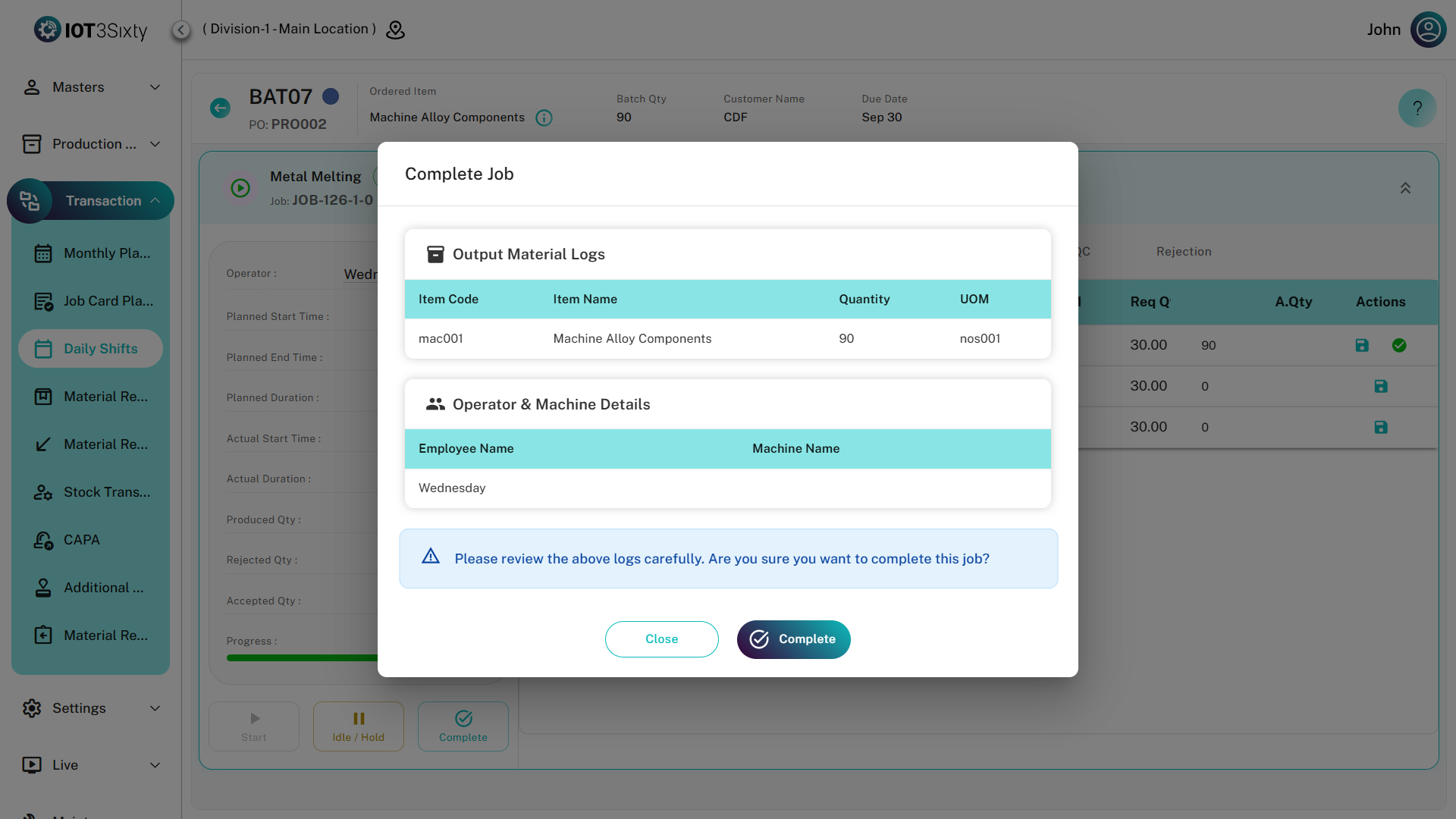
Once a Job Card is marked as COMPLETED, most execution tabs become Read-Only and no further modifications are allowed.
Business Benefits
- Complete production traceability
- Real-time operator data capture
- Quality assurance tracking
- Accurate material consumption records
- Downtime visibility and analysis
- Rework and rejection monitoring
- Shift-wise production tracking
- Improved manufacturing compliance