Operation Mapping
The Operation Mapping module is used to define the sequence of operations required to manufacture a product.
It allows users to map multiple operations in the correct execution order for specific parts.
Operation mapping ensures that production follows the defined workflow and operation sequence during manufacturing.
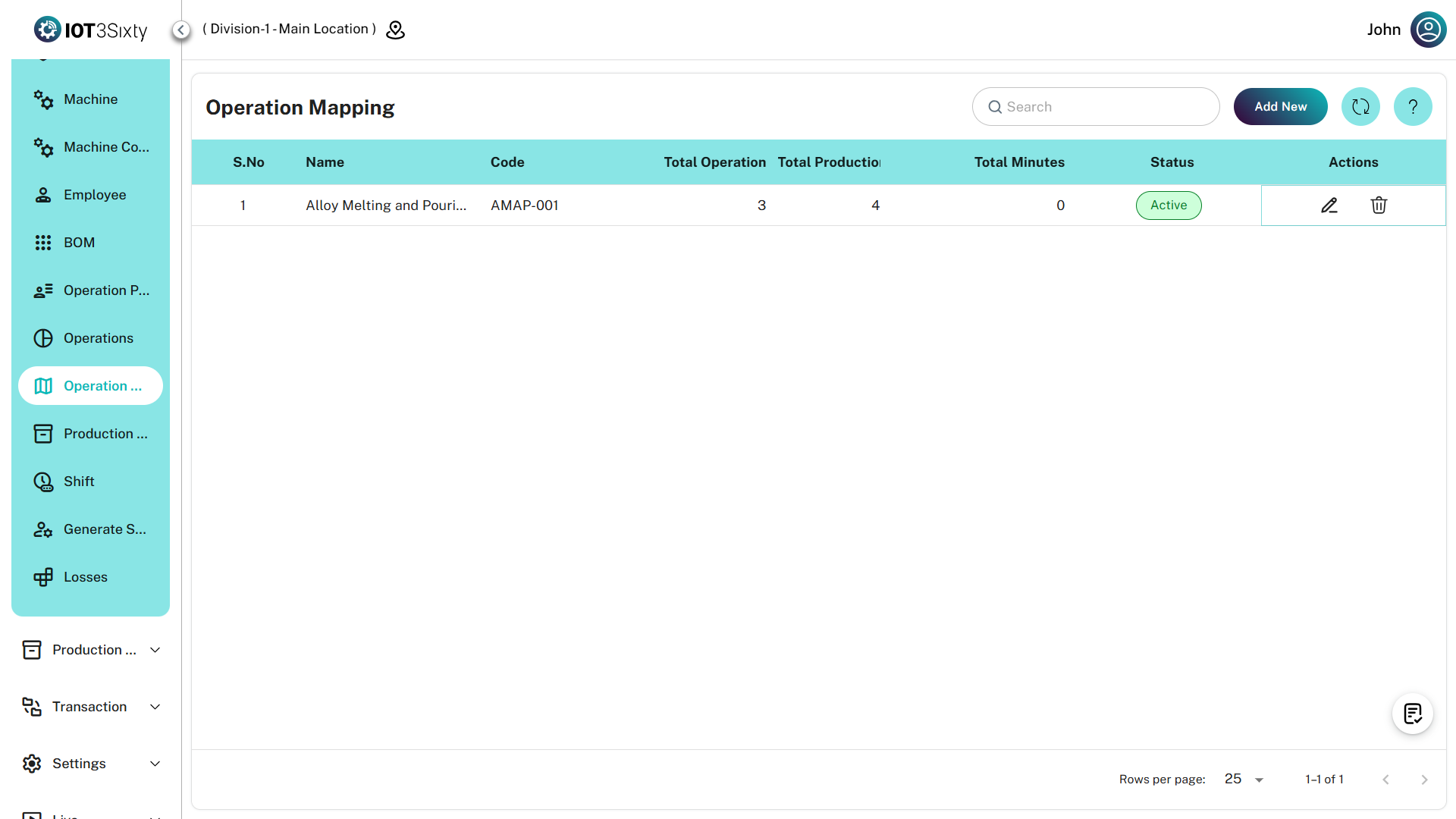
Creating an Operation Mapping
To create a new operation mapping:
- Navigate to Production → Operation Mapping.
- Click the Add New button.
- The Operation Mapping form will open.
- Enter the required mapping details.
- Add the required operations in sequence.
- Save the mapping.
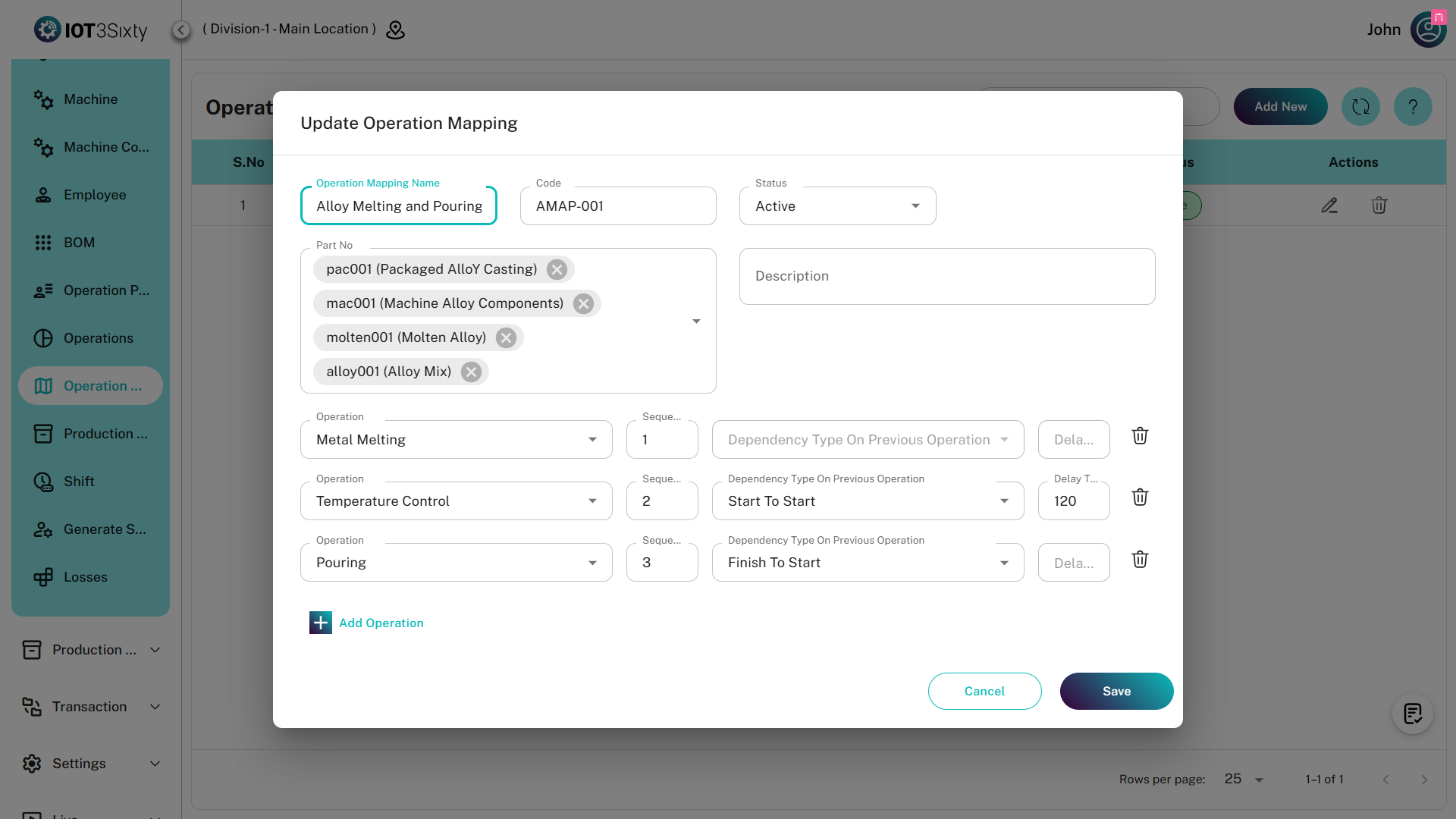
Mapping Details
Name
The Name represents the operation mapping configuration.
Code
The Code is a unique identifier for the operation mapping.
Using Template
If an Operation Mapping Template already exists, it can be reused.
Enable the Use Template option and select the required template.
This will automatically populate the operations configured in that template.
Part Number Selection
Users must select the Part Numbers for which this operation mapping will be applied.
The system allows multi-select, so multiple parts can use the same operation mapping.
Description
The Description field is optional and can be used to add additional information about the mapping.
Adding Operations
After entering the mapping details, operations must be added to define the production flow.
To add operations:
- Click Add Operation.
- Select the Operation from the list.
- Define the Sequence Number.
- Configure the Dependency Type.
- Enter the Delay (in minutes) if required.
Multiple operations can be added to create a complete production workflow.
Sequence
The Sequence defines the order in which operations should be executed during production.
Operations will be performed according to the sequence defined in the mapping.
Dependency Type
The Dependency Type determines how the operation depends on the previous operation.
If dependency is set to Previous Operation, the current operation will start only after the previous operation is completed.
Delay (Minutes)
The Delay field defines the waiting time between operations.
The value is entered in minutes and represents the time gap required before starting the next operation.
Managing Operations Before Submission
Before submitting the mapping:
- Users can add multiple operations
- Users can delete existing operations
- Users can modify sequence or delay values
This allows the workflow to be configured correctly before saving.
Save Options
Two save options are available:
Save as Template
If Save as Template is enabled, the operation mapping will be stored as a reusable template.
This template can later be used when creating new operation mappings.
Save
If the Save button is clicked without selecting template options, the system will create the operation mapping using the entered values.
Once saved, the operation mapping will be available for use in production processes and job card creation.
Summary
The Operation Mapping module defines the production workflow by linking multiple operations in a structured sequence.
It allows users to:
- Create operation mapping configurations
- Assign mappings to multiple parts
- Define operation sequence
- Set operation dependencies
- Configure delays between operations
- Save mappings as reusable templates
Proper operation mapping ensures smooth and organized production execution in the MES system.