Barcode Template
The Barcode Template module allows administrators and supervisors to design, manage, and maintain label layouts used across the system.
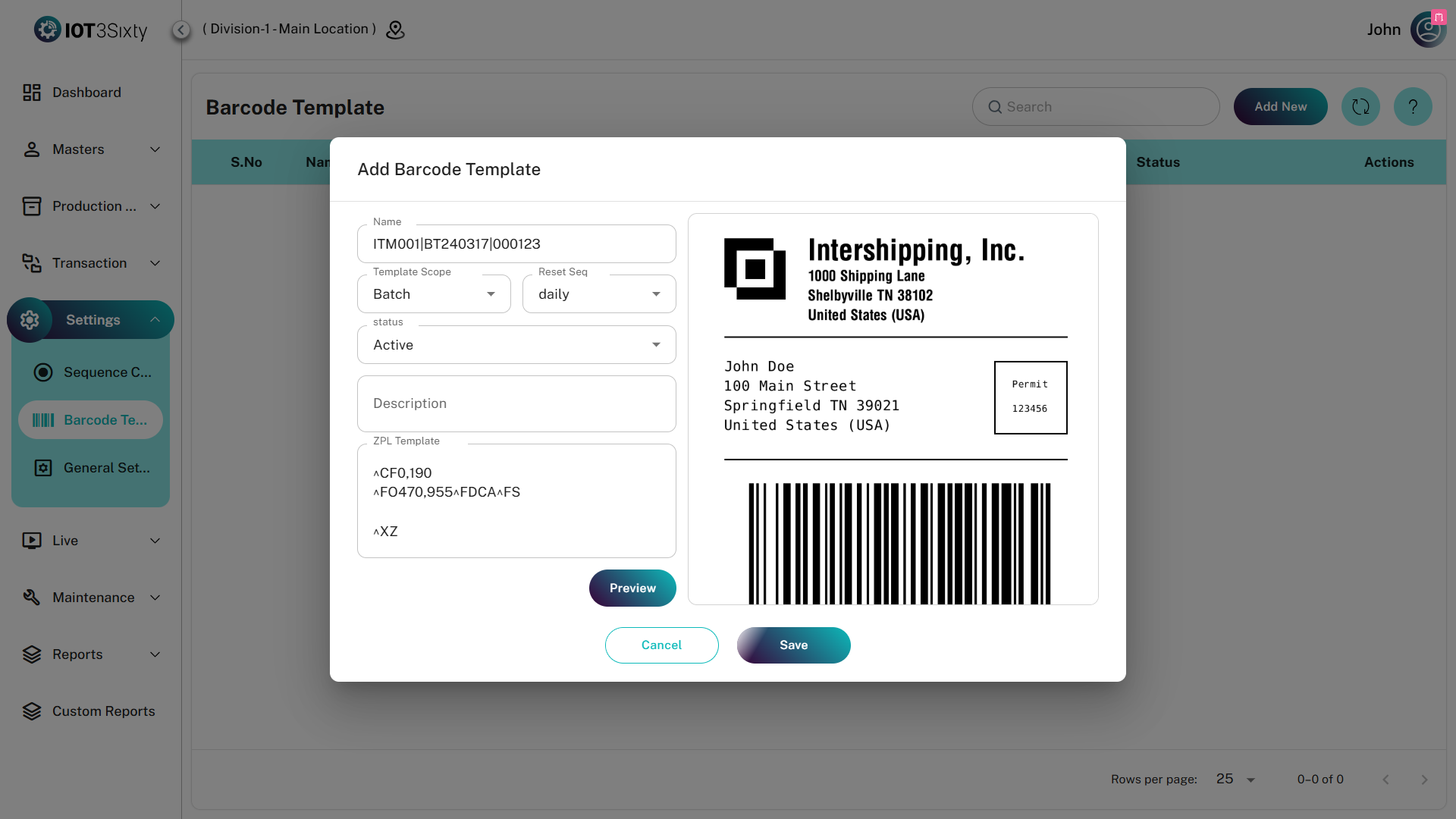
Labels are created using ZPL (Zebra Programming Language) and can be used for various purposes such as Product Labels, Batch Labels, and Warehouse Labels.
The module includes a built-in preview feature that allows users to visualize the label before it is used in production.
1. Barcode Template Dashboard
The Barcode Template dashboard displays all saved barcode label configurations.
Dashboard Fields
| Field | Description |
|---|---|
| Name | Display name of the barcode template (e.g., "Main Product Label") |
| Template Scope | Defines where the template is applied (General or Item-Specific) |
| Sequence | Displays the reset policy used for barcode numbering |
| Status | Determines whether the template is available for use in production |
Status Types
| Status | Description |
|---|---|
| Active | Template is available for selection in production modules |
| Inactive | Template is hidden and cannot be used in production |
2. Creating & Editing Templates
Users with appropriate permissions can create or modify barcode templates.
General Information
| Field | Description |
|---|---|
| Name | Unique name for the barcode template |
| Template Scope | Select where the template will be used |
| Reset Sequence | Defines how barcode numbering resets (Daily, Monthly, or No Reset) |
| Description | Additional information about the template usage |
ZPL Template Editor
The ZPL Template Editor is where the label layout and printing logic are defined.
| Field | Description |
|---|---|
| ZPL Template | Text area where ZPL code is written |
| Preview | Generates a visual representation of the label |
Live Preview
Click the Preview button to render the label design.
Technical Note
The system uses the Labelary API to convert ZPL code into a visual preview image, allowing users to verify that the label will print correctly on Zebra printers.
3. Best Practices for ZPL Designing
Follow these best practices when designing barcode labels:
| Practice | Description |
|---|---|
| Standard ZPL Commands | Always start with ^XA (Start Format) and end with ^XZ (End Format) |
| Dynamic Placeholders | Use placeholders for dynamic data such as {{ITEM_CODE}} |
| Label Size | Most previews use 4x6 inch labels at 8dpmm (203 dpi) |
| Layout Validation | Always preview the template to ensure elements do not overlap |
Only Administrators or Industrial Engineers should modify ZPL templates.
Incorrect ZPL code may cause barcode printing failures and disrupt production labeling processes on the shop floor.