Shift
The Shift Master module is used to define, organize, and manage employee working hours within the MES system.
It allows administrators to configure multiple shifts (such as Morning, Evening, and Night shifts) with specific start and end times, ensuring that the production process runs smoothly around the clock.
By managing shifts efficiently, organizations can plan manpower distribution, reduce idle time, and maintain continuous production.
Users can add, edit, or delete shifts as required.
Purpose
The Shift Master provides a structured framework for managing employee working schedules.
It ensures that every worker is assigned to the right shift and that production lines are always staffed appropriately.
Shift definitions also play a vital role in generating automated schedules and calculating working hours and productivity.
Steps to Add or Manage a Shift
-
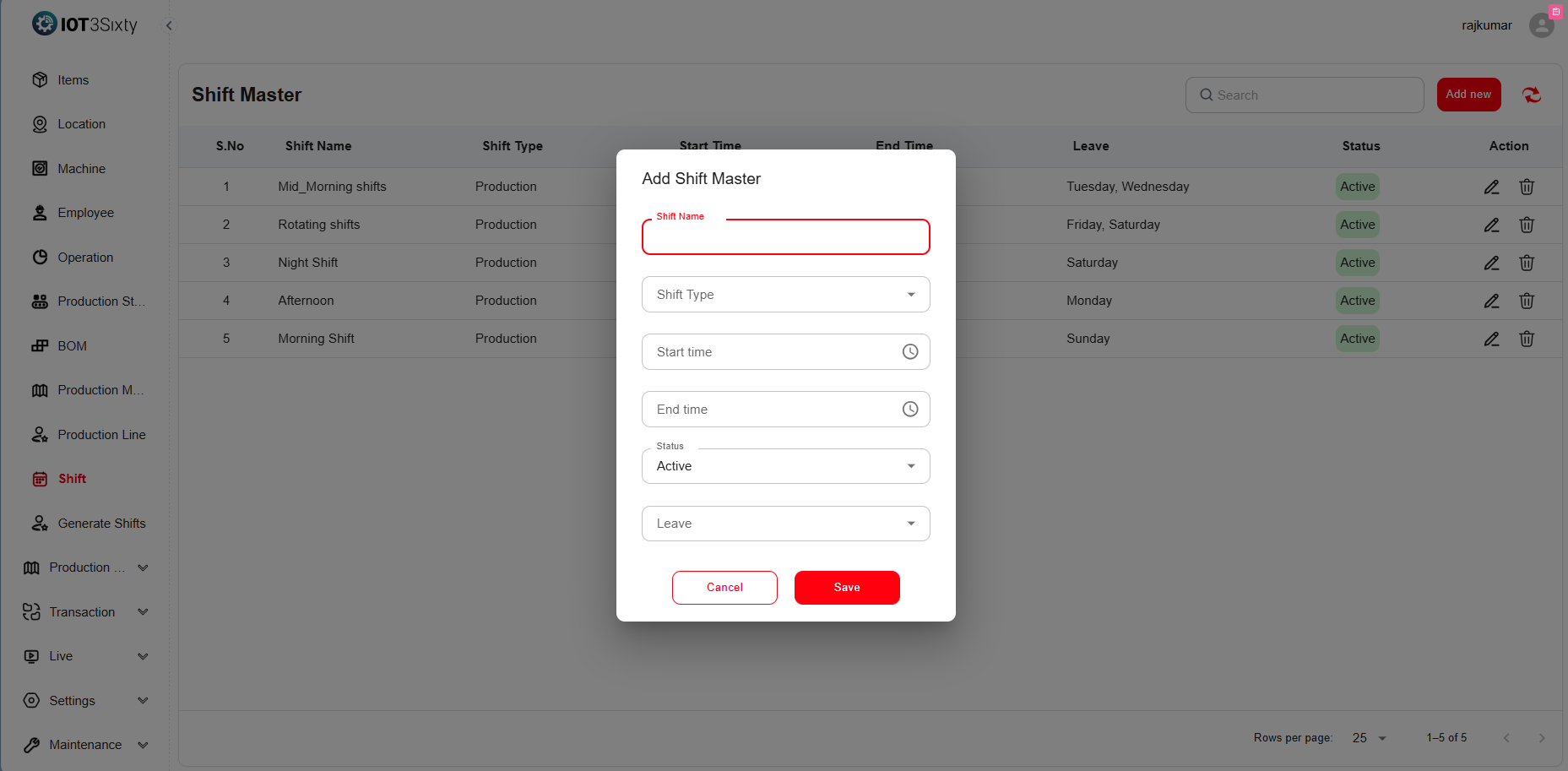
Navigate to the Shift Master Menu.
-
Click Add New to create a new shift configuration.
-
Enter the following details:
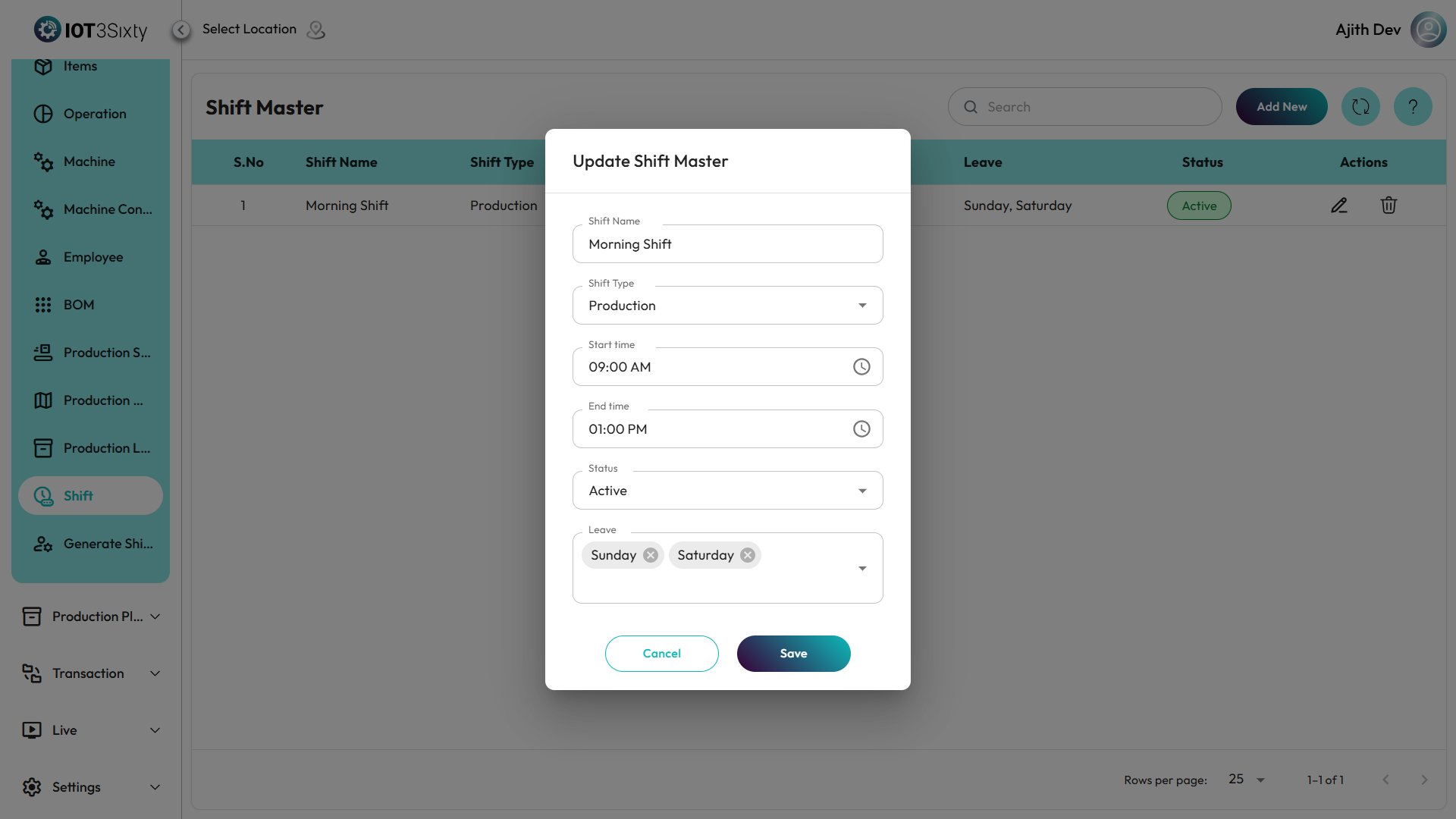
Field Description Shift Name Provide a clear name for the shift (e.g., Morning Shift, Night Shift). Start Time Specify the starting time of the shift. End Time Specify the ending time of the shift. Leave Days Choose the days employees are permitted to take leave (e.g., Sunday or Saturday and Sunday). Status Set to Active or Inactive depending on whether the shift is currently in use. -
Click Save to finalize and store the shift details.
Additional Options
- Edit: Modify existing shift details such as timing or leave days if the schedule changes.
- Delete: Remove inactive or outdated shifts from the system.
Important Note
Any leave days configured in the Shift Master will automatically reflect in the Generate Shifts section, ensuring proper scheduling and workforce management.
Benefits
- Defines standardized working hours for all employees.
- Helps manage rotational shifts effectively.
- Reduces confusion about work schedules and off-days.
- Improves labor utilization and production planning.