Division
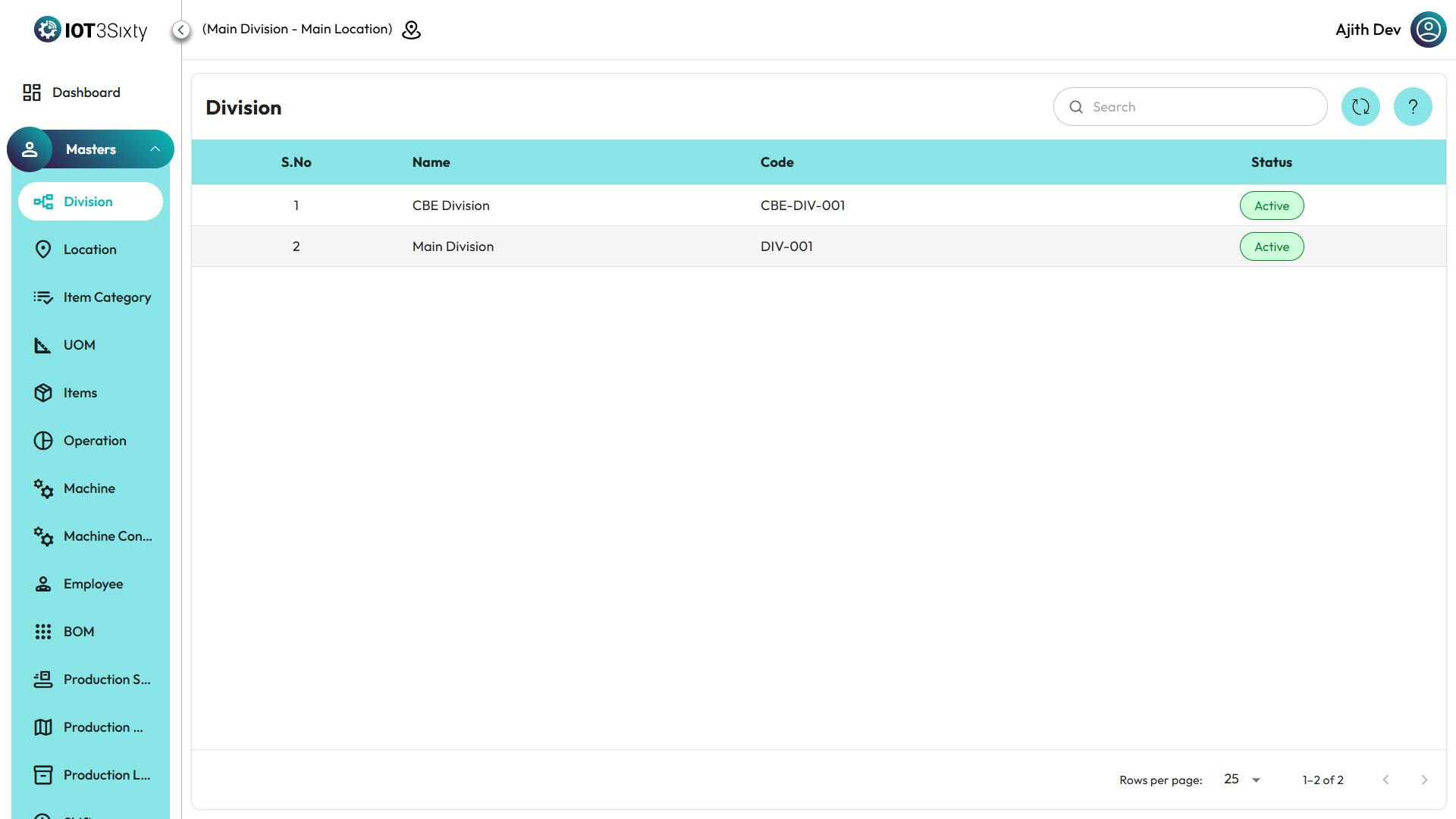
Selecting Division by Location
- In the top-left corner of the MES Dashboard, you will see a Location Icon.
- Click on the Location Icon to open the Location Selector.
- From the dropdown list, choose the desired location.
- Once you select a location, the system will automatically list out all relevant divisions for that location.
Division Details Displayed
Each division in the list includes the following information:
- Division Name
- Division Code
- Division Status
Additional Options
- You can refresh the list anytime using the Refresh Icon next to the selector.
- The displayed divisions update dynamically based on the selected location.
- After selecting your division, you can proceed to view or manage data related to it.
✅ Tip: Always ensure you’ve selected the correct location before performing any division-level actions.