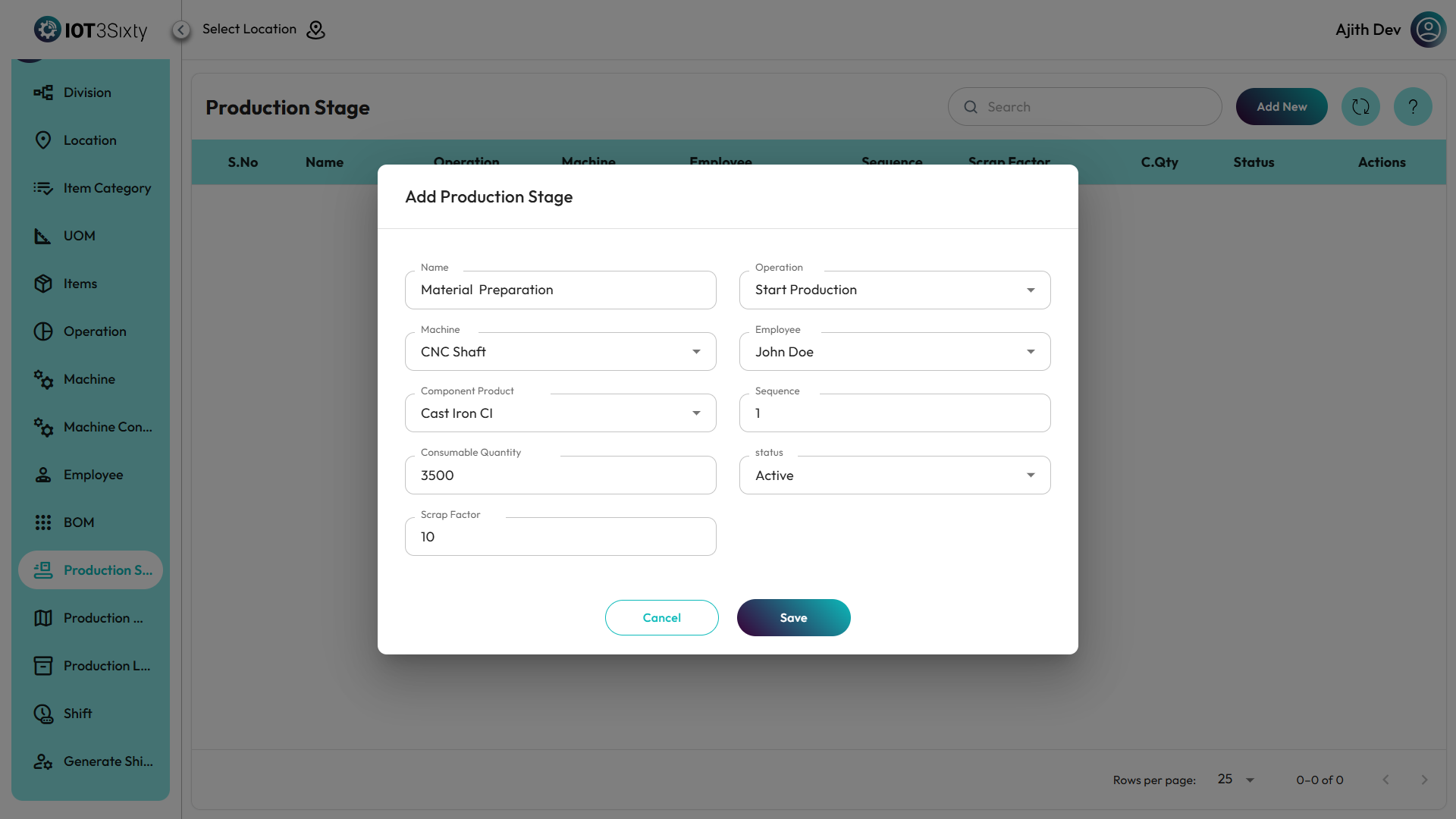
Production Stage Master
The Production Stage Master defines each stage involved in the production process. It connects machines, operations, and components, ensuring a well-organized and traceable manufacturing workflow. Each stage specifies the resources used, sequence order, consumables, and expected scrap — helping maintain efficiency and production accuracy.
Users can add new stages, edit existing ones, or delete unused entries, allowing full control over the production sequence setup.
Steps to Manage Production Stages
-
Navigate to the Production Stage Menu.
-
Click Add New to create a new production stage.
-
Fill in the following Production Stage Details:
Field Description Stage Name Enter the name of the production stage (e.g., Assembly, Cutting). Machine Choose the machine used in this stage from the dropdown list. Operation Select the related operation (e.g., Drilling, Welding). Product Component Choose the corresponding component or raw material involved in this stage. Sequence Define the sequence order for the stage (e.g., 1, 2, 3…). Consumable Quantity Enter the quantity of consumables required for this operation. Scrap Factor Specify the expected percentage of scrap/wastage generated. Status Set the stage as Active or Inactive. -
Click Save to store the production stage details.