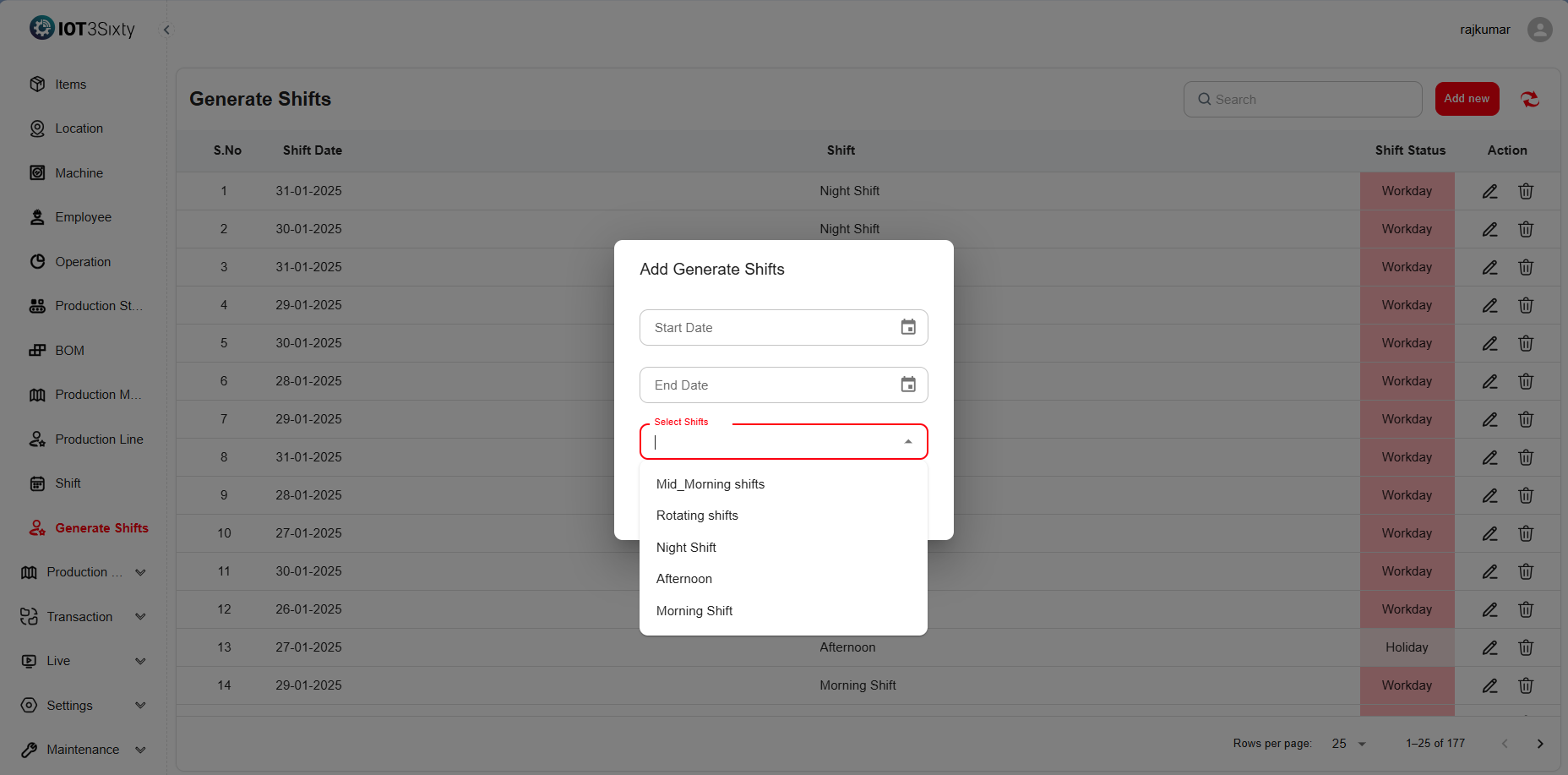
Generate Shifts
The Generate Shifts module enables automated creation of work shifts for employees based on predefined settings from the Shift Master.
It helps ensure proper scheduling, balanced workload distribution, and smooth operation of production lines without manual intervention.
Using this feature, administrators can generate multiple shifts for a given date range — reducing time spent on manual scheduling and preventing overlap or conflicts in employee assignments.
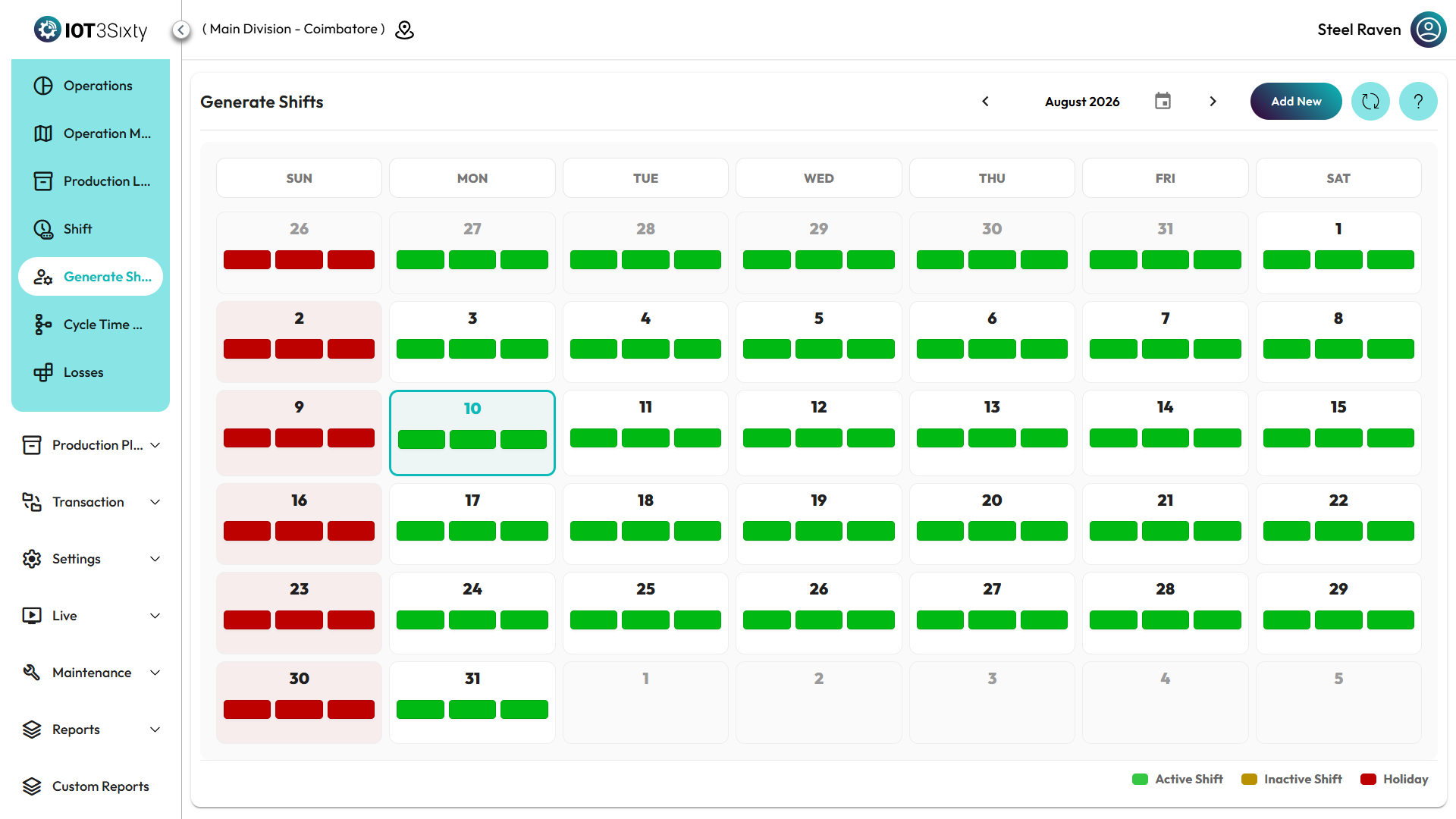
Purpose
The Generate Shifts function simplifies shift planning by automatically applying shift templates (such as Morning, Afternoon, or Night shifts) defined in the Shift Master.
It ensures that every day within the selected period has the appropriate shifts assigned, improving operational efficiency and workforce organization.
Steps to Generate Shifts
-
Navigate to the Generate Shift Menu.
-
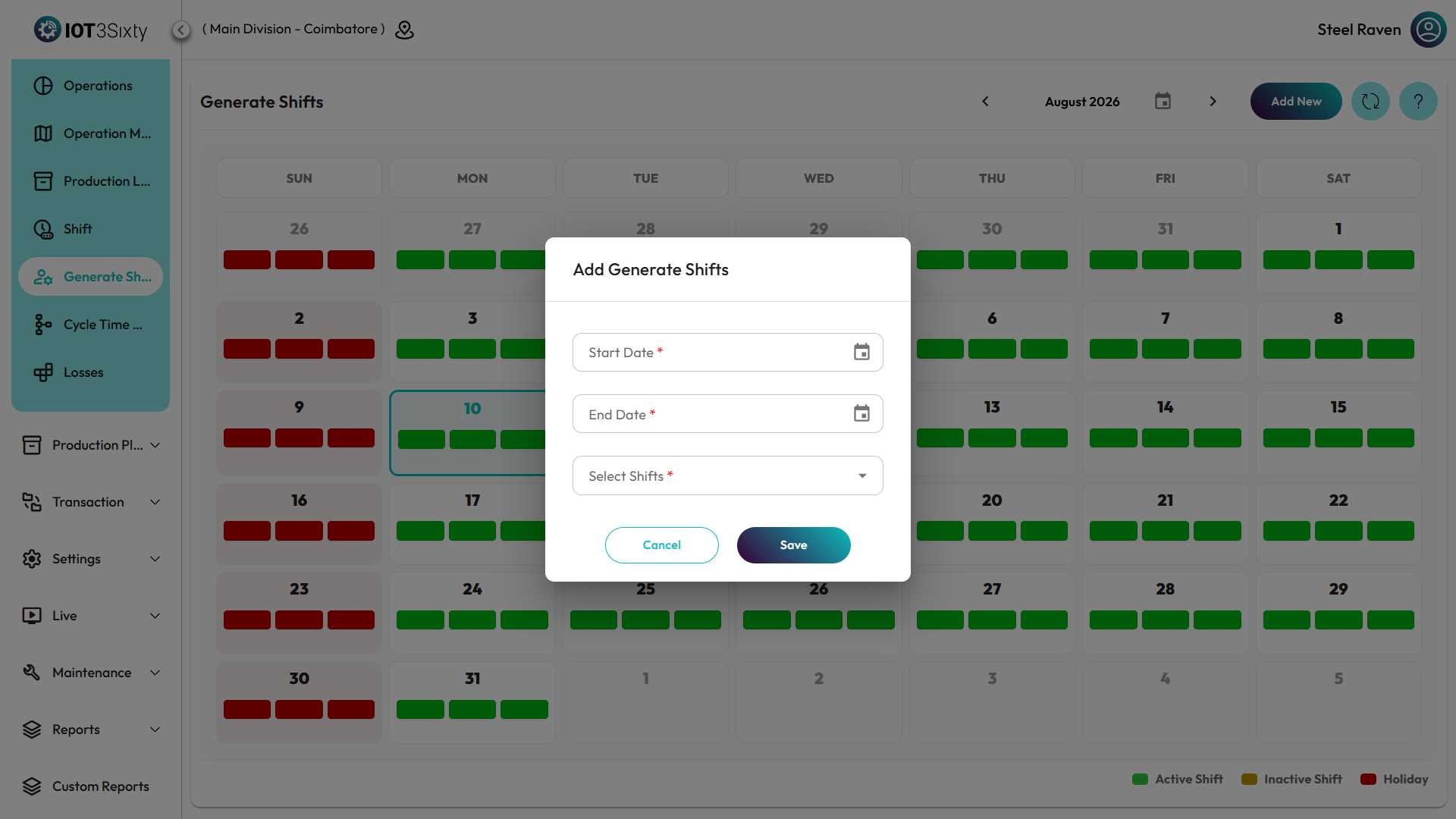
Enter the following details in the form:
Field Description Start Date Select the starting date from which shifts should be generated. End Date Select the ending date until which shifts will be generated. Shift Type Choose a predefined shift type (e.g., Morning, Afternoon, Night, Rotating) as defined in the Shift Master. Status Set the status of the generated shifts as Active or Inactive. -
Once all details are entered, click Save to automatically generate shifts for the selected date range.
Additional Options
- Edit Generated Shifts: Modify timing or assigned employees after generation if required.
- Delete Shifts: Remove any unnecessary or incorrectly generated shifts.
Benefits
- Automates scheduling and minimizes manual planning effort.
- Ensures consistent and accurate shift allocation across the selected time period.
- Supports multiple shift types, improving flexibility in workforce management.
- Provides a clear overview of all scheduled shifts for monitoring and reporting.