Operation
The Operation Master defines and manages the various operations involved in the production process within the MES system.
Each operation represents a specific stage or task in manufacturing — such as Assembly, Welding, Inspection, or Packing.
This module helps standardize processes, monitor production efficiency, and manage costs accurately.
Purpose
The Operation Master allows users to:
- Define the sequence of operations in the production cycle.
- Set standard time and cost for each operation, improving planning and scheduling accuracy.
- Maintain consistent operation definitions across divisions and departments.
- Support cost control and performance tracking by establishing measurable benchmarks.
Steps to Add a New Operation
- Navigate to the Operation menu from the main MES Dashboard.
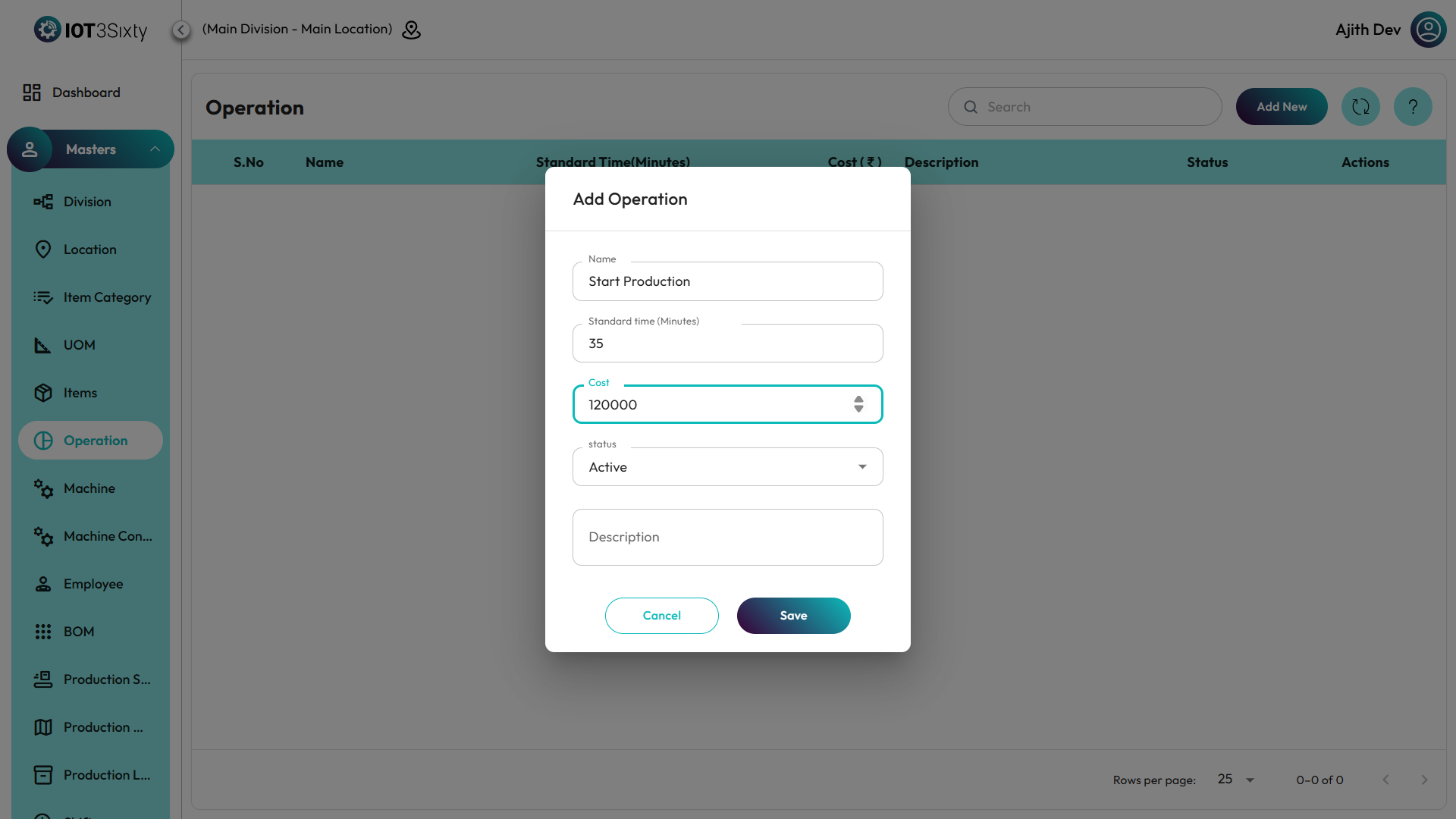
- Click on the Add New button to create a new operation entry.
- Enter the Operation Name (for example: Assembly, Painting, Cutting, Inspection).
- Specify the Standard Time required to complete this operation.
- Time can be entered in minutes or hours, depending on the process requirements.
- Enter the Standard Cost associated with performing this operation.
- This helps in calculating production cost and resource utilization.
- Click Save to store the operation details in the system.
Operation Details Displayed
Once operations are added, the list displays the following information:
- Operation Name – The name of the process step (e.g., Assembly, Welding).
- Standard Time – The estimated duration to complete one cycle of the operation.
- Standard Cost – The predefined cost associated with performing the operation.
- Status – Indicates whether the operation is Active or Inactive.
- Action – Allows you to Edit and Delete of the operation.
Additional Features
- You can filter or search for operations using the search bar.
- Use the Refresh Icon to update the operation list after making any changes.
- In case of process updates, you can edit existing operations to modify time or cost.
- Deactivating an operation prevents it from being assigned to new production orders but keeps its history intact.
✅ Tip:
Keep your operation definitions clear and standardized across all divisions.
Accurate time and cost values improve production scheduling, resource planning, and profitability analysis.