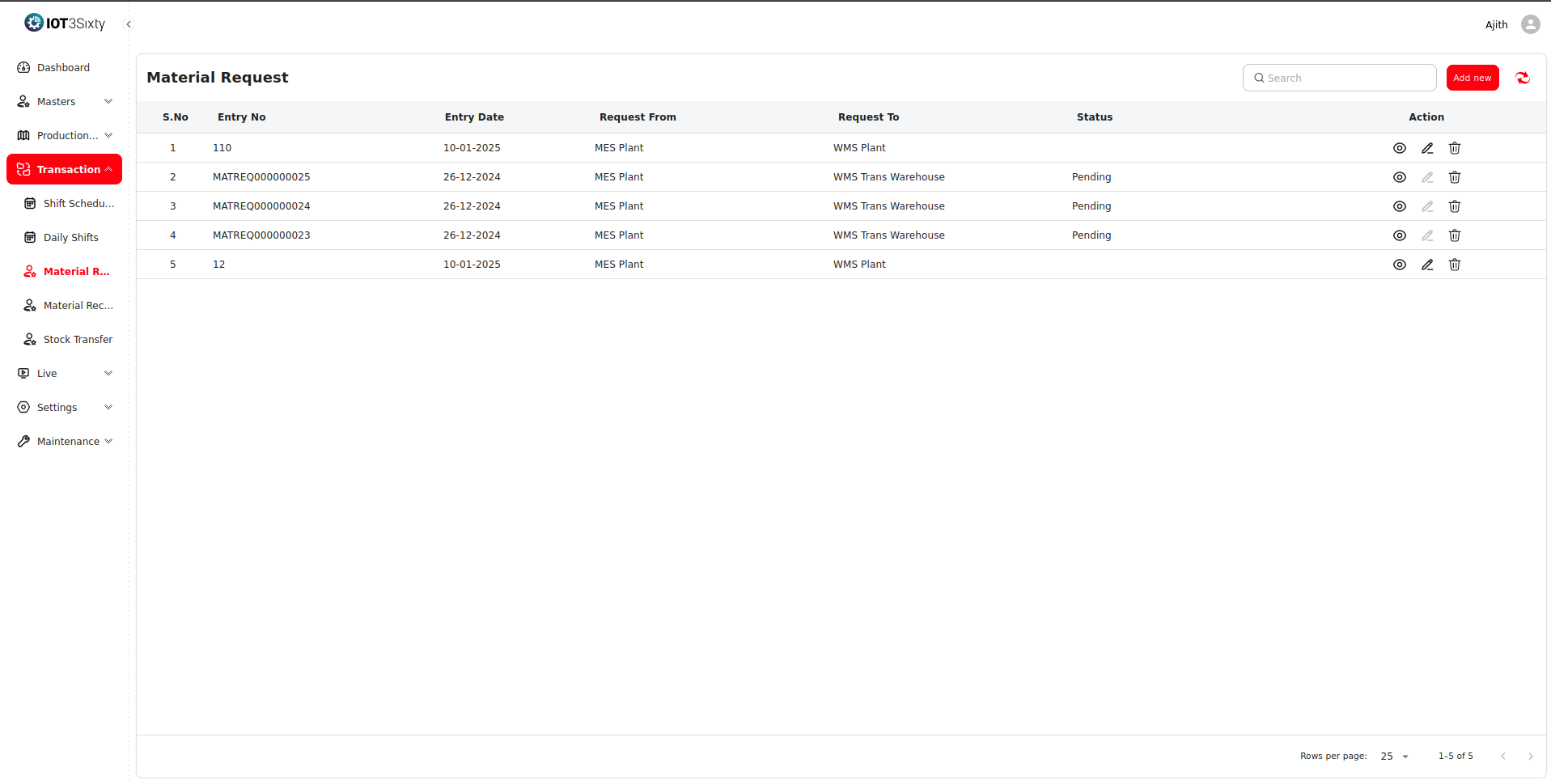
Material Request Process
The Material Request process in the Manufacturing Execution System (MES) ensures that materials required for production are accurately requested, tracked, and fulfilled through coordination between the Production Department and the Warehouse.
It plays a crucial role in maintaining uninterrupted production by ensuring that every Work Order has the necessary raw materials, components, or consumables at the right time.
3.3.1. Material Request Creation
The process begins when production requires specific materials to execute a Work Order.
A Material Request can be generated automatically from a work order or created manually by clicking the Add New button within the Material Request screen.
Steps to Add a New Material Request:
- Click Add New in the Material Request section.
- The system navigates to the Add New Material Request page.
- Select the Order Name from the dropdown.
- Choose the corresponding Work Order from the list.
- In the item table:
- Use the Item Name Search bar to find the required item.
- Once the item appears in the list, enter the Requested Quantity.
- Repeat this process for all required items.
- Click Save inside the table to add each item to the request list.
- After listing all the required items, click Overall Save to finalize and submit the complete material request.
This two-step save process ensures that all selected materials are validated before the full request is submitted to the warehouse.
3.3.2. Linking to Work Order
Each Material Request is tied directly to a Work Order, ensuring accurate tracking of material consumption and preventing duplication.
Linkage details include:
- Work Order Entry Number and Date – Connects the request to a specific job.
- Production Line and Shift Information – Ensures traceability of where and when the material is used.
- Bill of Materials (BOM) Reference – Helps verify the material type and quantity based on the item’s production requirements.
This link maintains data consistency between production planning and material consumption tracking.
3.3.3. Transmission to Warehouse
Once saved, the Material Request is automatically sent to the Warehouse Department or Inventory Module for processing.
The transmitted data includes:
- Request ID and Date
- Item Codes and Descriptions
- Quantities Requested
- Linked Work Order Details
- Priority Level (Normal or Urgent)
- Remarks or Special Instructions
The warehouse checks for stock availability and processes the request accordingly.
If the requested materials are available, they are picked, packed, and dispatched to the production line.
If stock is unavailable, the system can mark the request as Partially Fulfilled or Out of Stock, prompting procurement action.
3.3.4. Order Confirmation
After processing, the warehouse updates the request status in the MES system to reflect the current fulfillment state.
Possible Status Updates:
- ✅ Available – All materials are ready and dispatched.
- ⚠️ Partially Fulfilled – Only part of the requested quantity is available.
- ❌ Out of Stock – The material is currently unavailable.
- ⏱️ Pending Delivery – The request has been approved but not yet delivered.
Additional details recorded include:
- Delivered Quantity vs. Requested Quantity
- Delivery Date & Time
- Warehouse Remarks
- Expected Delivery Time (ETA)
3.3.5. Benefits of the Material Request Module
- 🔹 Ensures production lines receive materials on time.
- 🔹 Prevents shortages and unplanned downtime.
- 🔹 Tracks material flow and usage per work order.
- 🔹 Enables real-time communication between MES and Warehouse.
- 🔹 Provides clear visibility into pending and fulfilled requests.
Example Interface: