MES Application User Guide
Login
When you open the MES application through the apps panel,
you’ll see a list of available modules.
Choose MES from the panel to proceed.
Dashboard View
After selecting MES, you’ll be navigated to the Dashboard view.
Here, you can view various reports and real-time data related to your MES operations.
- The dashboard provides summary cards and visual reports for production insights.
- Each widget represents a specific report or metric.
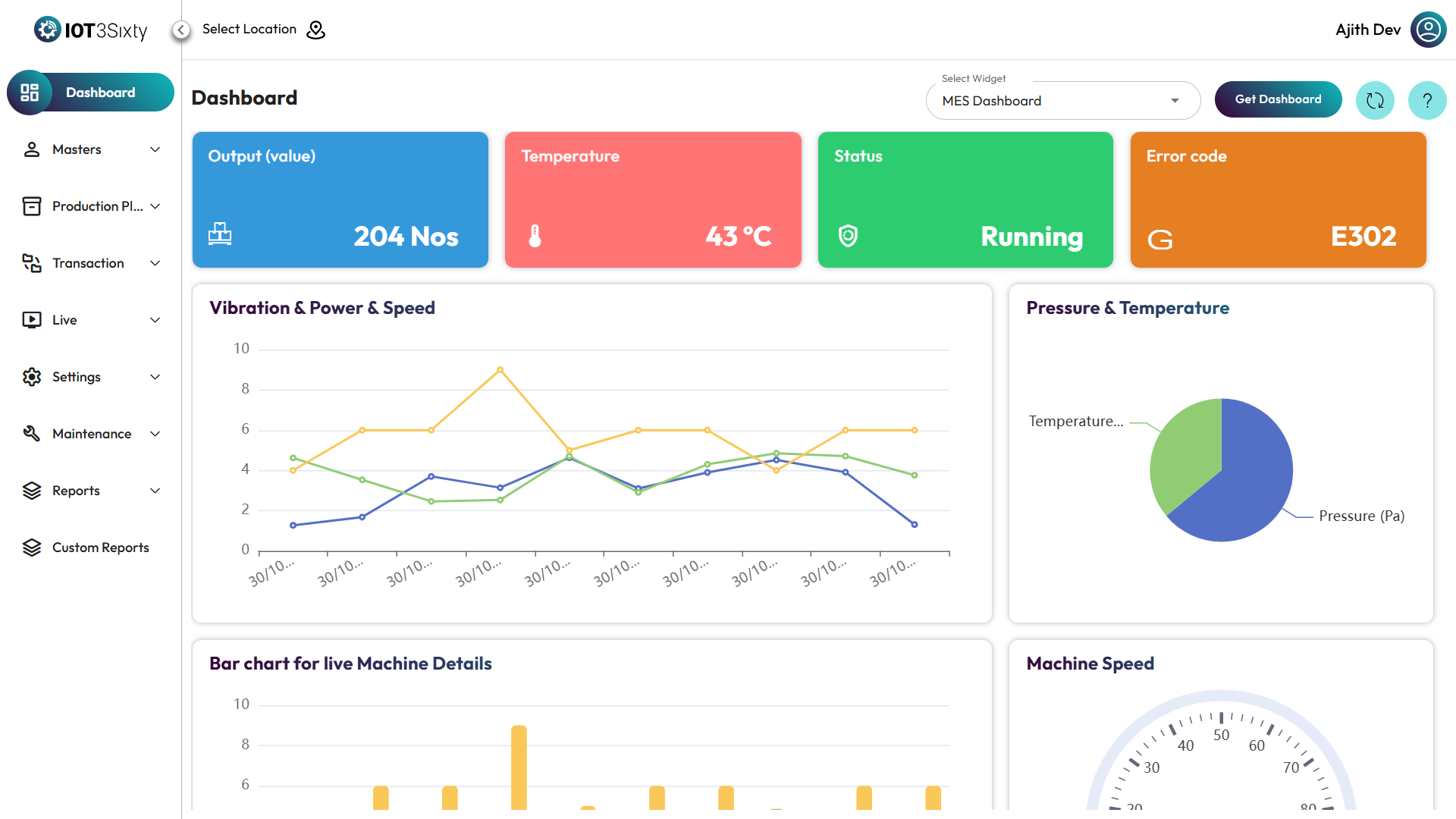
Multiple Widgets
If you have multiple widgets configured,
you can easily switch between them or select specific reports to view.
Each widget may include:
- Production status overview
- Machine performance metrics
- Efficiency charts
- Downtime analysis
Navigation Tips
- Use the sidebar menu to navigate between dashboard, reports, and other MES features.
- Click on any widget to drill down into detailed reports.
Summary
- Login via the apps panel
- Select MES to open the dashboard
- View and interact with available reports and widgets
- Navigate easily using the sidebar and top menu options