Sequence Configuration
The Sequence Configuration section allows you to define how transaction numbers are auto-generated for different operations within the Warehouse Management System (WMS).
Purpose
This setting ensures that each transaction (like stock receive or transfer) follows a consistent and traceable numbering format, based on division and transaction type.
Important: If a transaction type is marked as compulsory for sequence creation in the configuration, then it must have a sequence configured before using related transactions. This applies to the following transaction types:
- Stock Receive
- Stock Request
- Stock Adjustment
- Stock Transfer
- Location Receive
These transactions will be disabled until a valid sequence is configured.
How to Add a New Sequence
-
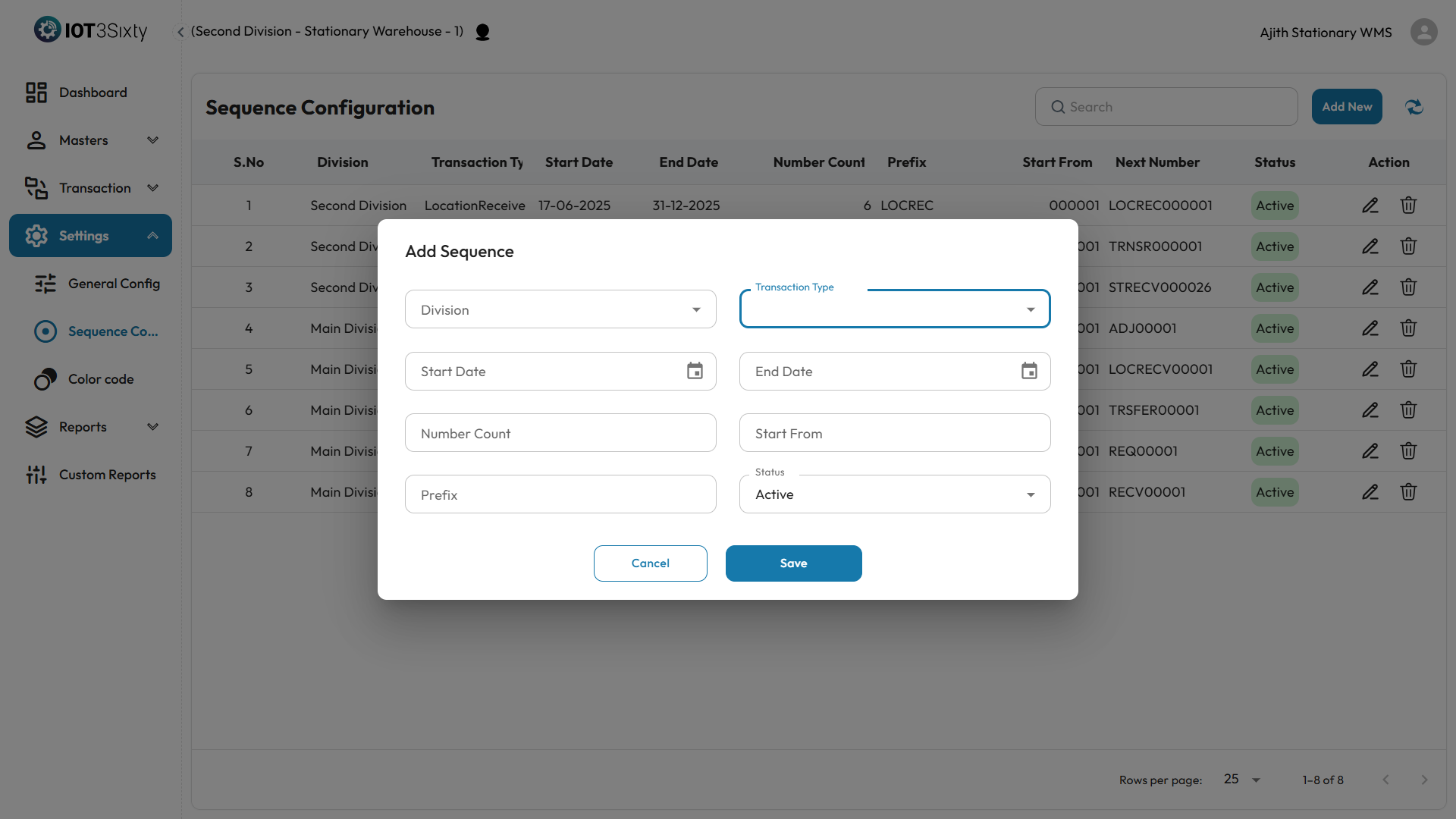
Click the Add New button.
-
Fill in the required details:
-
Division – Select the division the sequence belongs to.

-
Transaction Type – Choose the type of transaction (e.g., Stock Receive, Stock Transfer).
-
Start Date & End Date – Define the period the sequence will be active.
-
Number Count – Set the number of digits (e.g., 4 digits will give 0001, 0002, ...).
-
Start From – Define the starting number (e.g., 1 or 100).
-
Prefix – Optional prefix added before the number (e.g., "SR-" for Stock Receive).
-
Status – Select whether the sequence is Active or Inactive.
-
-
Click the Save button.
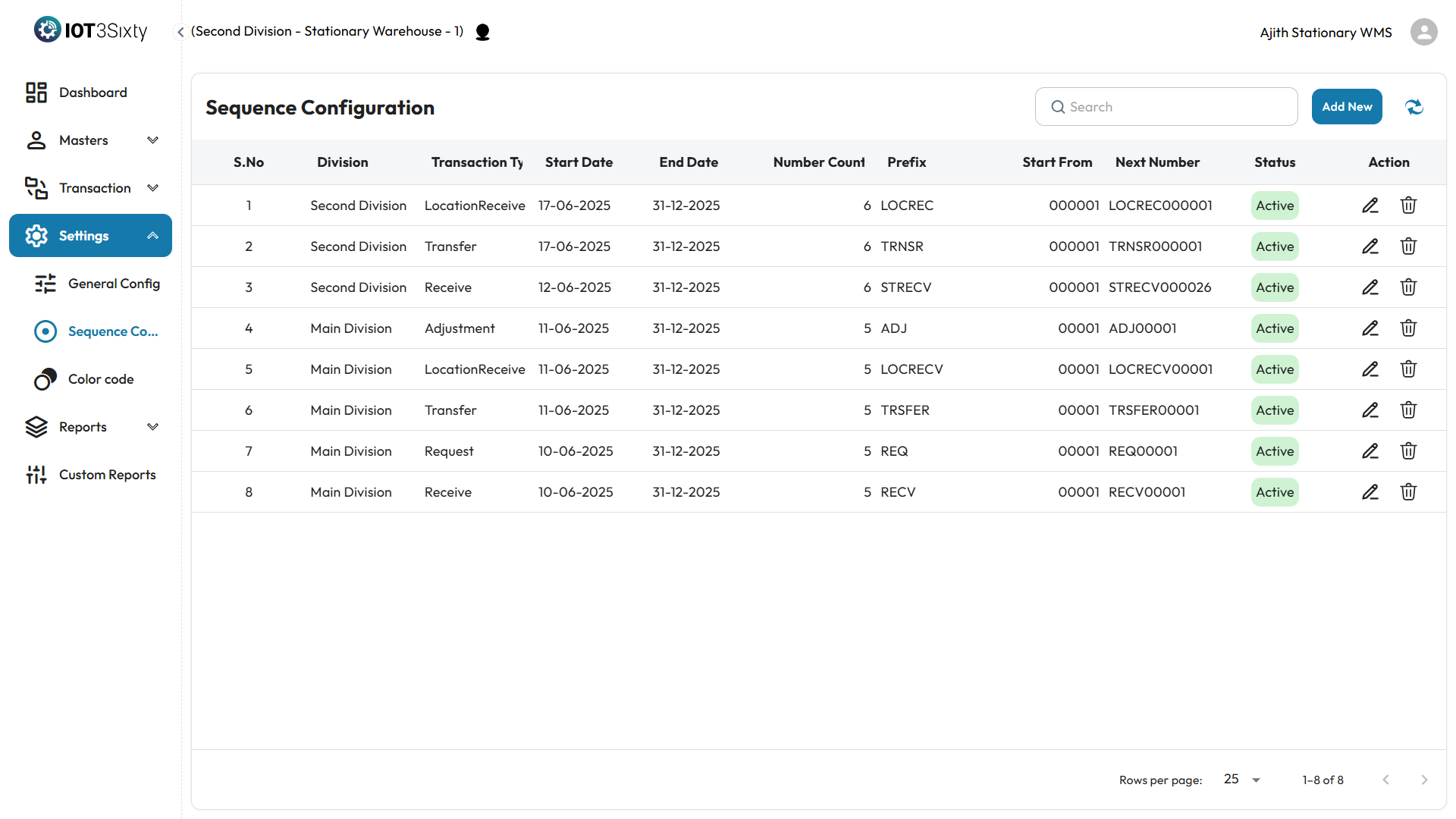
A success message will appear once the sequence is saved.
Why It Matters
- Ensures consistency in document and transaction numbering.
- Helps in identifying, sorting, and referencing records easily.
- Prevents duplicate or manual numbering errors.
⚠️ Note: Make sure each combination of Division and Transaction Type has only one active sequence per date range.