Storage Area Dashboard
The Storage Area Dashboard provides a centralized report to monitor and analyze warehouse stock movements across various transactions. It helps warehouse users and managers track inventory activity efficiently within selected zones and storage locations.
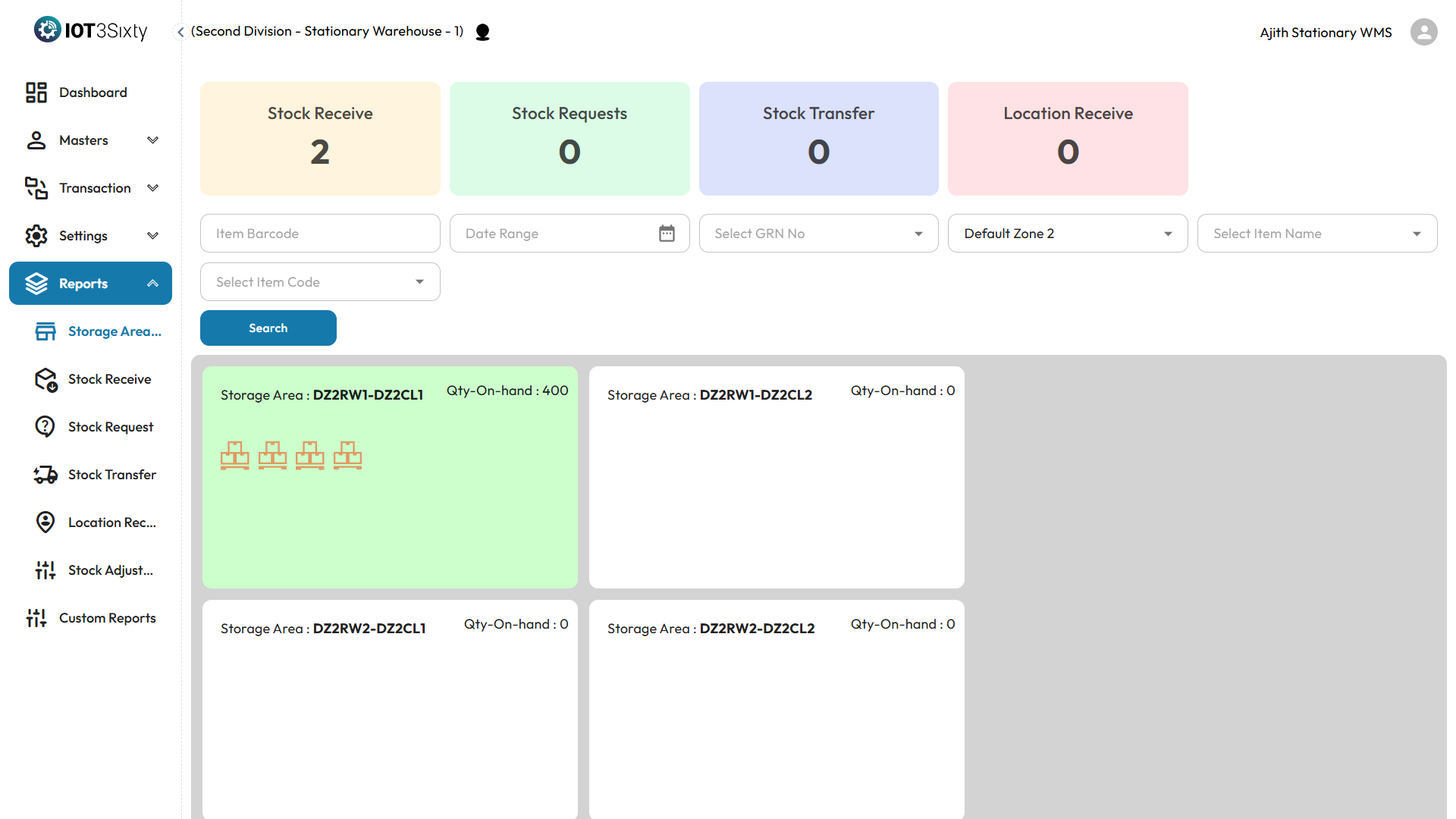
Overview
This dashboard summarizes the count of the following stock-related transactions:
- Stock Receive
- Stock Request
- Stock Transfer
- Location Receive
It offers a clear snapshot of movement trends and warehouse activity, assisting in effective planning and analysis.
Filters and Search Options
To generate a specific report, you can apply the following filters:
- Item Barcode – Enter the barcode of the item, if known.
- Date Range – Choose a specific time period for the report.
- GRN No – Filter by Goods Receipt Note number, if applicable.
- Zone – Select the zone within the warehouse.
- Item Name – Choose the relevant item name.
- Item Code – Select the matching item code.
Once all required filters are selected, click the Search button to generate the report.
Report Results
- The filtered results will be displayed in a tabular format.
- Each entry corresponds to a transaction with its details (item, zone, GRN, etc.).
- You can analyze the frequency and type of stock movements by storage zone and time range.
Why It Matters
- Provides visibility into warehouse activity at a zone level.
- Helps in auditing and validating stock operations.
- Supports planning by showing areas of high transaction volume.
Tip: Ensure accurate date and item selection for refined results. This dashboard plays a key role in warehouse performance reviews and inventory audits.