Unit of Measure (UOM)
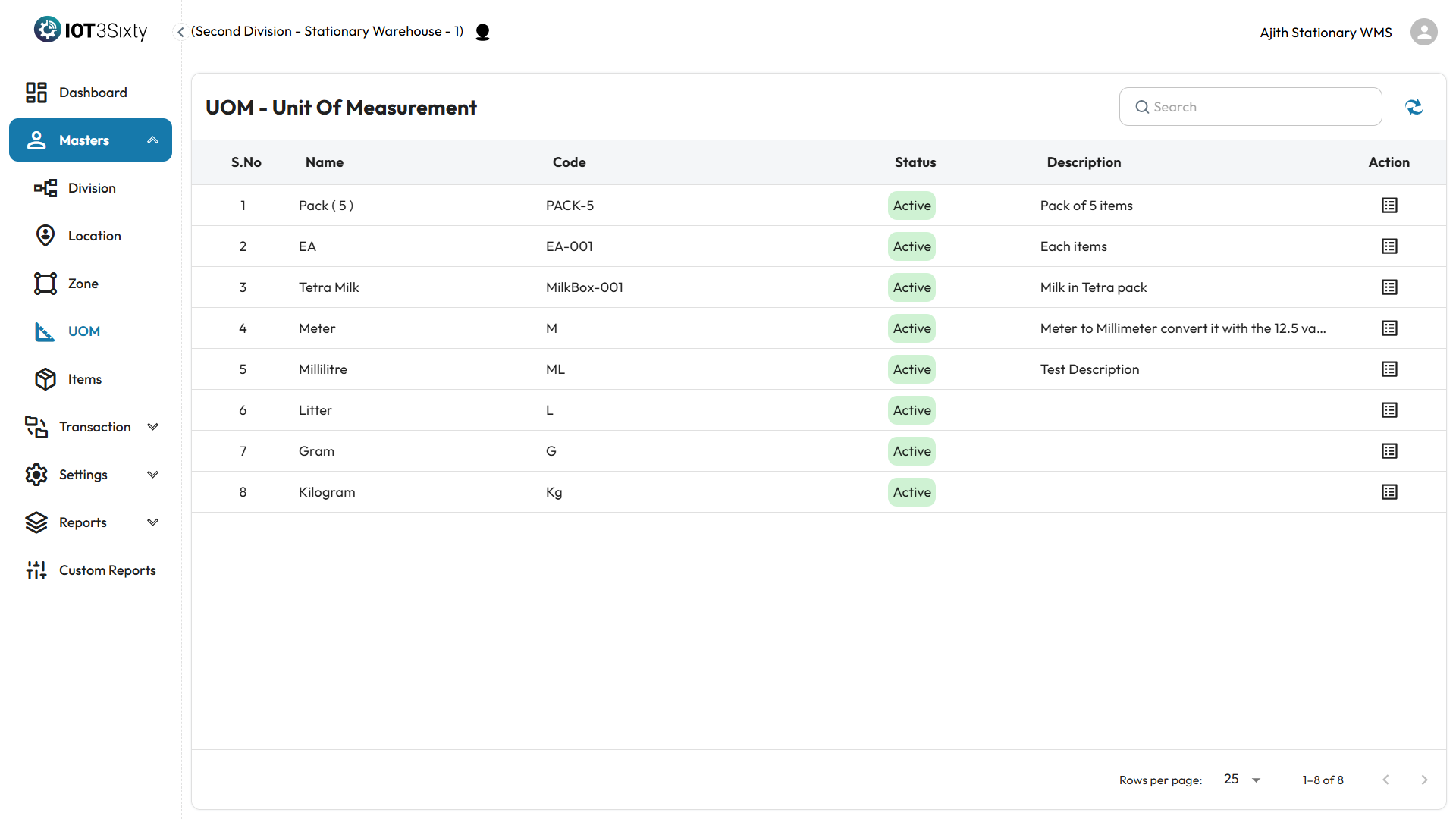
The Unit of Measure (UOM) section under Masters is used to define and manage the measurement units applied to inventory items. UOM ensures standardization and consistency across item transactions, such as stock receive, issue, and transfer.
Overview
Each UOM entry includes the following fields:
- Name – The full name of the unit (e.g., Kilogram, Liter).
- Code – A short code for the unit (e.g., KG, LTR).
- Status – Indicates whether the UOM is active or inactive.
- Description – Optional field to provide additional context or usage information.
- Action – Provides options to manage and extend the UOM functionality.
Action Column Features
In the Action column, an icon is available to manage UOM Conversions:
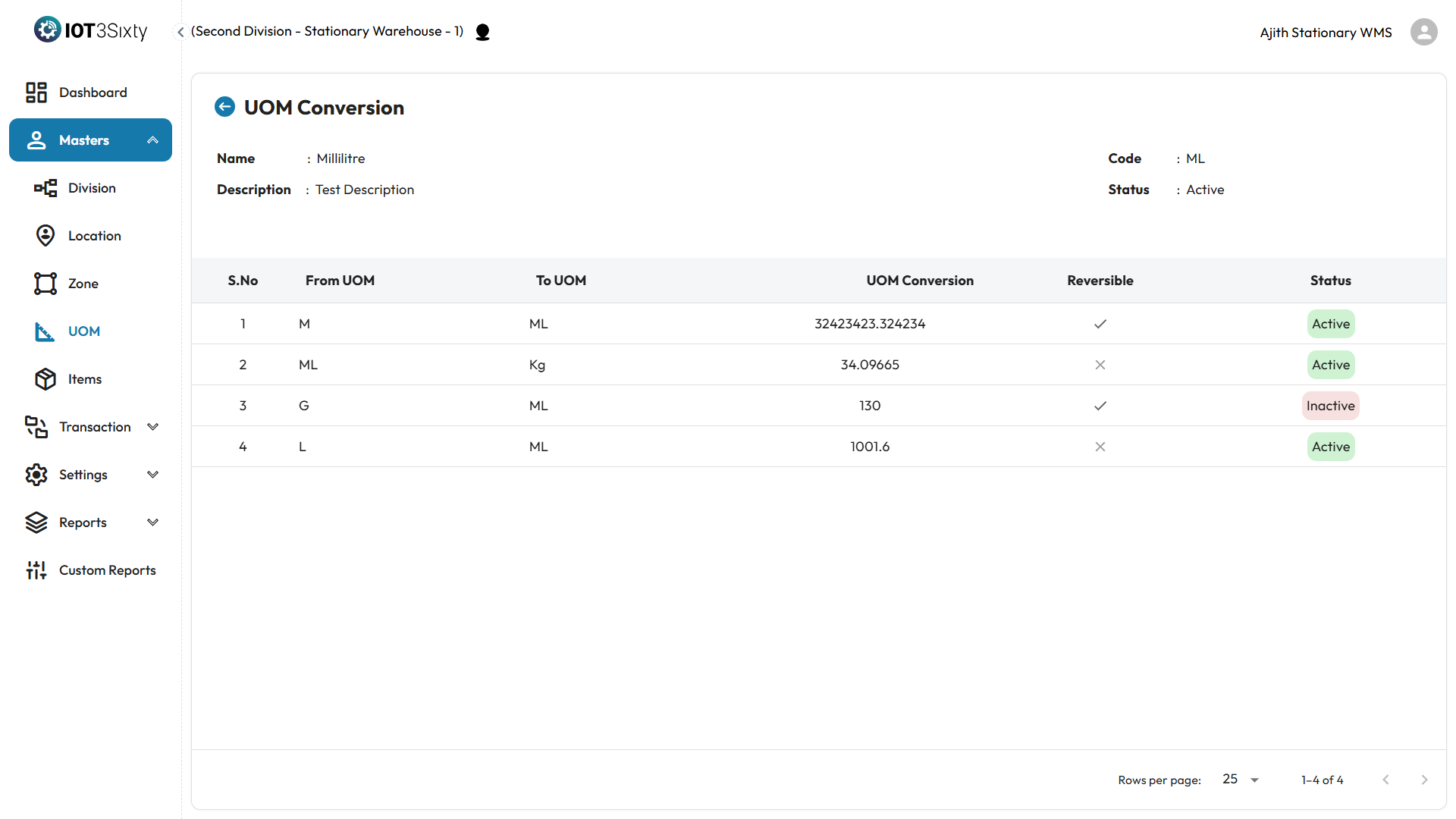
- Clicking this icon allows you conversion rates between base and alternate units.
- This is optional and can be used when an item is handled in multiple units (e.g., converting from box to pieces).
- You can define the ratio and direction of conversion (e.g., 1 Box = 10 Pieces).
Note: UOM conversions help automate quantity adjustments during transactions like receiving or transferring stock in alternate units.
Why It Matters
- Standardizes units used across inventory operations.
- Supports multiple measurement systems and flexible handling of stock.
- Enables accurate reporting and prevents unit mismatch errors.
Ensure the UOMs are carefully mapped to items and conversions are correctly configured to maintain consistency throughout the warehouse system.