Color Code
The Color Code section in Settings allows you to manage color indicators for each month. These colors are used to visually represent month-wise details across the system, making it easier to differentiate periods in reports or dashboards.
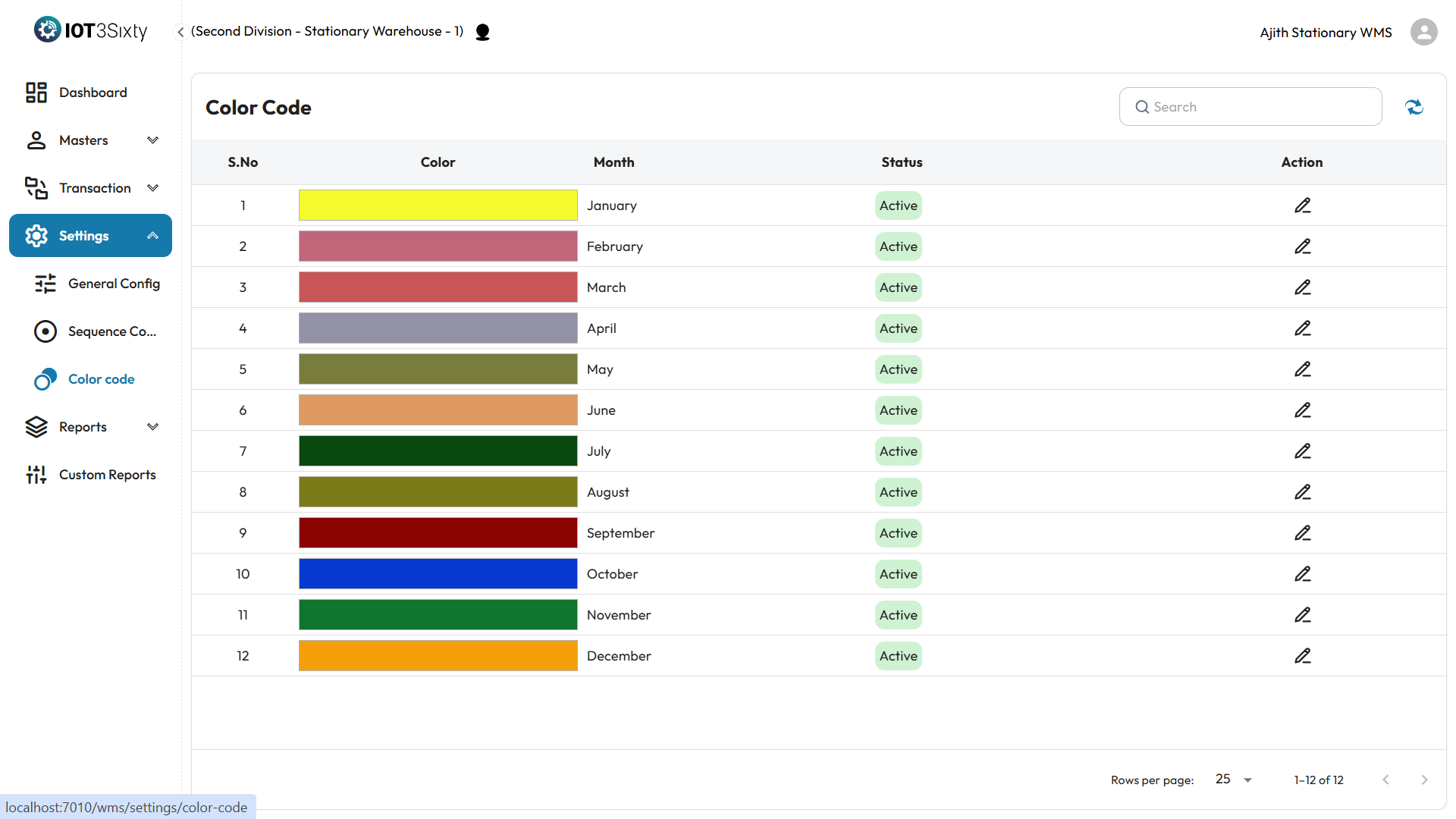
Overview
- A list of months will be displayed.
- Each month has an associated color.
- These colors help in month-wise identification throughout the system.
How to Modify a Color
- Locate the month you want to update.
- Click the Edit icon next to it.
- Choose a new color from the color picker or input field.
- Save the changes.
The updated color will reflect wherever month-wise colors are used.
Why It Matters
- Makes monthly data easy to identify visually.
- Useful in dashboards, charts, and other views with time-based information.
- Enhances clarity and improves the user experience.
Note: Only users with the correct permission can update color codes.