General Configuration
The General Configuration section is part of the Settings module in the Warehouse Management System (WMS). It allows you to set basic system behavior options related to inventory handling.
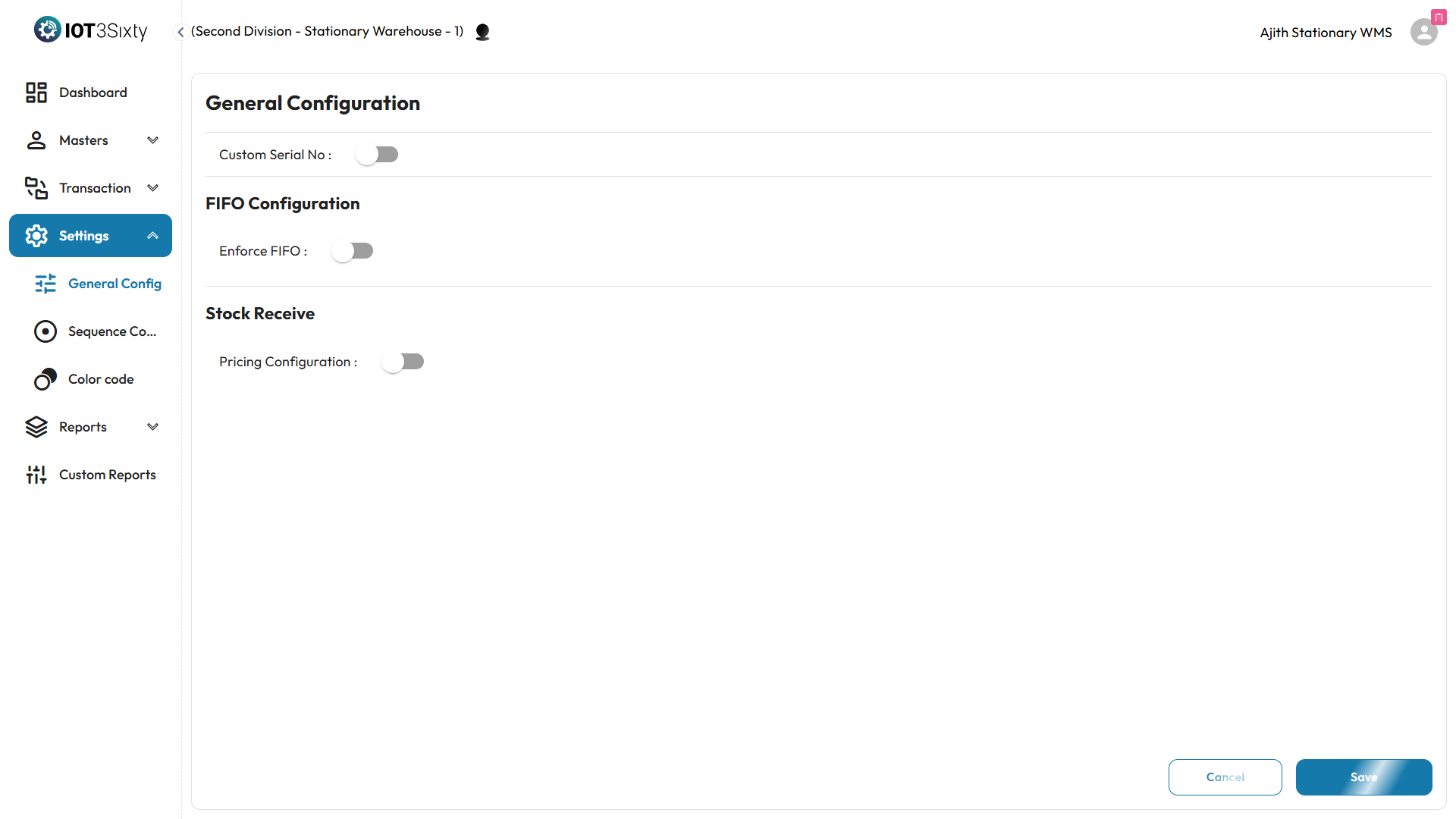
Configuration Options
You can control the following settings using toggle switches:
-
Custom Serial Number (Optional)
Turn this ON to enable the use of custom serial numbers for items.- If OFF, the system will automatically generate serial numbers.
-
Enforce FIFO (First In First Out)
Turn this ON to enable FIFO-based stock picking.- When enabled, you must also enter the Number of Days Allowed for stock picking.
- This helps in managing stock expiry and rotation more effectively.
-
Stock Receive Pricing (Optional)
Turn this ON to enable pricing fields (Unit Price and Total Price) during Stock Receive.- If turned OFF, pricing fields will be hidden or disabled, allowing stock to be received without pricing.
How to Save
- Make the required changes by toggling the switches.
- If FIFO is enabled, enter the allowed number of days for picking.
- If Stock Receive Pricing is ON, ensure relevant users enter price details.
- Click the Save button.
You will see a "Configuration Saved Successfully" message on successful update.
Why It Matters
- These settings impact how stock is picked, priced, and tracked.
- Enforcing FIFO helps prevent stock aging and wastage.
- Enabling custom serials gives more control for unique item tracking.
- Controlling Stock Receive Pricing makes the system flexible for both valuation-based and non-valuation workflows.
Only users with proper access can make changes to general configuration.