Item Template Setup
The Item Template feature allows users to define reusable configurations for item creation. This is useful when multiple items share the same set of attributes and properties. This feature is optional but helps standardize item data entry.
Purpose
Item Templates are used to pre-define a structure that includes:
- A group of dynamic attributes
- A list of relevant properties
This reduces repetitive setup for items of a similar type (e.g., electronics, garments, machinery).
Steps to Create an Item Template
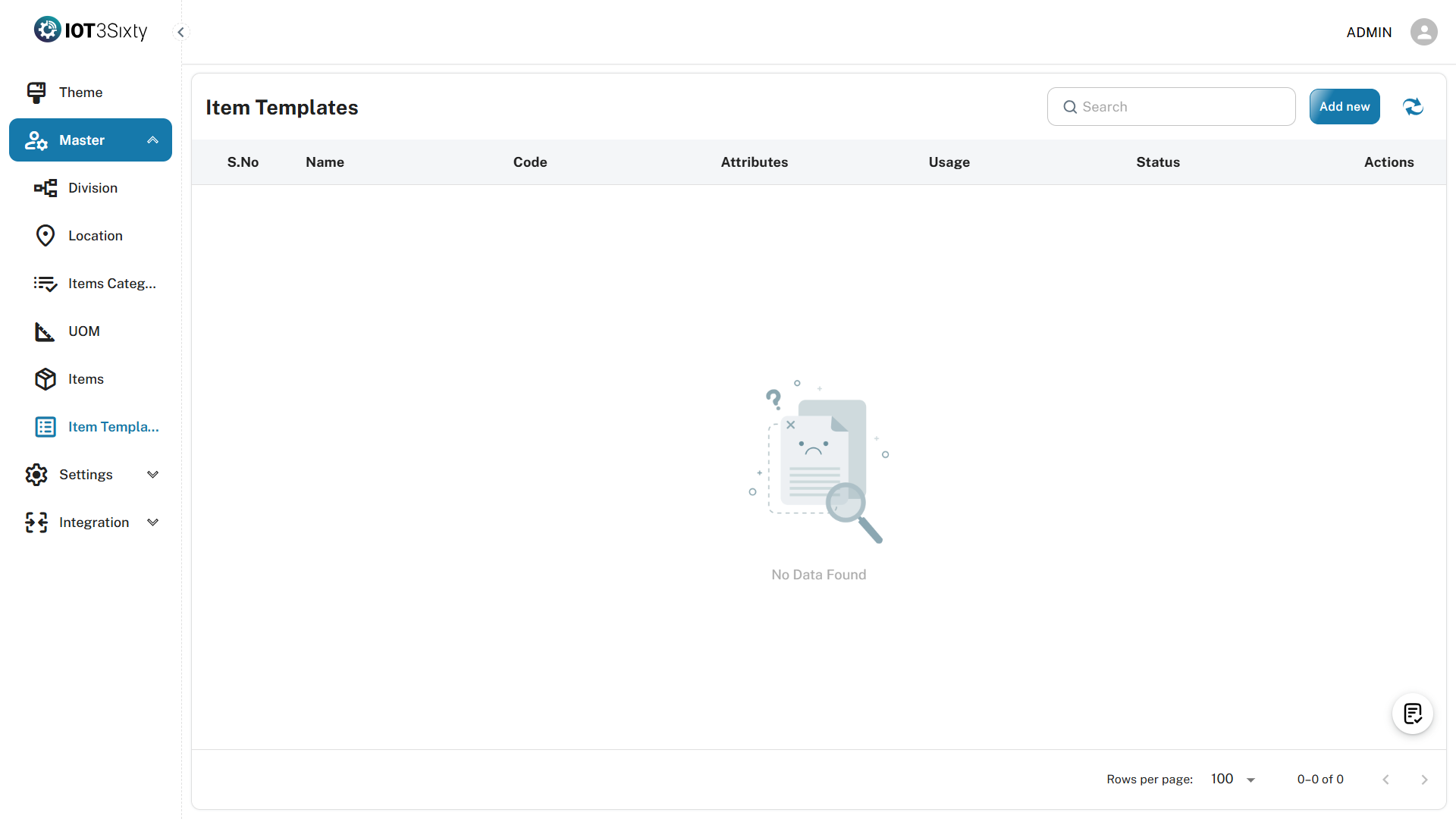
1. Navigate to Item Template Page
- Go to Masters > Item Template.
2. Click the "Add New" Button
- This opens the Item Template Creation Form.
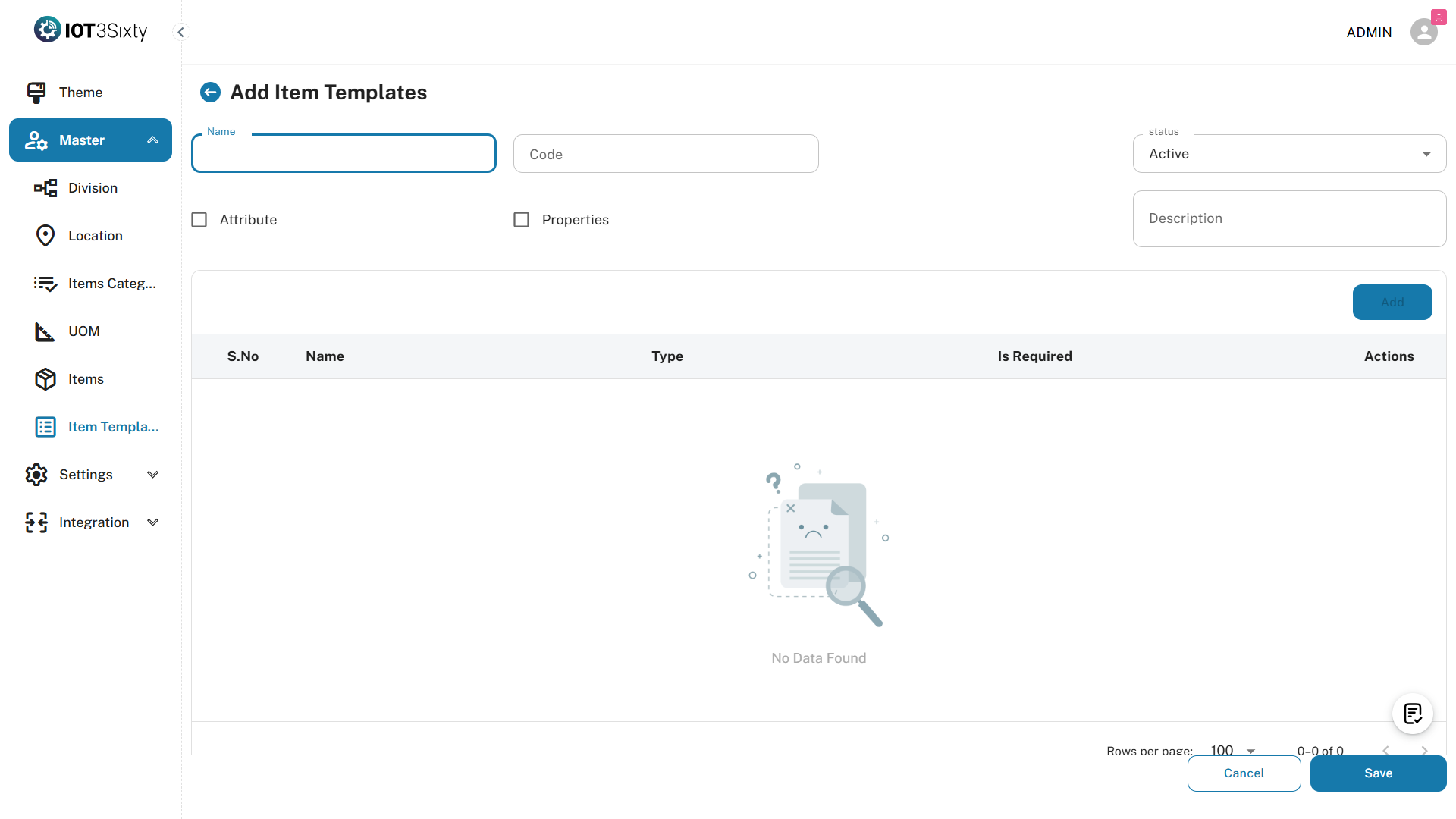
3. Fill in Basic Details
| Field | Type | Required | Description |
|---|---|---|---|
| Template Name | Text | Yes | Enter a name for the template (e.g., "Garment Template") |
| Template Code | Text | Yes | Enter a unique code (e.g., "GT001") |
4. Select Attributes and Properties
- Select from the available list of Attributes and Properties to include in this template.
- You can select multiple fields depending on your item requirements.
5. Click the "Add" Button
- After selection, click Add.
- A dialog box will appear showing the selected fields for review.
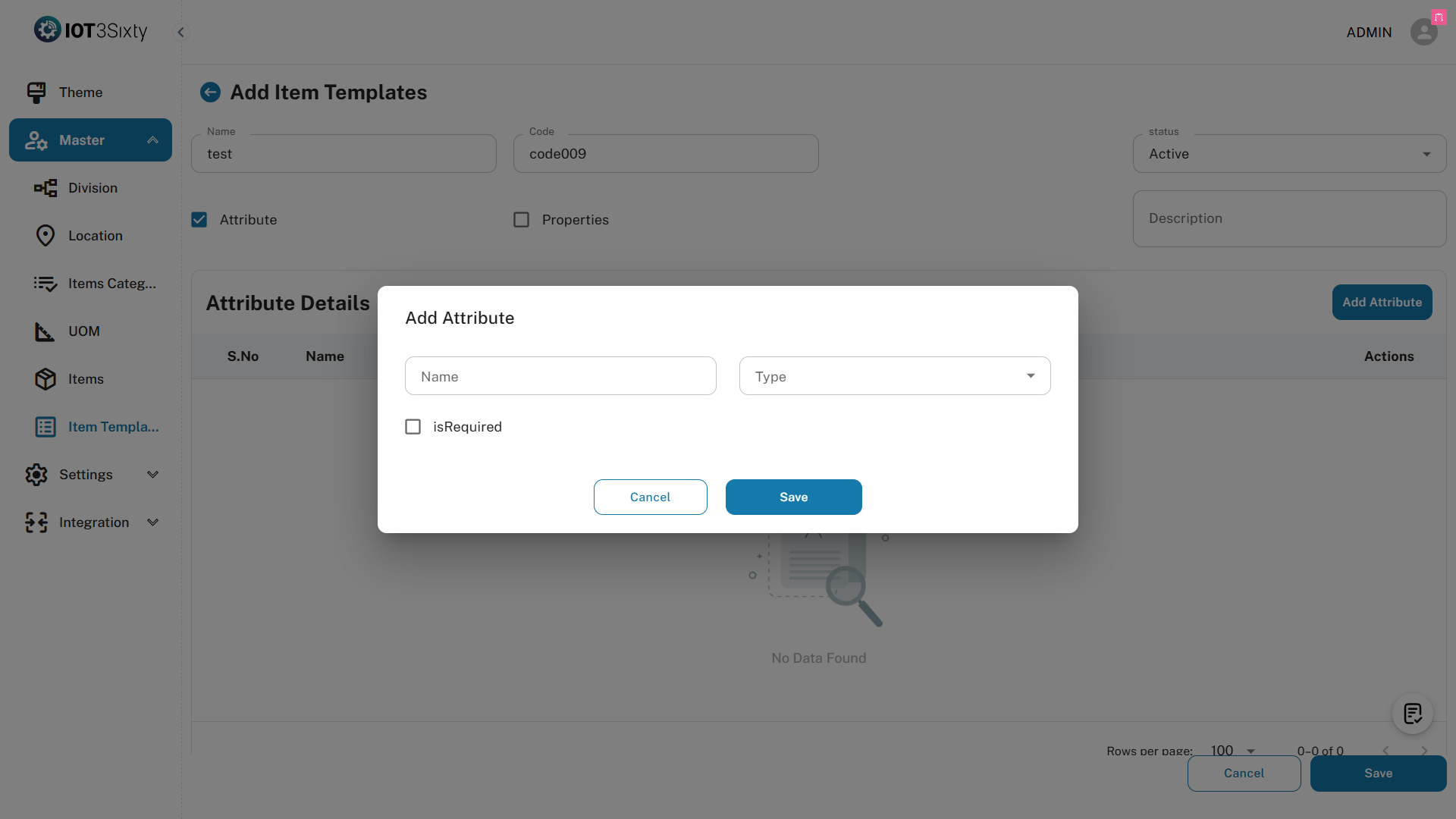
6. Review and Confirm
- Check the necessary fields in the dialog box.
- Click Save to complete the template creation.
Confirmation
Once the template is created, a message will appear:
ITEM TEMPLATE CREATED SUCCESSFULLY
The new template will now be available for selection during item creation.
Notes
- You can assign attributes like Size, Color, Brand or any other dynamic field.
- Properties can include static or conditional fields like Warranty, Power Rating, etc.
- These templates help streamline item entry especially in high-volume or categorized data setups.
Best Practices
- Create templates for commonly used item types or categories.
- Use meaningful template names and codes for clarity.
- Update templates if you frequently add new attributes or properties.